

TurboScribe
Leif · Writing · Voice & Language
TurboScribe is an AI transcription service that converts audio and video to text in 98+ languages with unlimited minutes on paid plans.
About TurboScribe
What Is TurboScribe
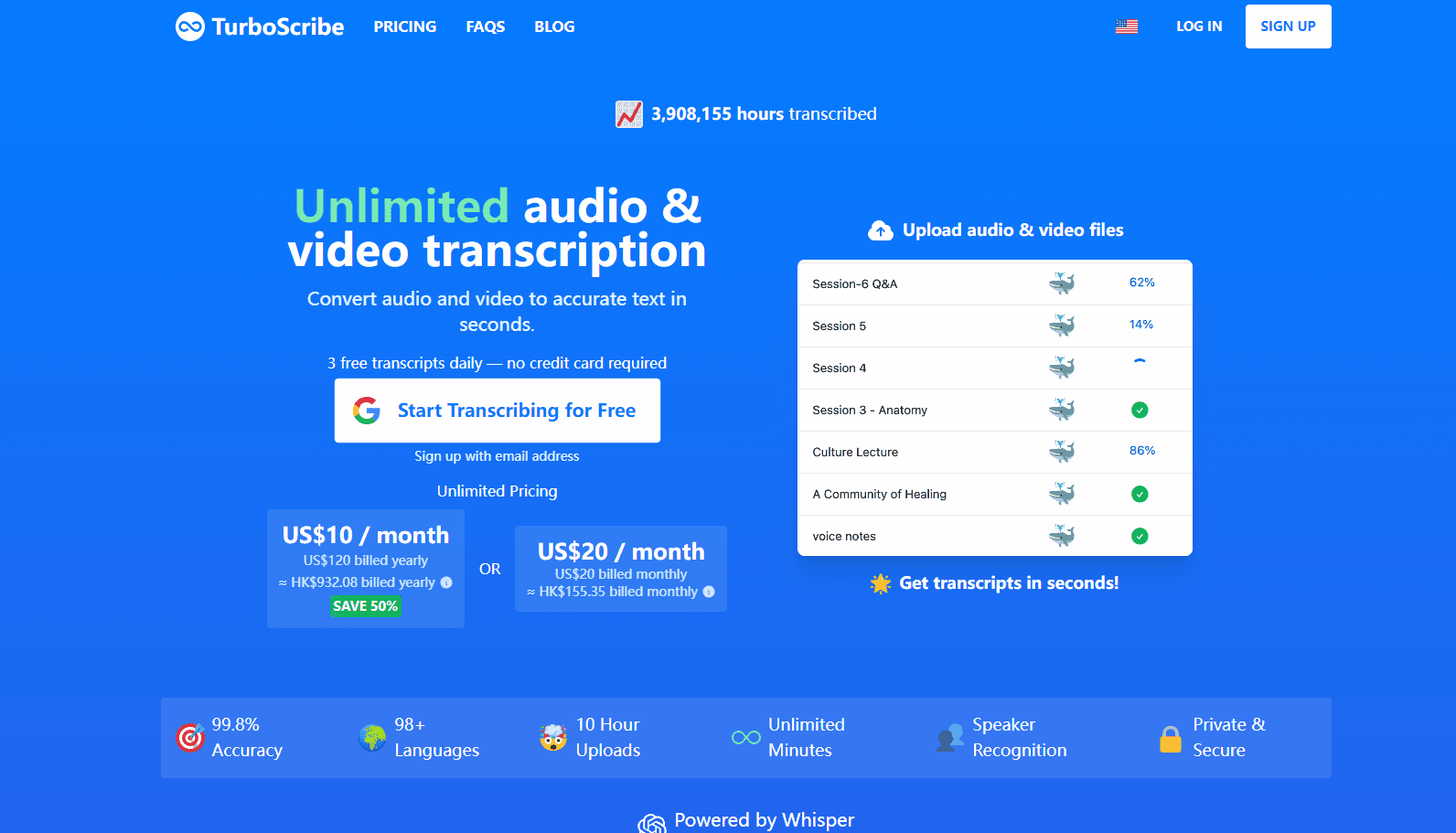
TurboScribe is a web-based transcription service that turns audio and video files into written text. You upload a recording, pick a language, and it hands back a transcript in seconds. The engine runs on Whisper, the open speech-to-text model from OpenAI, and the service claims 99.8% accuracy across the 98+ languages it handles.
The pitch is simple: stop paying per minute. Most transcription services meter you by the hour, which makes big archives expensive. TurboScribe is built for people with a lot of audio, from podcast back catalogs to interview recordings, and charges a flat fee instead. It's the work of Leif, a solo developer who spent close to a decade building AI systems at Meta before going independent. Is it worth switching for that alone? Depends on how much you transcribe. Heavy users save real money. Light users probably don't.
There are limits worth knowing. The whole product lives in a browser, so there's no desktop app or mobile app, no offline mode, and no way to drop it into an existing editing pipeline without exporting files by hand. The free tier only allows 3 files a day, each capped at 30 minutes, and those jobs sit at the back of the queue behind paying customers. Speaker labels and audio cleanup add extra processing time. And the free plan's upload limit rules out anything long.
Getting Started
- Create a free account on turboscribe.ai with an email address. No credit card needed for the free tier.
- Drag an audio or video file onto the upload box, or browse to it. Common formats like MP3, MP4, M4A, WAV, and MOV all work.
- Choose the spoken language, then set options such as speaker recognition, translation to English, or audio restoration under More Settings.
- Pick a transcription mode. Cheetah is fastest, Dolphin balances speed and accuracy, and Whale pushes for the highest accuracy.
- Wait for the transcript, then edit it or export it as PDF, DOCX, TXT, SRT, or VTT.
Product Information
A quick look at TurboScribe's pricing, supported platforms, and performance.
Best for
The users, tasks, and scenarios where this tool fits best.
Users
- Podcasters and video creators who need captions and subtitles for a growing back catalog, on any paid plan
- Journalists and researchers transcribing long interviews, since a single file can run up to 10 hours
- Students and academics converting lectures and research recordings, using the free tier for occasional files
- Small teams that want one unlimited account, but the license forbids sharing a single login
Tasks
- Transcribing audio to text in bulk, with Bulk Actions to download many transcripts at once
- Converting video to text for YouTube uploads and caption files in SRT or VTT format
- Translating transcripts and subtitles into 134+ languages from inside the editor
- Labeling who spoke in meetings, interviews, and panels with speaker recognition
Scenarios
- Clearing a backlog of recorded calls and meetings without watching per-minute costs
- Preparing accurate subtitles for videos in languages you don't speak, when the recording is in one of the high-accuracy languages
- Working through a semester of recorded lectures, spreading files across days on the free plan
Key features
Unlimited Transcription on a Flat Fee
The paid plan removes the meter entirely. There are no caps on total usage, and the company says its systems are built to handle at least 720 hours of audio or video a month, a number that works out to transcribing around the clock for thirty straight days. For anyone who used to ration uploads and pick which files deserved the fee, that shift is the whole reason to switch. One login, one price, transcribe as much as you want.
Whisper-Powered Accuracy
TurboScribe runs on Whisper, the same open model behind many speech-to-text tools. Whisper transcription here offers three modes: Cheetah for speed, Dolphin for balance, and Whale for top accuracy using Whisper's 1.55 billion parameter large model. Big difference. The claimed 99.8% figure comes from the service itself, and accuracy varies by language. English and a dozen others perform best.
98+ Languages and Built-In Translation
The service handles spoken audio in over 98 languages, then lets you translate the result into more than 130, which means a single upload can move from a recorded interview in one language to a finished subtitle file in another without a second tool in the chain. You can also skip the middle step and transcribe any language straight to English. If you want to transcribe audio to text in a language you don't read, that single option does most of the work. It covers most multilingual workflows without needing a separate translation tool.
Speaker Recognition and Audio Restoration
Speaker recognition labels each stretch of the transcript with who's talking, which is what you want for interviews and panel discussions. Audio restoration is a separate option that uses AI to strip background noise and clean up poor recordings. Both add processing time, so enable them only when the source audio needs it.
Large File Handling and Bulk Actions
Each uploaded file can run up to 10 hours and 5 GB, and paid users can queue 50 files at once. Once transcripts are ready, bulk actions let you download many at a time in your chosen format. No clicking through them one by one. It's aimed at people who deal in volume rather than one-off clips.
Multiple Export Formats
Transcripts download as PDF, DOCX, TXT, CSV, or as captions and subtitles in SRT and VTT. That range covers document handoffs, video editing pipelines, and accessibility requirements. Format choice happens at download. No separate conversion step, no extra software.
Pros and cons
Pros
- Unlimited transcription minutes for a flat $10 a month on the yearly plan, with no per-hour metering
- Handles 98+ spoken languages and translates transcripts into 134+ output languages
- Large uploads up to 10 hours and 5 GB, with 50-file batches for paid users
- Exports to DOCX, PDF, TXT, CSV, and subtitle files, so it fits most editing workflows
- Files and transcripts are encrypted, and the developer states only you can access them
Cons
- Web-only, so there's no desktop or mobile app to work offline
- The free plan allows just 3 files a day at 30 minutes each, with lower priority in the queue
- Accuracy drops in less common languages, so results vary beyond the dozen or so strongest ones
- Speaker recognition and audio restoration each add processing time per hour of audio
- No public API, so you can't wire transcription into your own software
Frequently asked questions
It's an AI transcription service that turns audio and video files into text. You use it to produce transcripts, captions, and subtitles, and to translate that text into other languages.
Related content
Explore related tools, skills, and articles for TurboScribe.
TurboScribe Alternatives

Google EmbeddingGemma 2
Google DeepMind · Writing · Image · CodingGoogle EmbeddingGemma 2 is a 740M-parameter open model that turns text, code, images, audio, and video frames into vectors in one 768-dimension space, running on phones and laptops.

MePersona
MePersona, Inc. · Writing · Productivity · MarketingMePersona is an AI unified inbox for creators. It learns your voice, drafts replies to fan messages from 12 platforms, and sends only what you approve.

Fluence
Yay Software (Yannick Huchard) · Writing · Voice & Language · ProductivityFluence is an Android app that reads PDFs, EPUBs, Word files and web articles aloud, follows each sentence as it speaks, and answers questions about the text on the phone itself.