

TurboSQL
TurboSQL · Coding
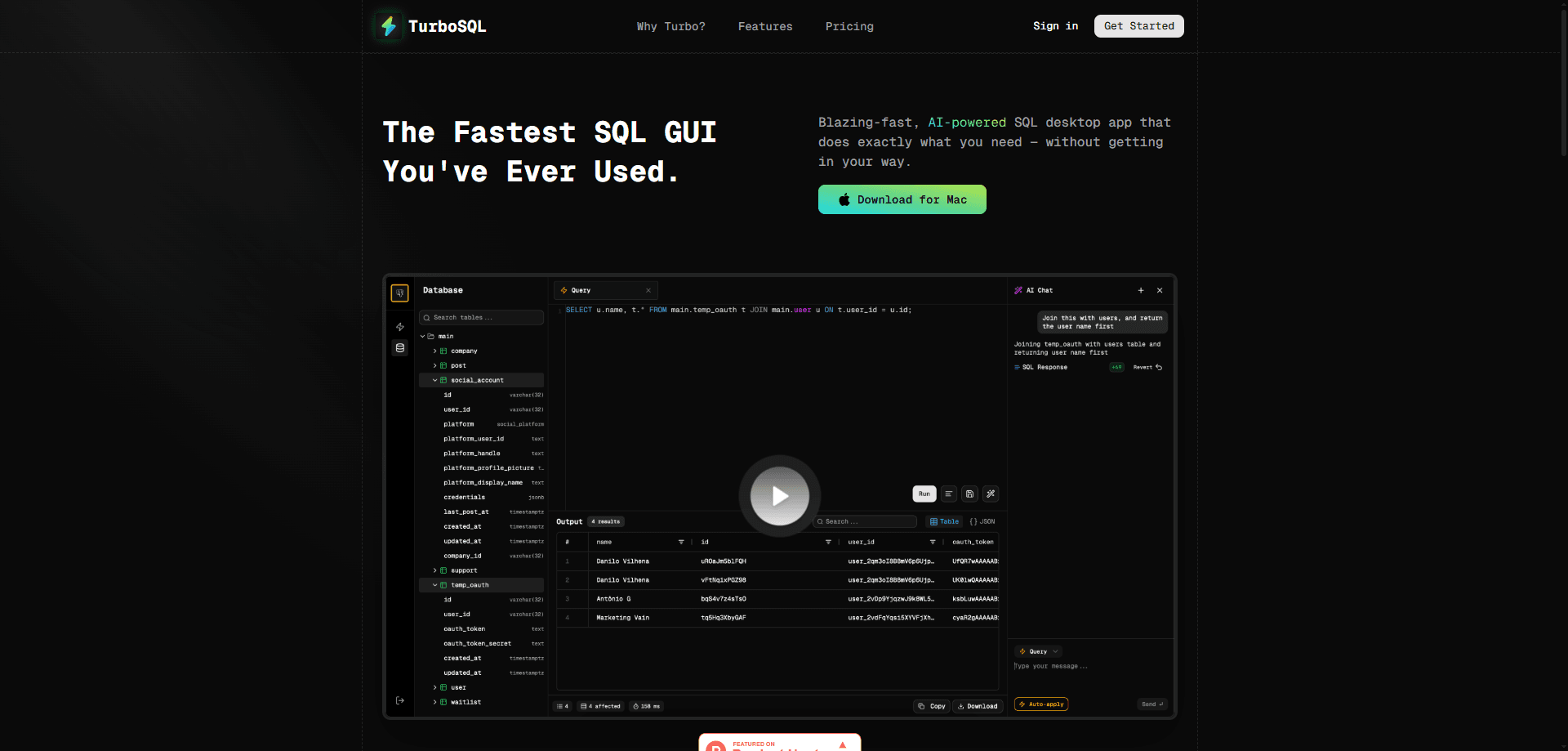
TurboSQL is an AI-powered SQL desktop app for macOS that runs queries fast, generates SQL from plain English, and explains or autocompletes statements against your live schema.
About TurboSQL
What Is TurboSQL
TurboSQL is a desktop SQL client for developers who are tired of slow, cluttered database tools. It pairs a snappy editor with an AI assistant that writes, explains, and completes SQL for you. You connect a database, describe what you want in plain English, and it drafts the query against your actual tables and columns.
Think of it as a PostgreSQL GUI or MySQL client that reacts the moment you type, rather than a heavy admin console. The app runs on the Tauri framework, so it stays light and opens almost instantly instead of dragging like an Electron client. Everything is keyboard-driven, and your queries live in real folders and files the way code does. The team calls it local-first: your connection details and results stay on your machine rather than passing through their servers.
The catch is platform coverage. At launch TurboSQL shipped as a Mac app, with Windows and Linux support announced but not ready on day one. It also connects to a focused set of databases, so teams running something outside that list will need another tool for those sources.
Getting Started
- Download the TurboSQL desktop app for macOS and open it.
- Add a database connection by entering the host, port, and credentials for your PostgreSQL, MySQL, MariaDB, SQLite, or CockroachDB instance.
- Pick a query file or folder from the sidebar, or create a new one to keep your work organized.
- Write SQL by hand or ask the AI assistant to generate it from a plain-English prompt, then run it with a shortcut and read the results grid.
Product Information
A quick look at TurboSQL's pricing, supported platforms, and performance.
Best for
The users, tasks, and scenarios where this tool fits best.
Users
- Backend and data developers
- Analysts who know SQL but not every dialect
- Solo developers and small teams
Tasks
- Generating SQL from a prompt
- Explaining unfamiliar queries
- Autocompleting against a live schema
- Organizing a query library
Scenarios
- Debugging a slow report
- Onboarding into a new codebase
- Ad-hoc data checks
Key features
AI query generator
The AI query generator turns a plain-English description into a runnable SQL statement. It reads your schema first, so the generated query references your real tables and columns instead of guessing names. For people who know the shape of an answer but not the exact syntax, this removes the blank-page moment.
Query explanation
Paste a statement someone else wrote, and TurboSQL walks through what it does. It's aimed at inherited queries and dense nested logic, where the goal is understanding a result before you trust or change it.
Schema-aware autocomplete
Suggestions come from your connected database, so column names, tables, and joins match what actually exists. That cuts down on typos and on the trial and error of remembering a schema you don't work in every day.
Keyboard-first workflow
Every action has a shortcut, and the design keeps your hands off the mouse. For developers who live in a terminal or an editor all day, that consistency matters more than a toolbar of buttons.
Fast, local-first performance
TurboSQL builds on Tauri rather than Electron, which keeps the app small and responsive. It stores your connections and query history locally and states that it doesn't collect your data, so sensitive connection strings don't leave your machine.
Organized query library
Queries sit in folders and files like a code project, not in a flat list of tabs. You can group related statements, reuse them across tasks, and keep a working library instead of a graveyard of open tabs.
Pros and cons
Pros
- The free Community plan includes unlimited connections, so you can run it on real work before paying.
- AI generation, explanation, and autocomplete cover the slow parts of writing SQL against an unfamiliar schema.
- It's built on Tauri, so the app opens and responds faster than heavier Electron-based clients.
- Local-first storage keeps connection details and data on your own machine.
- Queries are organized into folders and files, which suits developers used to working in a real codebase.
Cons
- It launched as a macOS app, so Windows and Linux users are waiting on ports that weren't ready at release.
- Database support is limited to PostgreSQL, MySQL, MariaDB, SQLite, and CockroachDB, which rules out warehouses and other engines.
- The full AI experience sits behind the $15/mo Professional plan, and the free tier leaves that out.
- There's no web version, so you can't run it from a browser on a machine where you can't install software.
Frequently asked questions
TurboSQL is a desktop app for writing and running SQL against your databases. It combines a fast editor with AI features that generate queries from plain English, explain existing statements, and autocomplete against your live schema.
Related content
Explore related tools, skills, and articles for TurboSQL.
TurboSQL Alternatives

Base Code
Base44 (Wix) · Coding · ProductivityBase Code is a shared cloud development environment from Base44. Teammates describe changes to an existing GitHub codebase in chat, preview them live and send them back as pull requests.

Google EmbeddingGemma 2
Google DeepMind · Writing · Image · CodingGoogle EmbeddingGemma 2 is a 740M-parameter open model that turns text, code, images, audio, and video frames into vectors in one 768-dimension space, running on phones and laptops.

GitGlow
GitGlow · Coding · ProductivityGitGlow is a local-first desktop Git client that lets independent developers review their own code and their AI agents' changes in one place before shipping.