

TurinQ - AI Study & Quizzes
TurinQ · Writing · Leaning
TurinQ is an AI quiz maker and exam generator that turns PDFs, lecture videos, handwritten notes, and web pages into questions, flashcards, and graded practice tests.
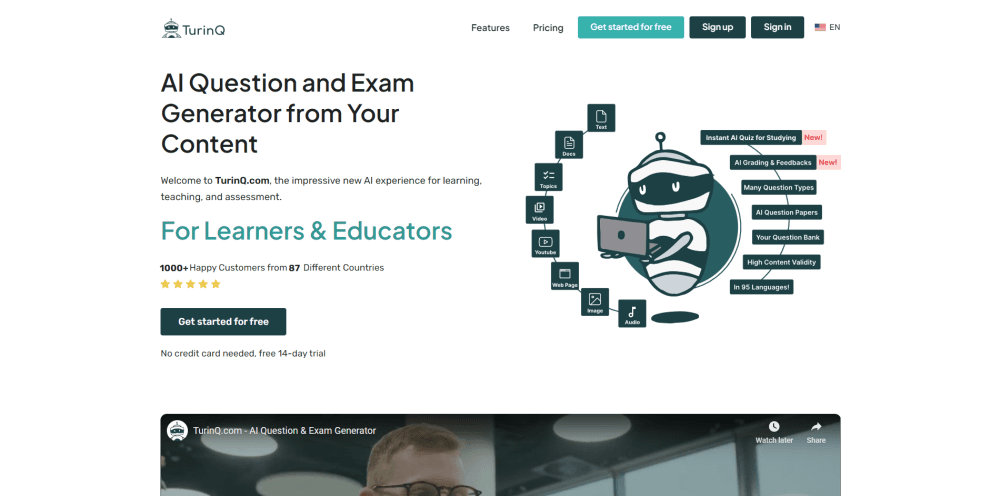
About TurinQ - AI Study & Quizzes
What Is TurinQ
TurinQ is a study platform built around one job: pull questions out of material you already have. You upload a lecture PDF, a recorded lesson, a textbook chapter, or just type a topic, and the site writes multiple choice, true or false, fill in the blank, multiple response, and open ended questions from it. The same file can also become a flashcard deck and a written summary.
Educators are the loudest users. The testimonials on the site come from medical school faculty in Turkey who use it to build question banks for exams and to run interactive sessions with residents. Students use the same engine to test themselves before a test.
The limits are practical. Free access lasts 7 days, then you pay, and the monthly plans meter the AI work in credits: 100 quiz generations, 100 flashcard generations, and 100 insight reports per month, plus 200 general AI credits. Yearly billing eases the price but not the credit count.
Getting Started
- Create an account at turinq.com and pick the monthly, yearly, or enterprise plan. The 7-day trial starts without payment.
- Upload your source. TurinQ takes PDFs, DOCX, images of handwritten notes, audio, video, YouTube links, web pages, or a Wikipedia topic you name.
- Choose the question types, how many questions you want, and the Bloom's taxonomy level, from recall up to evaluation.
- Generate the quiz or paper, then edit or add questions by hand before you share it.
- Send it out, collect answers, and read the AI grading and AI Insights report to see which topics the group missed.
Product Information
A quick look at TurinQ - AI Study & Quizzes's pricing, supported platforms, and performance.
Best for
The users, tasks, and scenarios where this tool fits best.
Users
- University faculty building exam banks
- Medical and health science educators
- Students revising alone
Tasks
- Converting a 40 page chapter into a 20 question practice test with answer explanations.
- Turning a recorded lecture or a YouTube video into questions, without transcribing it first.
- Building flashcards from key terms and drilling them on a spaced repetition schedule.
- Writing open ended exam questions and letting AI grade the free text answers with feedback.
Scenarios
- The week before finals, when you have four subjects and no practice questions written yet.
- Department exam prep, where several instructors need a shared question collection that anyone can add to.
- Corporate training and support onboarding, where a product manager needs staff tested on internal documents.
Key features
Question Generation From 8+ Content Types
As an AI question generator, TurinQ takes PDFs, Word files, photos of handwriting, audio, video, YouTube links, web pages, and plain topic prompts. That range matters because most study material is not a clean text file. A photo of a notebook page works as an input, so you don't retype your own notes before you can practice.
Six Question Types With Bloom's Taxonomy Control
TurinQ writes multiple choice, true or false, fill in the blank, multiple response, matching, and open ended items. The Bloom's taxonomy setting is the part that separates it from a generic quiz tool: you can ask for recall level items for a warm up session or evaluation level items for a final. For an exam generator, that control decides whether the output is usable.
Quiz and Paper Builder With AI Grading
Questions from different uploads can be combined into one paper, and you can add or edit items by hand before publishing. Open ended answers get graded automatically with written feedback, and the score lands in a results view per participant. Papers export as PDF, JSON, or XML, which is how the question bank gets into an LMS.
AI Study Assistant for Your Own Documents
You can ask questions about an uploaded PDF or article and get answers pulled from that source. The assistant also produces summaries, FAQ lists, and timelines on request. It works as a tutor for the material you actually have to pass, not for general knowledge.
Flashcard Maker With Spaced Repetition
The flashcard builder lifts key terms from your file and turns them into a deck. Review then runs on a spaced repetition schedule, so cards you keep missing come back sooner. Decks sync to the Android app and the browser extension, which covers the bus ride and the library desk.
AI Insights on What to Study Next
After a quiz, the platform reports which topics drew wrong answers and which ones the group handled. Students see their own weak spots over repeated attempts; instructors see where a class is behind. It's the difference between a score and a plan for the next session.
Pros and cons
Pros
- Handles inputs that other quiz tools skip: audio, video, handwritten photos, and pages behind a login via the Chrome extension.
- Bloom's taxonomy control makes the question output match the exam you actually have to set.
- Open ended questions get graded with feedback, so essay style exams don't need manual marking.
- Output languages cover 95 options, which helps bilingual schools and international training teams.
Cons
- No permanent free tier. After the 7-day trial, everything sits behind a paid plan.
- Credits run out faster than the plan names suggest: 100 quiz generations a month is thin for a teacher running weekly quizzes across four classes.
- Audio and video are capped at 250 minutes a month, so a semester of recorded lectures won't fit in one cycle.
- The interface is built for desktop work, and the iOS app isn't listed, so iPad only users work in the browser.
Frequently asked questions
It reads your study material and writes quizzes, exam papers, flashcards, and summaries from it. You pick the question types and difficulty level, then edit the output before sharing it with students or using it yourself.
Related content
Explore related tools, skills, and articles for TurinQ - AI Study & Quizzes.
TurinQ - AI Study & Quizzes Alternatives

Google EmbeddingGemma 2
Google DeepMind · Writing · Image · CodingGoogle EmbeddingGemma 2 is a 740M-parameter open model that turns text, code, images, audio, and video frames into vectors in one 768-dimension space, running on phones and laptops.

MePersona
MePersona, Inc. · Writing · Productivity · MarketingMePersona is an AI unified inbox for creators. It learns your voice, drafts replies to fan messages from 12 platforms, and sends only what you approve.

Fluence
Yay Software (Yannick Huchard) · Writing · Voice & Language · ProductivityFluence is an Android app that reads PDFs, EPUBs, Word files and web articles aloud, follows each sentence as it speaks, and answers questions about the text on the phone itself.