

TutorFlow | AI-Powered Course Creation
TutorFlow · Leaning
TutorFlow | AI-Powered Course Creation is a course tool that turns a short prompt or an uploaded slide deck into a complete interactive course. Educators, training teams, and content creators get lessons, slides, videos, quizzes, and a built-in AI tutor in one workspace, without stitching together five separate apps. It targets people who teach, whether that's a university lecturer, an onboarding manager, or a solo course seller. If that's you, keep reading.
About TutorFlow | AI-Powered Course Creation
What Is TutorFlow | AI-Powered Course Creation
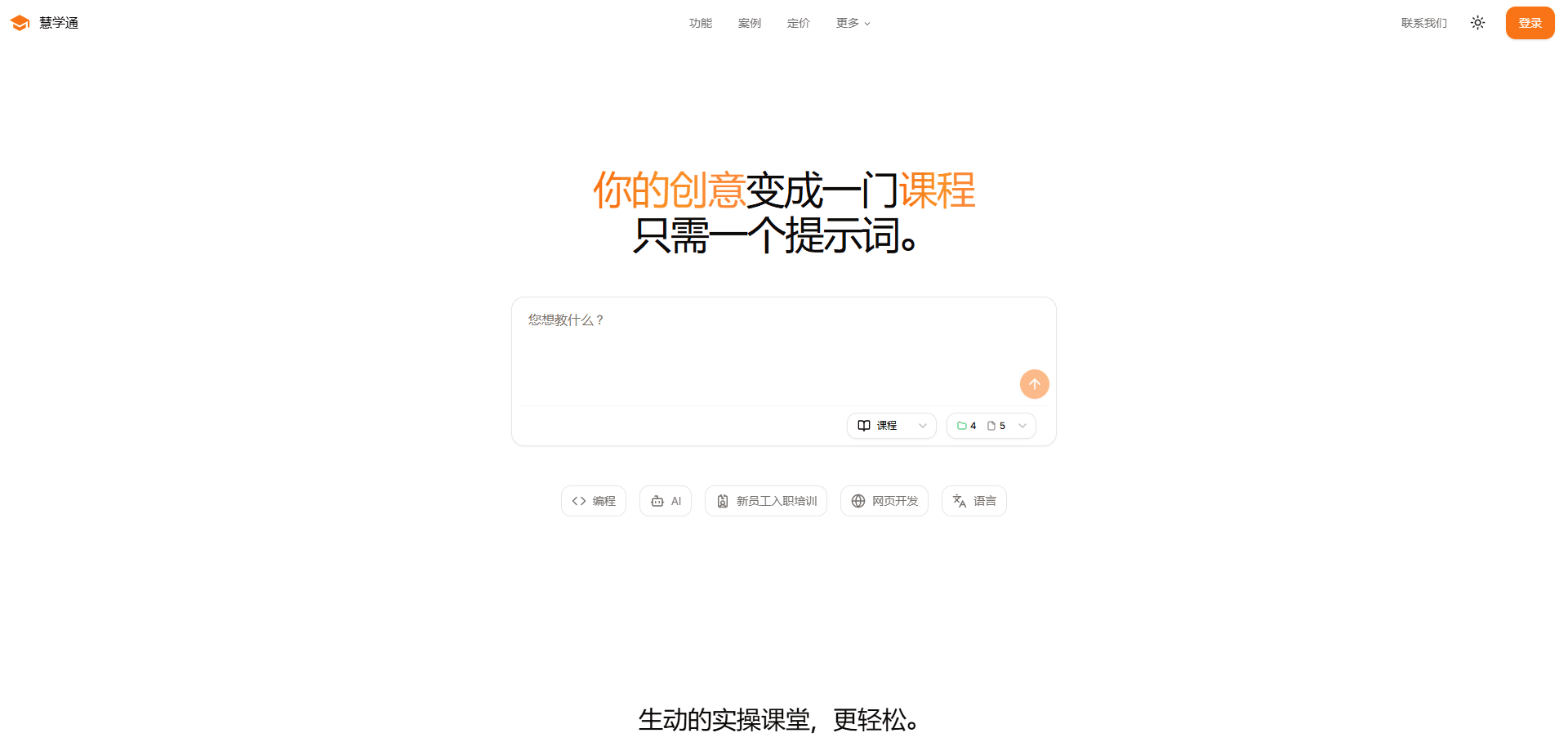
TutorFlow is an online course generator and learning management system built for teachers, L&D teams, and content creators. You describe what you want to teach, and TutorFlow drafts the structure: an outline, slides, quizzes, coding labs, and AI tutor settings that follow the lesson flow. It reads your existing materials too. A stack of old PDFs can become structured course content instead of sitting unused.
The pitch is straightforward. Formatting slides and building the same quiz every semester eats hours you could spend on feedback. TutorFlow compresses prep time. Its own site claims educators save over 10 hours a week and can move from a prompt to a ready lesson in about five minutes. As an AI lesson planner, it handles objective quizzes end to end, which is the part most instructors dread repeating. That's the whole point.
The main limit is that this isn't a generic chatbot you can bend to anything. It's aimed at education and training, so teams outside that space won't get much out of it. Think of it as a corporate training platform that happens to work in classrooms too. Its AI course creator and classroom tools assume you actually run lessons or programs.
Getting Started
- Sign up with just an email address, then set up a workspace for your classes or training programs.
- Add a topic or upload existing slides, documents, or videos, and let TutorFlow pull out the core structure.
- Review the AI-drafted lesson, where slides, quizzes, code labs, and AI tutor settings come together along the flow.
- Share a class link with learners and run the session through your existing LMS or directly in TutorFlow.
- Check learner responses and grading results, then add feedback wherever it helps.
Product Information
A quick look at TutorFlow | AI-Powered Course Creation's pricing, supported platforms, and performance.
Best for
The users, tasks, and scenarios where this tool fits best.
Users
- University lecturers and instructors
- L&D and training managers
- Content creators and course sellers
- Developers building education products
Tasks
- Converting a topic or prompt into a structured lesson
- Auto-grading objective quizzes
- Running live coding and STEM labs
- Building compliance or onboarding training
- Generating course videos and subtitles
Scenarios
- A lecturer rebuilding a stale slide deck before a new term
- A training provider onboarding new hires across several locations
- An edtech team integrating AI tutoring into a SaaS product
- A creator launching a paid online course on a tight timeline
Key features
Prompt-to-Course Generation
Type a description of what you want to teach, and TutorFlow returns a course outline with lessons, slides, quizzes, and activities already arranged. You can also start from an uploaded document, slide deck, or video, and the tool extracts the underlying structure. This is the core of the AI course builder. Most people try it first.
Interactive Video and Slide Content
TutorFlow generates AI-narrated videos and presentation slides as part of the same lesson flow, so visual content doesn't need a separate tool. A featured video subtitle generator adds captions automatically, which matters if you publish course material for learners who watch without sound.
Auto-Graded Quizzes and Assignments
Objective quizzes score themselves, and open-ended responses can be checked against a rubric with feedback and audit logs kept alongside. Code assignments are different. For those, the platform runs labs in more than 30 languages with stepwise hints. Grade faster. Grading is one of the biggest time sinks in teaching, and this is where the platform earns its keep.
Built-In AI Tutor
Each course can ship with a domain-aware AI tutor that acts as an AI teaching assistant and answers learner questions around the clock. Course creators set its guardrails, so it stays on topic instead of wandering. For async or hybrid programs, this keeps learners moving between live sessions without an instructor on standby.
LMS Integration via LTI 1.3 and SCORM
TutorFlow connects to Canvas, Blackboard, D2L Brightspace, and Moodle. Learners sign in through the school's existing LMS while instructors author and grade inside TutorFlow. That means you don't have to migrate a campus onto a new system to use the AI course creator.
Focused Teaching Tools
A set of smaller tools sits alongside the course builder. There's an AI detector for checking possible AI-written assignments, a tool that compares AI answers, math OCR for scanning handwritten formulas, and a feedback drafter. Not a replacement for judgment, but useful. Each one links back to your classrooms, so you can move from content to practice in a few clicks.
Developer API and MCP Server
TutorFlow exposes course data models, prompt orchestration, AI tutor guardrails, grading rubrics, and usage metering as REST APIs. Every endpoint returns a consistent schema, so you can generate a course with a single POST request and no SDK. An MCP server config lets agents call TutorFlow tools directly. No SDK required. The free plan includes 1,000 credits to test the API.
Pros and cons
Pros
- Turns a single prompt or an old slide deck into structured course content, cutting the blank-page problem out of lesson prep.
- Auto-grading covers objective quizzes end to end and supports rubric-based feedback for open-ended work. Prep time drops.
- LTI 1.3 and SCORM support means it slots into Canvas, Blackboard, Brightspace, and Moodle rather than replacing them. No migration needed.
- A developer API and MCP server open the same engine to teams building their own education products.
- Data policies state GDPR and FERPA alignment, minimal data collection, tenant isolation, and no AI training on your content.
Cons
- The pricing page renders its plans through scripts, so the exact paid tier costs aren't visible to a first-time visitor without signing up.
- The API gates access behind credits, which means heavy production use needs tracking beyond the free 1,000. Watch your meter.
- AI-generated courses and auto-graded work still need an instructor's review, especially for subjective or high-stakes assessment.
Frequently asked questions
It's used to create and run interactive courses. You give it a topic or upload materials, and it produces lessons, slides, videos, quizzes, and coding labs, then helps you deliver and grade them. It fits classrooms, corporate training, and online course businesses.
Related content
Explore related tools, skills, and articles for TutorFlow | AI-Powered Course Creation.
TutorFlow | AI-Powered Course Creation Alternatives

Kaggle AI
Google · Coding · LeaningKaggle AI is a community platform where people build, test, and compare machine learning models against shared data. It combines data science competitions, tens of thousands of public datasets, and free cloud notebooks with GPU and TPU access, so anyone with a browser can train a model without buying hardware. Google owns the platform, and joining costs nothing.

Bunch
Bunch AI · Leaning · BusinessBunch is an AI leadership coaching app that turns a few spare minutes a day into real management practice. It hands you one short, personalized tip each day, tracks how you respond, and lets you compare notes with peers inside private groups. The pitch is simple: you lead better by practicing a little, often, instead of sitting through a weekend seminar. Think of it as a leadership training app you actually open.

AI Mock Interview
SQLPad · Coding · LeaningAI Mock Interview is a practice tool built into SQLPad that simulates real job interviews and gives you instant feedback on both what you say and how you say it. You pick a role template or upload a job description, answer questions out loud in real time, and then review a transcript with notes on structure, clarity, and grammar. It's aimed at data professionals prepping for SQL, Python, data engineering, machine learning, and system design roles, and it works entirely in the browser. No install needed.