

Twixify
Twixify · Writing · AI Detection
Twixify is an AI humanizer that rewrites machine-generated text to match your own tone of voice, so the output reads like you wrote it and slips past AI detectors.
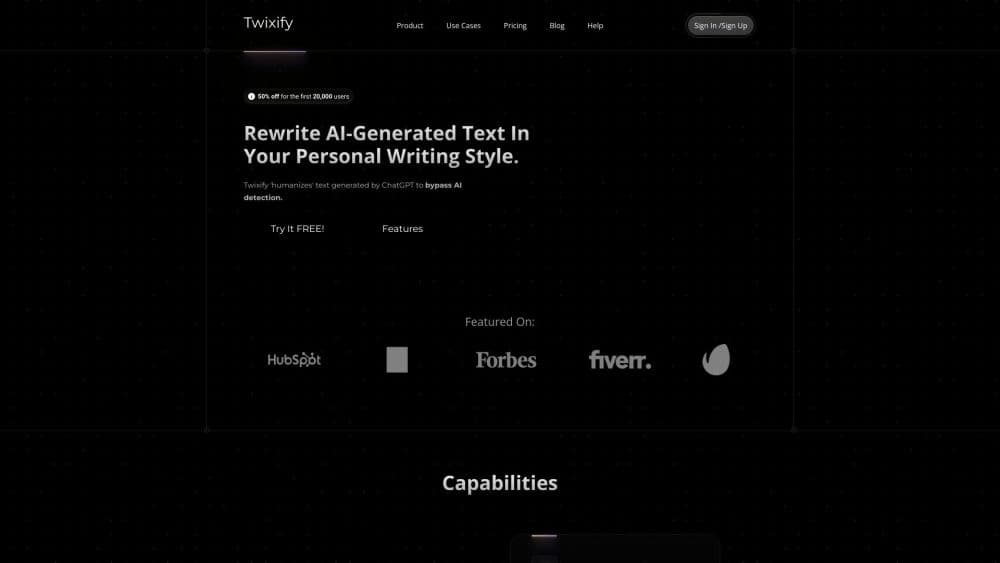
About Twixify
What Is Twixify
Twixify is a web-based text rewriter built for one job: to humanize AI text into paragraphs that sound like a person wrote them, specifically like you. You paste in a draft, hand it a sample of your own writing, and the tool rebuilds the passage around your vocabulary, sentence rhythm, and quirks. The company says it reads more than 17 style properties from your sample before it starts.
The obvious use is academic or workplace writing that has to pass an AI detector. Twixify's own framing is blunt about that: the output is meant to clear detection software while keeping the meaning intact. Its second use is less controversial. If you write marketing copy, client emails, or posts with ChatGPT and want a consistent personal voice, style mimic is the feature you'll actually lean on.
The limits matter as much as the pitch. Word counts run low per request, from 400 words on the cheapest plan to 1000 on the top one. Everything happens in a browser, there's no native app, and there's no public API for developers. Treat the detector bypass claims as the vendor's own words, since no independent benchmark is published on the site.
Getting Started
- Open twixify.com and create an account through the free trial. No card is needed to start the trial.
- Paste the AI-generated passage into the input field. Pick a tone preset, such as Personable, Empathetic, Direct, or Friendly, if you want a starting direction.
- Add a sample of your own writing under the style section. A few paragraphs of your normal prose work better than a formal document you'd never write by hand.
- Adjust the Expand & Elaborate slider if you need the output longer or denser, then generate.
- Copy the output and run it through the detector you care about before you use it anywhere that counts.
Product Information
A quick look at Twixify's pricing, supported platforms, and performance.
Best for
The users, tasks, and scenarios where this tool fits best.
Users
- Students turning in AI-assisted drafts
- Business professionals who write with ChatGPT
- Freelance writers and SEO specialists
Tasks
- Humanizing ChatGPT or Claude output
- Making AI drafts sound like your existing copy
- Cleaning up a paraphrased paragraph
- Expanding a thin section
Scenarios
- Tight deadlines on client content
- Keeping a consistent brand voice across a small team
- Testing whether a draft passes a detector
Key features
AI Text Humanizer
The core function takes AI-generated text and rebuilds it so it reads like human writing. It changes sentence structure, rhythm, and word choice rather than running a synonym swap, which is the difference between text that passes a detector and text that still sounds like a machine. Twixify's own before and after examples show casual phrasing and uneven punctuation replacing polished, uniform paragraphs.
Echowriting Style Mimic
Echowriting is Twixify's name for copying your writing style. You supply a sample, and the tool analyzes it across the properties it tracks, then writes new content that follows the same patterns. The output keeps your level of formality, your sentence length habits, and even how you punctuate. This is the part that matters for anyone publishing under their own name.
Tone Presets
Four presets set a direction before the rewrite starts: Personable, Empathetic, Direct, and Friendly. They're a starting point rather than a full style, and pairing one with your own writing sample gives better results than using either alone. For a short post or an email, a preset on its own is usually enough.
Expand & Elaborate Slider
A slider controls how much the output expands, and a separate customizer sets how much background knowledge the tool adds. You can keep the output close to the original length or stretch it out with extra facts. It's useful when a draft is too thin to meet a word count, less useful when you want a tight, short piece.
Word and Request Limits by Plan
Each plan sets a word ceiling per request and a monthly request count. Basic allows 400 words per request and 75 requests a month, Standard raises that to 600 words and 150 requests, and Premium goes to 900 or 1000 words depending on billing, with 200 requests monthly or unlimited on annual billing. The word ceiling is the practical constraint, since long articles need several passes.
Detector Bypass Positioning
The product is marketed around getting past AI detection tools, and the site says output bypasses detection software while keeping the original meaning. There's no published third-party test on the site, so treat this as the vendor's claim. Detectors update often, and results vary by tool, language, and subject matter.
Pros and cons
Pros
- Style mimic produces output in your own voice, which is more useful than generic paraphrasing for anyone publishing under their name.
- The free trial needs no card, so you can check the output quality before paying.
- Annual pricing drops the entry plan to $5 a month, which is low compared with most humanizer tools.
- The interface is one screen: paste, pick a tone, generate. There's no setup or prompt engineering.
- Tone presets give beginners a usable result without a writing sample.
Cons
- The cheapest plan allows 400 words per request and 75 requests a month, which runs out fast for long-form content.
- The detector bypass claim has no published independent testing, so you can't verify it before buying.
- There's no API and no native mobile app, which rules out automated workflows and on-phone use.
- Using it to pass detectors in academic work can breach school policy, and the tool doesn't address that risk anywhere.
Frequently asked questions
Twixify rewrites text so it reads like human writing in your personal style. People use it to make ChatGPT or Claude drafts sound less mechanical, to copy their own tone across new content, and to get text past AI detection tools. It handles text only, no images or audio.
Related content
Explore related tools, skills, and articles for Twixify.
Twixify Alternatives

Google EmbeddingGemma 2
Google DeepMind · Writing · Image · CodingGoogle EmbeddingGemma 2 is a 740M-parameter open model that turns text, code, images, audio, and video frames into vectors in one 768-dimension space, running on phones and laptops.

MePersona
MePersona, Inc. · Writing · Productivity · MarketingMePersona is an AI unified inbox for creators. It learns your voice, drafts replies to fan messages from 12 platforms, and sends only what you approve.

Fluence
Yay Software (Yannick Huchard) · Writing · Voice & Language · ProductivityFluence is an Android app that reads PDFs, EPUBs, Word files and web articles aloud, follows each sentence as it speaks, and answers questions about the text on the phone itself.