

TwoShot
TwoShot · Voice & Language
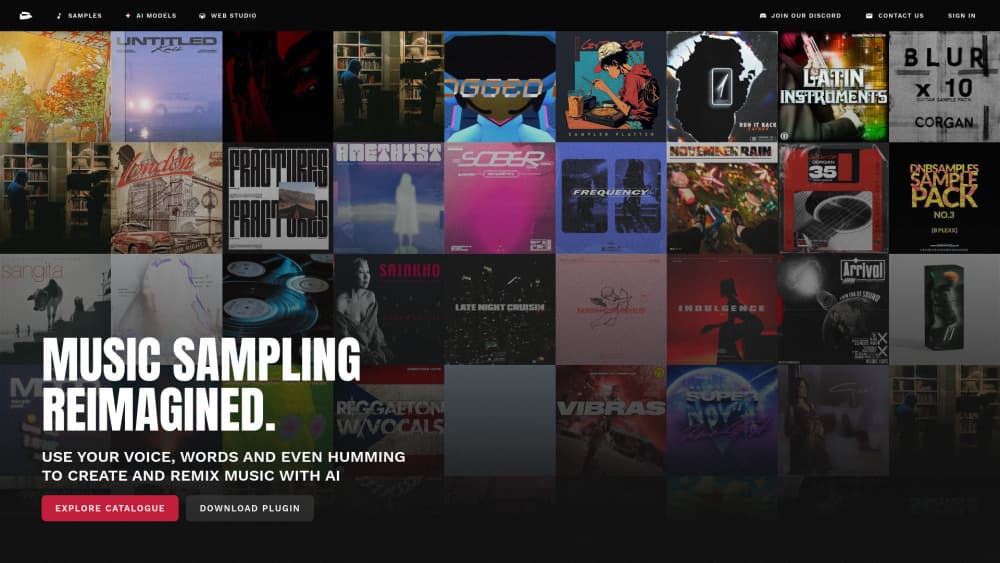
TwoShot is a browser-based AI creative suite for music, voice, video and images, built around a chat coproducer, a 200,000 sample library and an online DAW.
About TwoShot
What Is TwoShot
TwoShot started as a way to make music from a written description, and it grew into a full production workspace. You type what you want, and the platform returns audio, artwork, video or a voice take. The same account holds your samples, projects and exports.
The pitch is speed for people who don't own a studio. A producer can sketch eight beat ideas before lunch. A podcaster can clean up a noisy interview and add a bed of music without opening a second program. A video creator can generate a track, a thumbnail and a short clip in one place.
The catch is that everything runs in a browser and runs on credits. Heavy video work drains a balance fast, and free accounts are capped at small libraries and MP3 downloads. Anyone who needs multitrack control of a real session will still finish the job in a desktop DAW.
Getting Started
- Create an account with email or Google. New accounts start on the free plan with 750 credits a month.
- Open the Coproducer chat and describe the sound you want, for example "fast drum and bass loop, jungle-style breaks, 174 BPM".
- Refine the result in conversation, then send a stem to the Studio if you want to arrange it.
- Download the file, or publish it from the project page. Free accounts get MP3, paid plans unlock high-quality formats.
Product Information
A quick look at TwoShot's pricing, supported platforms, and performance.
Best for
The users, tasks, and scenarios where this tool fits best.
Users
- Producers who write beats daily
- Podcasters
- Video creators on a deadline
- Small studios and brands
Tasks
- Turning a mood into a first draft
- Separating a finished mix
- Writing hooks and toplines
- Making cover art and thumbnails
Scenarios
- A weekly content schedule
- Game and app sound design
- Client revisions
Key features
Coproducer Chat
The Coproducer is the front door to everything else. You describe a result in plain language, and it picks the tool, generates a take and lets you push back on the result. It holds context, so "same drums, half time, add a Rhodes" works as a follow-up. Free accounts get one active conversation, paid plans run two to four at once.
Text to Music and Stem Separation
TwoShot works as a general AI music generator: type a description and get a loop, a beat or a full arrangement back. The same engine splits an existing track into vocals, drums, bass and instruments. That combination covers two different jobs: starting from nothing, and rebuilding something you already have.
Studio and Sampler Plugin
Studio is a browser DAW where you drag samples onto a timeline, stack parts, add effects and export. The TwoShot sampler plugin brings the same library into a desktop session, so you can audition sounds where you actually finish records. Free accounts can use the plugin and the free catalog.
AI Voice Generator
Voice tools cover text to speech, voice enhancement and vocal transformation. You can build a narrator for a video, a character voice for a game, or a guide vocal for a demo. Results land in the project library next to your music, which keeps a series consistent.
Video and Image Generation
The AI video generator turns text or a still image into a short clip, animates photos, and edits images through conversation. Album covers, thumbnails and social clips come from the same workspace. It won't replace a full editing suite for long form work, but it covers the assets most releases need.
Sample Library and Sound Effects
The catalog holds more than 200,000 royalty-free samples, and the chat search finds them by description instead of tags. Custom sound effects and foley can be generated for games, podcasts and video. Free plans see a limited slice of the catalog, while paid plans unlock all of it.
Pros and cons
Pros
- One subscription covers music, voice, image and video, which cuts the usual stack of four tools.
- The 200,000 sample library is searchable in plain language, so crate digging takes seconds.
- Stem separation on a finished mix is fast and clean enough to feed a remix.
- The MCP server lets Claude, ChatGPT or Raycast trigger generations without opening the site.
- Pro adds API access and priority GPU processing for teams that ship on a schedule.
Cons
- Credits disappear quickly on video renders, so heavy users end up on the $145/mo plan.
- Free accounts are limited to 50 samples, images and videos plus 10 projects, which fills up in a week of testing.
- Everything depends on a browser tab and a connection. There's no offline mode.
- MP3 only on the free plan means you can't master or deliver a release without upgrading.
Frequently asked questions
TwoShot is used to make music, voiceovers, sound effects, images and short videos from text descriptions. Most people use it to sketch tracks, clean up audio or produce assets for a release, a podcast or a social post.
Related content
Explore related tools, skills, and articles for TwoShot.
TwoShot Alternatives

Off the Record
Weird Machines · Voice & Language · ProductivityOff the Record is a macOS app from Weird Machines that reshapes your voice in real time to block AI transcription, so people hear you normally and notetakers get nothing usable.
Cekura Bench
Cekura · Voice & Language · BusinessCekura Bench is a public benchmark that runs speech-to-speech models and deployed voice agents through 82 simulated phone calls, three times each, then publishes pass rates, latency and cost.
Griffin by Tavus
Tavus · Voice & Language · Video · ChatbotGriffin by Tavus is the first Human Interaction Model: a full-duplex, video-to-video system that watches, listens, and answers during a live video call in real time.