

Typeahead
Noats Inc. · Writing
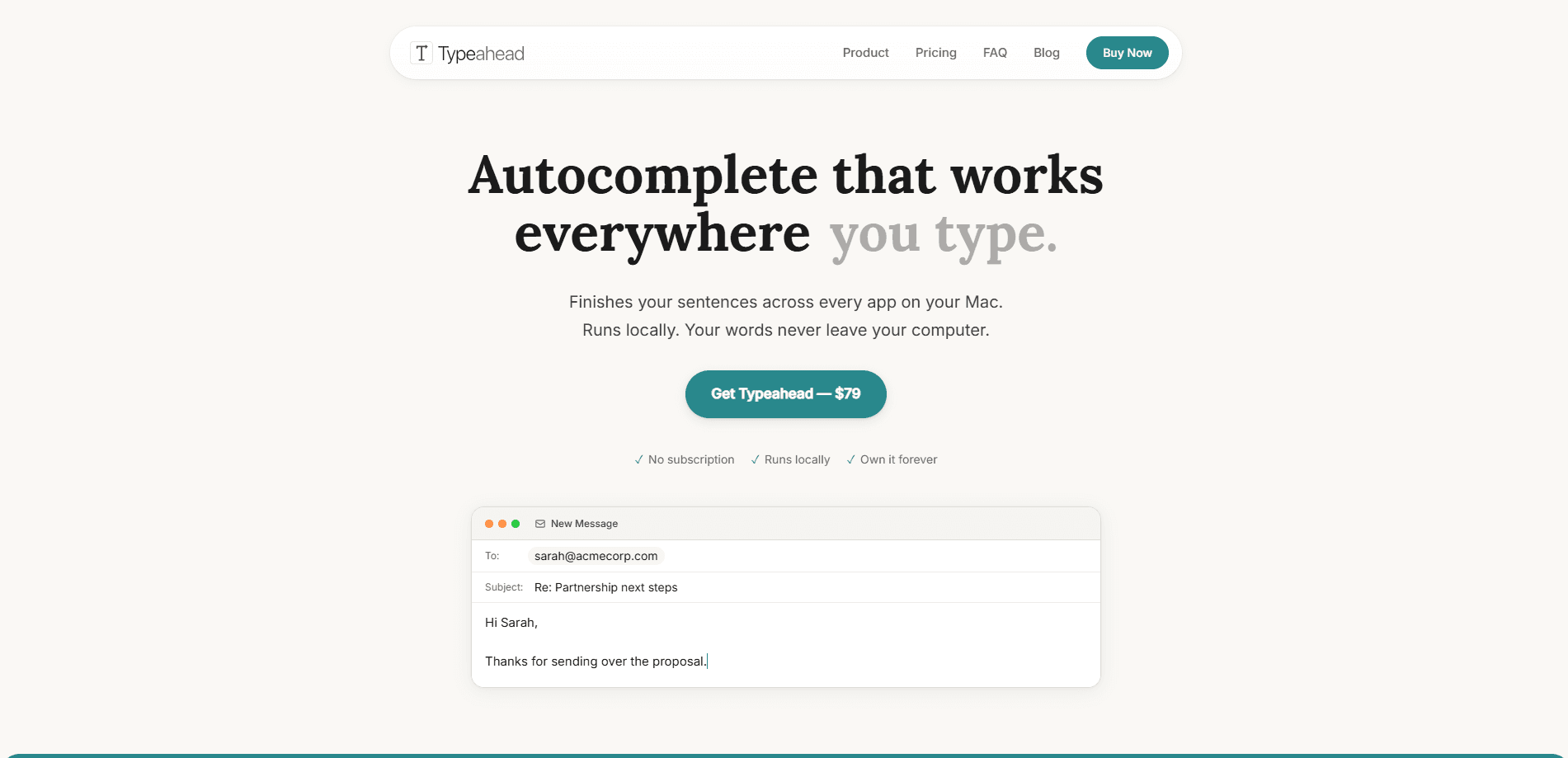
Typeahead is a native macOS app that adds AI autocomplete to any text field on your Mac. Think of it as a Mac AI writing assistant that reads what you're typing, predicts the rest of the sentence, and suggests it inline before you finish. Everything runs on your machine with local language models, so it offers local AI text completion that works offline and never sends your writing to a server. You pay $79 once and own it for good.
About Typeahead
What Is Typeahead
Typeahead is a Mac-only writing tool built by Noats Inc. The pitch is simple: you think faster than you type, so the app finishes your sentences for you. It hooks into the macOS Accessibility API, the same system feature screen readers use, to see the text in whatever field has focus and drop an inline suggestion right after your cursor.
The big selling point is offline AI autocomplete. Most AI writing helpers send your keystrokes to a cloud server. Typeahead doesn't. All processing happens on your Mac with on-device models, which means it keeps working on a plane, in a basement, or anywhere without Wi-Fi. There are no accounts to create and no telemetry. Your text stays put. The developer says the app's only network call is a one-time license check when you activate it.
The main limitation is the platform. Typeahead runs on macOS 14 or later and needs an Apple Silicon chip, so Intel Macs are out. It's also a paid app with no free tier. The $79 price buys you a license rather than a subscription.
Getting Started
- Buy a license from the official site and download the app.
- Install Typeahead and open it, then paste in the license key you got by email.
- Grant the Accessibility permission when macOS asks, since the app can't read text fields without it.
- Start typing in any app, and accept a suggestion with the assigned shortcut.
- Give it a few days of writing so the model picks up your tone and phrasing.
Product Information
A quick look at Typeahead's pricing, supported platforms, and performance.
Best for
The users, tasks, and scenarios where this tool fits best.
Users
- People who send lots of email
- Developers
- Non-native English speakers
- Writers and note-takers
Tasks
- Replying to routine messages
- Drafting long documents
- Filling in forms and prompts
- Cleaning up grammar on the fly
Scenarios
- A packed inbox on a Monday morning
- Working offline on a flight
- Sensitive writing at work
- Chatting with friends and colleagues
Key features
Inline Autocomplete in Any Mac App
Typeahead isn't tied to one editor. It works in Mail, Slack, Notion, your browser, and pretty much any field you can type in, as long as the app exposes text through the system's accessibility layer. That reach is the main reason people pick it over a writing assistant bolted onto a single website. One app, everywhere.
Fully Local Processing
Every word is processed by on-device models, not by a server. The developer states the app makes no telemetry calls and stores no usage data. For anyone who handles confidential material, that removes the usual worry about pasting private text into a cloud tool. Nothing leaves the machine.
Works Offline
Since the models live on your Mac, Typeahead runs with no internet connection. That means it behaves the same on a plane, on a train, or on a locked-down corporate network where external calls are blocked. No Wi-Fi, no problem.
Learns Your Writing Voice
The app adapts to how you write after a few days of use. Suggestions start matching your vocabulary and sentence rhythm instead of offering generic phrasing, so the results read less like a robot and more like an earlier draft of you. Give it time.
One-Time Purchase
Typeahead costs $79 as a single payment, not a monthly subscription. The license comes with unlimited usage and free updates for life, along with a 30-day money-back guarantee. The developer argues that a one-time price rewards building something good rather than chasing renewals.
Fast, GPU-Accelerated Suggestions
The app leans on your Mac's GPU to keep suggestions appearing with little to no lag. A suggestion that shows up late is worse than none at all, so speed matters more here than it sounds. Every millisecond counts.
Pros and cons
Pros
- Works across every Mac app instead of a single editor, so you don't switch tools to get autocomplete.
- Fully offline and local, which keeps sensitive writing on your machine.
- One-time $79 price with no subscription and a 30-day refund window.
- Learns your personal writing style over the first few days.
- No account signup, so setup is quick once you have a license.
Cons
- Mac only, and it requires macOS 14 plus an Apple Silicon chip, so Intel Mac owners can't use it.
- No free version or trial, which makes it hard to test before paying.
- There's no public API, so you can't build Typeahead into your own tools or workflow.
- Suggestions need a few days of writing before they sound like you, so the first sessions feel generic.
Frequently asked questions
It adds AI autocomplete to any text field on your Mac. As you type, it predicts the rest of the sentence and shows it inline, and you accept the suggestion with a keyboard shortcut.
Related content
Explore related tools, skills, and articles for Typeahead.
Typeahead Alternatives

Google EmbeddingGemma 2
Google DeepMind · Writing · Image · CodingGoogle EmbeddingGemma 2 is a 740M-parameter open model that turns text, code, images, audio, and video frames into vectors in one 768-dimension space, running on phones and laptops.

MePersona
MePersona, Inc. · Writing · Productivity · MarketingMePersona is an AI unified inbox for creators. It learns your voice, drafts replies to fan messages from 12 platforms, and sends only what you approve.

Fluence
Yay Software (Yannick Huchard) · Writing · Voice & Language · ProductivityFluence is an Android app that reads PDFs, EPUBs, Word files and web articles aloud, follows each sentence as it speaks, and answers questions about the text on the phone itself.