

Typelets Editor
Typelets · Coding
Typelets Editor is a coding interview platform that runs as a browser-based code editor with a shared terminal and built-in Claude, built for pairing and take-home assessments.
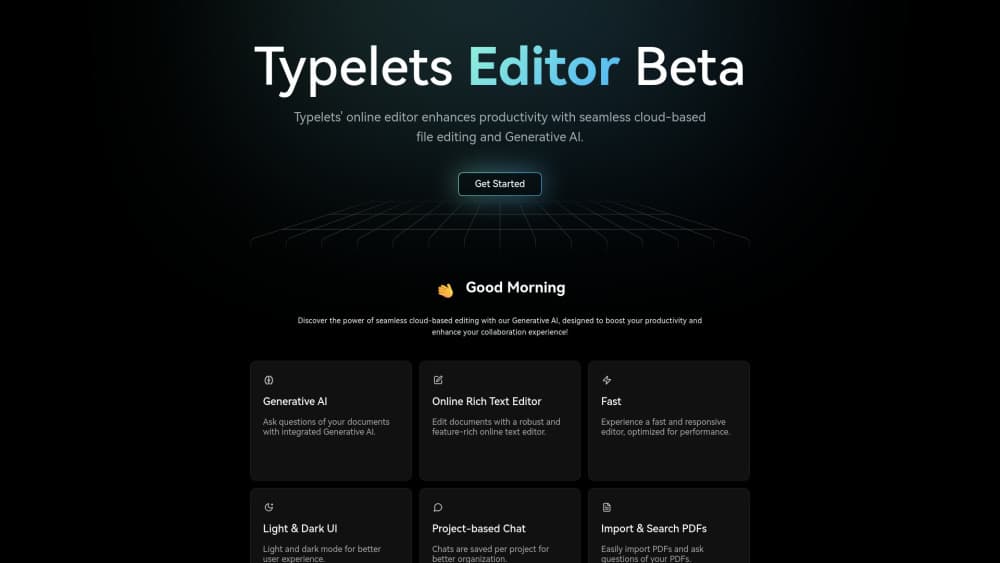
About Typelets Editor
What Is Typelets Editor
Typelets Editor is technical interview software that opens in a browser tab. There's no install step and no local setup: a workspace arrives with a file tree, an editor, a bash terminal, and a Claude assistant already wired together. It doubles as a collaborative code editor for mentoring and code clubs, which is why the same room can host a screening call and a Tuesday night study group.
The problem it targets is narrow but familiar. Most code sandboxes for interviews give you one file, no terminal, and a slow compile loop. Typelets gives you a real working tree and a shell, so a candidate can run tests, install nothing, and still show how they debug. Every execution happens inside a Firecracker microVM with no network access and a 20-second wall clock cap.
The limits matter too. The product is in beta, the vendor is small, and there's no public API yet. ATS integrations exist on a roadmap rather than in production, so scores come out by hand for now.
Getting Started
- Sign up with email at typelets.com. Beta accounts need no card.
- Create a workspace and pick a language runtime. Python, Ruby, JavaScript, TypeScript, Go, Java, C, and C++ ship by default.
- Add a problem from the library or paste your own prompt with starter files and tests.
- Share the link. Guests join with a generated identity, then edit or watch depending on the role you grant.
- Review the recording, the terminal history, and the rubric scores after the session ends.
Product Information
A quick look at Typelets Editor's pricing, supported platforms, and performance.
Best for
The users, tasks, and scenarios where this tool fits best.
Users
- Engineering managers running structured technical interviews
- Interviewers who pair on code rather than fire trivia
- Bootcamp instructors and code club hosts
Tasks
- Take-home assessments
- Live debugging exercises
- Evaluating AI-assisted coding
- Grading submissions
Scenarios
- A 45-minute screening call where the candidate has never seen your stack
- A take-home that needs a working web server
- Calibrating a hiring panel
Key features
A Real Editor, Terminal, and Claude in One Tab
The workspace ships with a multi-file file tree, a syntax-aware editor, and a bash session that persists for the life of the room. Claude sits inside the same surface, so a candidate can ask for a hint without leaving the tab or pasting code into a second window. That matters for assessment honesty: you see the prompt and the diff in one place.
Take-Home Assessments That Submit Themselves
You invite a candidate by email, they get a timed workspace, and the work auto-submits at the deadline. No calendar ping, no missing attachment. Reviewers then open the submission next to the recording and the terminal log, which is usually where the interesting decisions show up.
Firecracker Sandboxes for Every Run
Candidate code runs as a non-root user inside its own Firecracker microVM on Fly.io. There's no network, no shared filesystem, hard CPU and memory caps, a tmpfs scratch area, and a 20-second wall clock limit per run. The VM is destroyed after 15 minutes of idle time, so nothing lingers between sessions.
Live Collaboration and a Shared Shell
Keystrokes sync across tabs through Yjs CRDTs. You see the other person's cursor, follow their focus, and edit the same file at the same time. The terminal is shared too: one bash session, one output stream, so both sides watch the same test failure appear.
Problem Library with Hidden Tests and Rubrics
Each problem carries a prompt, starter files, visible tests, hidden tests, and a rubric covering correctness, complexity, communication, and code quality. You can build your own set through the Manage library screen, mix it with the built-in ones, or do both. Reusable problems are the difference between a repeatable loop and improvising every call.
Recording, Replay, and Structured Scoring
Every interview workspace records edits, terminal output, test results, and scores by default, and you can switch recording off per workspace. Replay lets a hiring panel review the same session later, which is more useful for calibration than comparing written notes. Scores export to your ATS, and you can delete recordings from workspace settings.
Pros and cons
Pros
- Full dev environment in a browser tab, so candidates skip toolchain setup entirely.
- The online coding workspace keeps files, shell, tests, and video in one place instead of four tabs.
- Shared terminal plus multi-file editing reflects real debugging work better than a single scratchpad.
- Sandboxing is specific and credible: Firecracker microVMs, no network, capped CPU and memory.
- Multi-party video inside the workspace removes the usual Zoom link and shared doc shuffle.
- Free across every feature during beta, with no card and no usage caps.
Cons
- No public API, and ATS integrations are still on the roadmap, which means manual copy work after each loop.
- The mobile view is spectator only, so anyone who wants to write code needs a desktop browser.
- Data sits in the us-east region with no region choice, which can be a problem for teams with EU residency rules.
- Small vendor in beta: pricing and feature scope can shift, and there's no published uptime commitment.
Frequently asked questions
Yes, for now. Every feature is free during beta: unlimited workspaces, interviews, recordings, the full problem library, and all language runtimes. The team says paid plans will arrive later and existing accounts will keep a generous free tier.
Related content
Explore related tools, skills, and articles for Typelets Editor.
Typelets Editor Alternatives

Base Code
Base44 (Wix) · Coding · ProductivityBase Code is a shared cloud development environment from Base44. Teammates describe changes to an existing GitHub codebase in chat, preview them live and send them back as pull requests.

Google EmbeddingGemma 2
Google DeepMind · Writing · Image · CodingGoogle EmbeddingGemma 2 is a 740M-parameter open model that turns text, code, images, audio, and video frames into vectors in one 768-dimension space, running on phones and laptops.

GitGlow
GitGlow · Coding · ProductivityGitGlow is a local-first desktop Git client that lets independent developers review their own code and their AI agents' changes in one place before shipping.