

TypingMate
SilverAI Joint Stock Company · Writing
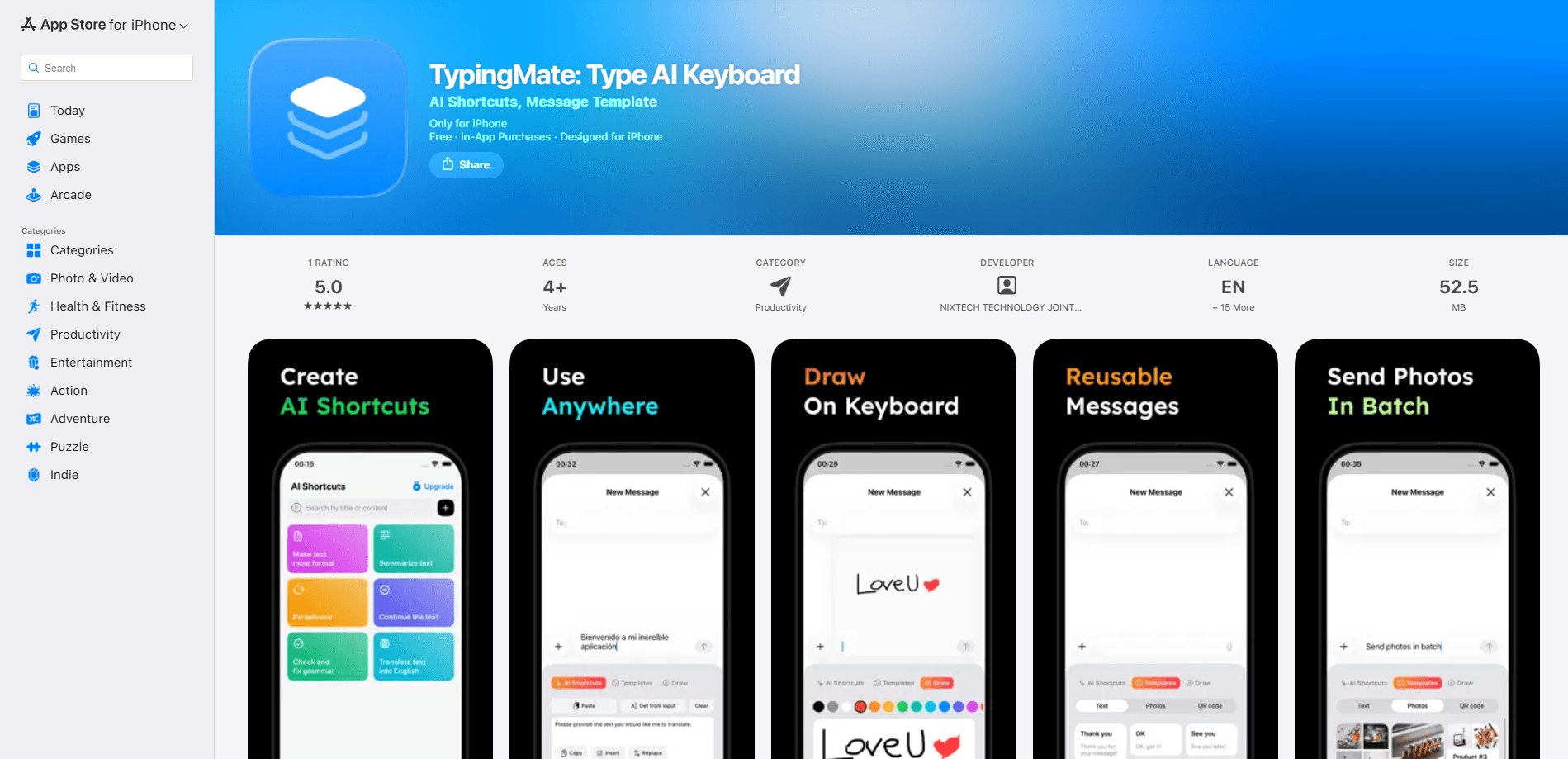
TypingMate is an AI keyboard app for iPhone that puts AI writing tools inside the keyboard you already use, so you can run custom AI tasks, pull up message templates and write in more than one language without leaving the app you're in. It's built for people who type all day across Messages, WhatsApp, email and social apps and want help at the exact moment they're writing, not in a separate chatbot window.
About TypingMate
What Is TypingMate
TypingMate is a third-party keyboard for iPhone that brings AI tasks and reusable text snippets directly into the typing surface. Instead of copying a sentence, opening another app, and pasting the result back, you trigger what you need from the keyboard row while the cursor sits where you want the text to land. The app targets the everyday friction of writing on a phone: rewording an awkward message, answering in a language you barely speak, or reusing a reply you've typed a dozen times.
Why keep a separate AI app open when the text you're editing is right there? That question is the whole pitch. Most AI writing help lives outside the keyboard, so you make a copy-paste detour every single time. TypingMate keeps the tools where your thumbs already are. The trade-off is that any keyboard with these powers needs broader access to your typing to work, so you're trusting the developer with your input. Output quality also depends on the task you set up, not on a single built-in assistant.
Two limits are worth knowing before you install. Third-party keyboards on iOS are more constrained than Apple's own, so expect occasional switching quirks that are Apple's rules, not the app's bugs. And the advanced features sit behind a subscription, so the free keyboard is a look at the basics rather than the full toolkit.
Getting Started
- Install TypingMate from the App Store, then open it once so it registers as an available keyboard.
- Add it in Settings under General, Keyboard, Keyboards, then allow the access it asks for so on-keyboard tasks can run.
- Switch to the TypingMate keyboard in any app, and set up your first custom AI task or message template from the keyboard itself.
- Type as usual and trigger a task or template when you need a rewrite, a reply or a translation dropped straight into the text field.
- Adjust your favorite tasks and templates over time so the ones you use most sit closest to hand.
Product Information
A quick look at TypingMate's pricing, supported platforms, and performance.
Best for
The users, tasks, and scenarios where this tool fits best.
Users
- Anyone who types a lot on iPhone
- People writing in a second language
- Support and sales teams on mobile
Tasks
- Rewording a message before you send it
- Replying fast to routine messages
- Multilingual chatting
Scenarios
- Answering a client on WhatsApp while walking between meetings, with no time to open a separate AI app.
- Replying to a friend in their language when you only half speak it, and wanting the tone to sound natural.
- Handling a support inbox on your phone, where the same five questions come up all day. Same replies, again and again. That's where templates earn their keep.
Key features
Custom AI Tasks on the Keyboard
You set up the tasks you actually need, then run them straight from the keyboard row. That could be shortening a paragraph, changing the tone, or fixing grammar. Because the tasks live in the keyboard, the output lands where your cursor is. No round trip through another app. No paste, no cleanup.
Message Templates
Save replies you use often and insert them with a tap, then tweak the details. That's it. This is the feature that quietly saves the most time if you answer the same questions over and over, like a support line or a group chat you keep up with all day. Templates don't get tired.
Multilingual Writing Help
The keyboard handles more than one language, so you can write in a language you're comfortable with and shift the phrasing for the person you're talking to. It's aimed at people who live across two languages. No separate translation step every message.
Works Inside Your Existing Apps
TypingMate runs as a system keyboard, which means it shows up in Messages, WhatsApp, email and social apps without per-app setup. You install it once and it follows you into whatever text field you're using. No configuration per app. That's the point.
Keyboard Shortcuts
Beyond AI tasks, the keyboard supports shortcuts that speed up common actions, so frequent phrases and replies are a couple of taps away rather than a full sentence you retype. Good for the boring, repetitive parts of messaging. Nobody enjoys retyping the same line.
Cross-Device Support
It works on both iPhone and iPad, so the same setup follows you across devices. That matters if you draft on your phone during the day and work on an iPad in the evening. Your templates should be there either way.
Pros and cons
Pros
- AI tasks and templates run inside the keyboard, so there's no copy-paste detour to another app.
- Custom tasks let you define what you actually need instead of living with one fixed assistant.
- Multilingual handling helps anyone chatting across two languages without a separate translation app.
- Works across the apps you already use, with no per-app configuration.
- A free tier lets you try the keyboard before you pay for the advanced features.
Cons
- Advanced AI features sit behind a subscription, so the free keyboard is a partial look at what it can do.
- A keyboard with AI access sees more of what you type, so you're extending trust to the developer.
- As a third-party iOS keyboard, it inherits Apple's switching limits, which can mean occasional quirks when moving between keyboards.
- Output quality depends on how well you set up your tasks and templates, so it's not a one-tap magic fix.
Frequently asked questions
TypingMate is an AI keyboard app for iPhone that runs custom AI tasks, message templates and multilingual writing help from inside the keyboard itself. You use it wherever you type, without switching to another app.
Related content
Explore related tools, skills, and articles for TypingMate.
TypingMate Alternatives

Google EmbeddingGemma 2
Google DeepMind · Writing · Image · CodingGoogle EmbeddingGemma 2 is a 740M-parameter open model that turns text, code, images, audio, and video frames into vectors in one 768-dimension space, running on phones and laptops.

MePersona
MePersona, Inc. · Writing · Productivity · MarketingMePersona is an AI unified inbox for creators. It learns your voice, drafts replies to fan messages from 12 platforms, and sends only what you approve.

Fluence
Yay Software (Yannick Huchard) · Writing · Voice & Language · ProductivityFluence is an Android app that reads PDFs, EPUBs, Word files and web articles aloud, follows each sentence as it speaks, and answers questions about the text on the phone itself.