

TypoTab
TypoTab · Writing · AI Detection
TypoTab is a macOS menu bar AI writing assistant that rewrites, shortens, and generates text inside any app, with unlimited use for £4 to £6 per month.
About TypoTab
What Is TypoTab
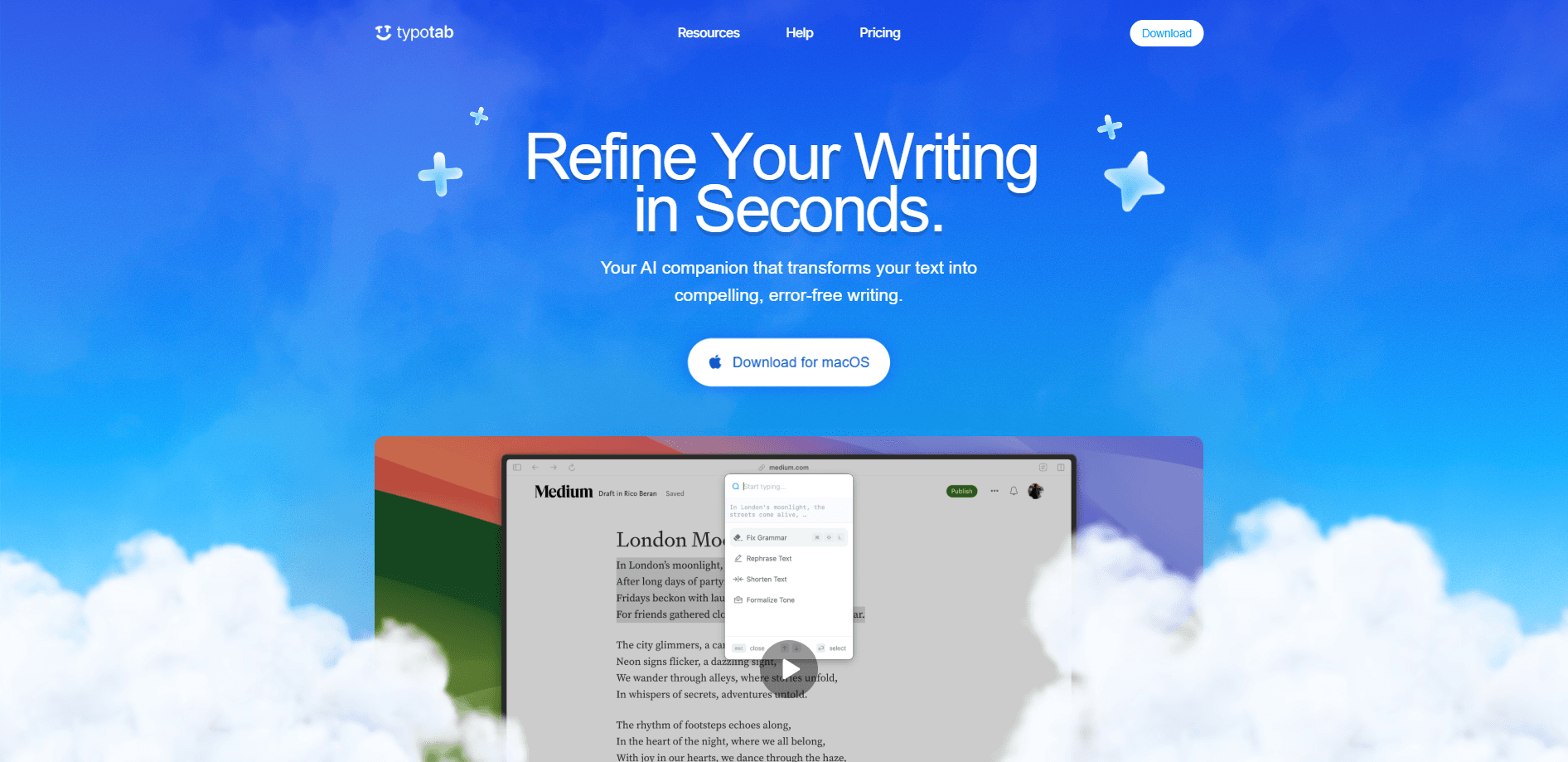
TypoTab is a macOS AI writing tool that lives in your menu bar instead of a separate window. Once installed, it hooks into your keyboard with hotkeys, so you can select text in almost any app and run an action on it without copying and pasting into a chat tool.
The idea is simple. Writers, students, and developers juggle a browser tab, a document, and an AI chatbot all day. TypoTab collapses that into a single keystroke. Press a shortcut, pick a writing action from the built-in grammar checker or shorten tool, and the result drops straight into whatever you were editing.
It isn't a full document editor, and that shapes what it's good at. Drag it into your habits as a quick text rewriter or AI text generator for small chunks, not as the place where you write long pieces from scratch. The one-device limit also means a single license won't cover a laptop and a desktop at once.
Getting Started
- Download the TypoTab DMG from the official site and install it on your Mac. Windows is still on a waitlist.
- Open the app and grant the permissions it needs so the hotkeys can work across your other applications.
- Set up a subscription, since there's no free tier to test with first.
- Highlight text in any app, press your hotkey, and choose an action such as Fix Grammar or Rephrase.
- Review the preview, hit accept, and the new text replaces your selection in place.
Product Information
A quick look at TypoTab's pricing, supported platforms, and performance.
Best for
The users, tasks, and scenarios where this tool fits best.
Users
- Freelance writers
- Students
- Email-heavy professionals
Tasks
- Fixing grammar and tone in short passages
- Shortening bloated text
- Generating first drafts
- Translating short snippets
Scenarios
- Polishing client messages before sending
- Turning messy study notes into usable content
- Drafting multiple versions of the same pitch
Key features
Hotkey Writing Actions
TypoTab maps its writing tools to keyboard shortcuts, so you trigger actions without switching apps. Select text anywhere, press the key combo, and a small menu appears with options like Fix Grammar, Shorten Text, and Rephrase. It's the core of the product and the reason it feels faster than a browser-based chatbot.
Enhance Prompt Builder
The Enhance Prompt button rewrites a rough prompt into a more detailed version in one click. If you type a vague instruction and the output comes back weak, this gives the AI more to work with. It's a small feature, but it removes the guesswork from writing a good prompt.
Essay and Proposal Writing
You can generate longer pieces like essays or proposal intros, not just tiny edits. The app turns bullet points or short notes into full paragraphs, which helps when you know what you want to say but dread the blank page. The text still needs a review pass, since AI drafts rarely land perfectly on the first try.
Works Across All Apps
Because TypoTab runs as a menu bar utility, its actions work wherever your cursor is. That covers your email client, notes app, code editor, and browser text fields. You don't need a browser extension or a specific integration, and there's no clutter in your dock.
Daily Streak and Rank System
A gamified streak and rank tracker logs how often you use the app and nudges you to keep a habit going. It's aimed at people who want to build a daily writing routine. Whether that motivates you or feels like noise depends on how you like your tools.
Custom Actions
You can set up your own actions tied to specific prompts, so repeated tasks become one-key jobs. Coders might wire an action to explain a block of code; a salesperson might keep one for a cold email intro. It's the difference between a generic tool and one shaped around your week.
Pros and cons
Pros
- Runs system-wide on macOS, so you edit text in any app without copy-paste round trips.
- Hotkey-driven actions keep you in your current document instead of a separate chat window.
- Unlimited use on every plan, with no per-word or per-request caps.
- Yearly billing drops the price to £4 per month and adds 24/7 support and priority feature requests.
- The prompt builder and custom actions fit repeatable workflows well.
Cons
- No free plan, so you pay before you can test whether it fits your writing.
- macOS only for now, and Windows is still waitlisted, which rules it out for mixed-device teams.
- The monthly plan allows just one device, so a laptop and desktop need separate handling.
- It's a utility for editing and short drafts, not a place to manage full-length documents.
Frequently asked questions
TypoTab is a macOS writing assistant that sits in your menu bar. You select text in any app, trigger an action with a hotkey, and the AI rewrites, shortens, or generates new text in place.
Related content
Explore related tools, skills, and articles for TypoTab.
TypoTab Alternatives

Google EmbeddingGemma 2
Google DeepMind · Writing · Image · CodingGoogle EmbeddingGemma 2 is a 740M-parameter open model that turns text, code, images, audio, and video frames into vectors in one 768-dimension space, running on phones and laptops.

MePersona
MePersona, Inc. · Writing · Productivity · MarketingMePersona is an AI unified inbox for creators. It learns your voice, drafts replies to fan messages from 12 platforms, and sends only what you approve.

Fluence
Yay Software (Yannick Huchard) · Writing · Voice & Language · ProductivityFluence is an Android app that reads PDFs, EPUBs, Word files and web articles aloud, follows each sentence as it speaks, and answers questions about the text on the phone itself.