

Uber639
na888.com · Writing
Uber639 was a budget subtitle translation and cleanup service for video creators. It handled 50+ languages and cost about $1 per 15 minutes of footage.
About Uber639
What Is Uber639
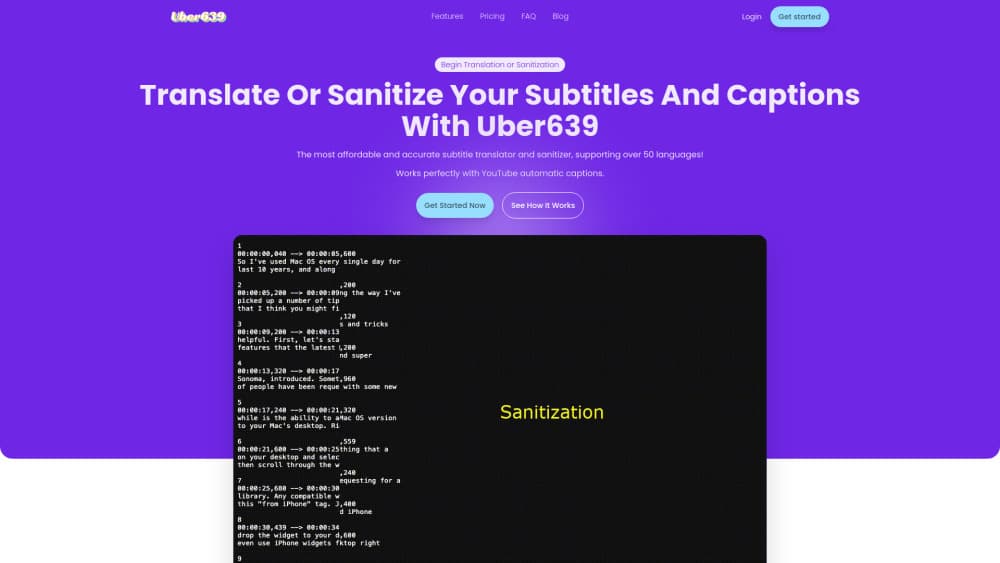
Uber639 was a browser based service that translated subtitle and caption files and cleaned up the ones that came out of automatic speech recognition. You uploaded a file, picked a language pair, and got back text with corrected line breaks, punctuation, and spelling. It appeared on Product Hunt in July 2024 and sold itself on price: about $1 for every 15 minutes of video, far below the per minute rates professional subtitling agencies quote.
The cleanup pass was the part people came for. Automatic captions from YouTube and similar platforms often arrive with run on lines, missing commas, and misheard names. Uber639 ran a sanitize step before translation, so the output read like a subtitle file a person had touched. For creators shipping the same video in several languages, that meant one upload per language instead of a rewrite per language.
One caveat matters more than any feature. The address listed as its official home, uber639.com, no longer serves the tool; it now redirects to an unrelated website, and the company domain named in its Product Hunt profile, na888.com, is listed for sale. Treat the service as offline until a working official page shows up. Any site asking for payment in its name isn't safe to trust.
Getting Started
- Open the official site, while it was live, and choose translate or sanitize.
- Upload an SRT or VTT file, or paste the caption text directly.
- Set the source and target languages; the list covered more than 50 options.
- Choose the cleanup settings for line length, punctuation, and spelling.
- Pay for the 15 minute blocks your video needs, then download the finished file.
Product Information
A quick look at Uber639's pricing, supported platforms, and performance.
Best for
The users, tasks, and scenarios where this tool fits best.
Users
- YouTube creators with an old catalogue
- Course and tutorial producers
- Small localization teams
Tasks
- Translating an SRT file into Spanish or Portuguese
- Cleaning auto generated captions
- Releasing one video in several languages
- Repairing one badly timed segment
Scenarios
- A back catalogue of 20 short videos that needed subtitles in three languages
- Weekly uploads with auto captions that needed a cleanup before publishing
- Testing whether a market responds before paying for human subtitling
Key features
Translate and Sanitize in One Pass
The service offered two modes and often used both together. Translate converted the text into a target language while keeping the timing intact. Sanitize left the language alone and fixed formatting, punctuation, and spelling. Creators who started from raw automatic captions usually ran the cleanup first and the translation second.
More Than 50 Languages
The language list covered the major European and Asian pairs plus smaller markets that cheap tools often skip. Every pair was billed the same way, so a less common language didn't carry a premium. That made it practical to add a market that wouldn't justify a human translator.
One Dollar per 15 Minutes
Pricing ran in 15 minute blocks at roughly $1 each, which worked out to about $4 for an hour of video. The model suited short form work: a five minute clip landed in the cheapest block, while a feature length file got expensive fast. There was no subscription to cancel.
Browser Only Workflow
Nothing was installed. Files went up through the browser and came back as downloadable subtitle files, so the workflow ran the same on Windows, macOS, or a Chromebook. The tradeoff was that a long file depended on a stable connection for the whole upload.
Timing Preserved
The service edited text rather than re-cutting video, so the original timestamps stayed in place. Line breaks were adjusted to fit reading speed, but a creator didn't have to resync the file after the pass. That removed the step most people get wrong when they translate subtitles by hand.
Free Trial Access
The Product Hunt listing marked it as having free options, and the low block price made small tests cheap. A creator could run one short video through the service to judge quality before committing a whole series. That mattered for a tool with no public quality benchmarks.
Pros and cons
Pros
- Low per minute cost compared with agency subtitling quotes.
- A caption sanitizer that fixed formatting, punctuation, and spelling, not just language.
- Coverage of more than 50 languages at one flat rate.
- No install and no subscription, so a one off job stayed a one off cost.
- Original timestamps survived the pass, which meant no resyncing.
Cons
- The official site no longer hosts the service, so it can't be used today.
- No public quality data per language pair, which made rare languages a gamble.
- Speech recognition errors carried into the translation when the source caption was already wrong.
- No team workspace, glossary, or review queue, so consistency across a series depended on the operator.
Frequently asked questions
No. The address listed as its official site now redirects to an unrelated website, and the company domain in its Product Hunt profile is for sale. Check for a working official page before trusting any site that offers the service.
Related content
Explore related tools, skills, and articles for Uber639.
Uber639 Alternatives

Google EmbeddingGemma 2
Google DeepMind · Writing · Image · CodingGoogle EmbeddingGemma 2 is a 740M-parameter open model that turns text, code, images, audio, and video frames into vectors in one 768-dimension space, running on phones and laptops.

MePersona
MePersona, Inc. · Writing · Productivity · MarketingMePersona is an AI unified inbox for creators. It learns your voice, drafts replies to fan messages from 12 platforms, and sends only what you approve.

Fluence
Yay Software (Yannick Huchard) · Writing · Voice & Language · ProductivityFluence is an Android app that reads PDFs, EPUBs, Word files and web articles aloud, follows each sentence as it speaks, and answers questions about the text on the phone itself.