

Unbody
Unbody (Unbody Labs) · Coding · Other
Unbody is an AI-native backend that ingests, enriches and vectorizes content, then serves it through one GraphQL API for semantic search, chatbots and generated answers.
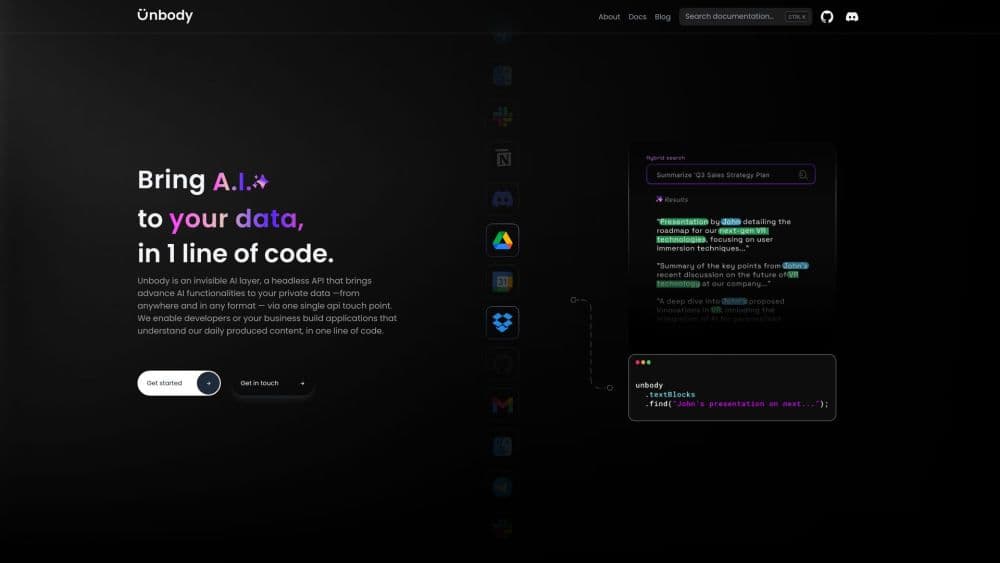
About Unbody
What Is Unbody
Unbody is a backend for teams that want AI features without assembling the plumbing themselves. You connect a data source, choose a few enrichment steps, and query the result through one GraphQL endpoint. The pitch was a RAG backend and chatbot backend in one box: no separate vector database, embedding service, LLM wrapper and job queue to wire together and keep in sync.
The design follows four layers. Perception handles ingestion, parsing, enrichment and vectorization. Memory stores the resulting objects and vectors. Reasoning covers model calls and prompt execution. Action exposes everything through APIs and SDKs. Prebuilt connectors cover Google Drive, Discord and GitHub, and a Push API takes anything else with a schema you define. Enhancers add summaries, keywords, image captions, OCR text and crawled pages before the content is indexed.
One thing matters more than any feature here: Unbody is no longer actively developed. The GitHub repository is archived, the hosted app at app.unbody.io does not load, and the documentation domain returns errors. Unbody Labs now builds Adapt, a separate memory framework. Treat this page as a record of what the platform offered and as a guide to the archived code if you plan to run it yourself. The code is alpha grade, and nobody is shipping fixes.
Getting Started
- Install Node.js 20 or 22, Docker, Docker Compose and yarn. Clone the unbody-io/unbody repository and run yarn to install dependencies.
- Copy .env.example to .env.local and add an OpenAI API key. The key powers embeddings and the generative endpoints.
- Start the backing services with docker compose up, then run yarn start. Indexing jobs run through Temporal, and its dashboard is exposed on port 8233.
- Create a project and add a data source with the unbody-cli source add command, then watch the first files move through parsing, enrichment and vectorization.
- Query the project from the GraphQL API or the TypeScript SDK. The SDK wraps retrieval, search and generation calls in a chainable client.
Product Information
A quick look at Unbody's pricing, supported platforms, and performance.
Best for
The users, tasks, and scenarios where this tool fits best.
Users
- Backend developers adding search or chat to an existing product
- Small product teams without a machine learning engineer
- Teams whose content already lives in Google Drive, Discord or GitHub
Tasks
- Turning a document archive into a searchable knowledge base
- Adding a docs chatbot to a website
- Batch summarizing and tagging content
- Prototyping semantic or visual similarity
Scenarios
- Evaluating an AI-native backend before building one in house
- Keeping an older project running
- Teaching or demonstrating a RAG pipeline
Key features
Single GraphQL Content API
Everything the platform stores is reachable through one GraphQL endpoint that works as a knowledge base API, with filters, sorting, pagination and nested objects in the same query. You ask for the fields you need and get enriched records back, including generated summaries and keywords. Separate image and video endpoints cover media processing, and the Admin API manages projects and sources without the dashboard. The appeal is fewer moving parts: one schema, one auth token, one place to debug.
Prebuilt Connectors and Push API
Google Drive, Discord and GitHub have ready-made integrations. Each one defines an entry point, such as a folder or a channel, then pulls the content on a schedule. For anything else, the Push API accepts records in a schema you define, which covers internal databases, exported archives and custom feeds. That combination handled the usual starting point for a knowledge product without a custom ETL job.
Enrichment Pipelines
Before content is indexed, a configurable pipeline parses it and runs enhancers over the result. AutoSummary writes short abstracts, AutoKeywords pulls out key terms, and AutoVision generates image captions, extracts text with OCR and tags objects. Crawlers turn web pages into structured records. Pipelines are set up in the dashboard or through the Admin API, and custom plugins can be registered if the built-in set isn't enough.
Five Search Modes
The API supports semantic search, keyword search and hybrid search, plus two similarity modes: record similarity and visual similarity. Semantic search matches on meaning, which helps when a user's wording doesn't match the document. Keyword search stays predictable for exact terms. Hybrid blends the two. Visual similarity works on image vectors, so a product photo can find lookalikes in a catalog.
Generative Search and JSON Output
Two generation modes sit on top of retrieval. From One runs a prompt against each object and can inject field values into the prompt. From Many takes a set of objects and produces one result across them, which suits summaries and comparisons. A separate generative JSON mode returns structured data checked against a schema, useful for extracting fields instead of prose. You pick the model through plugins, so the backend isn't tied to a single provider.
TypeScript SDK and Frontend Pieces
The TypeScript SDK turns GraphQL calls into a chainable client: get a collection, filter, search, select fields, then generate. Starter projects exist for Next.js, Nuxt, NestJS and Express, and the frontend layer ships prebuilt components for React and Vue. None of it locks you into a hosted service, since the same SDK points at a local instance.
Pros and cons
Pros
- One API covers ingestion, enrichment, vectorization, search and generation, which removes a stack of separate services.
- The source is public under Apache 2.0, so you can read the implementation, fork it and run it on your own hardware.
- Prebuilt connectors for Google Drive, Discord and GitHub shorten the first working demo to an afternoon.
- Enrichment runs inside the pipeline, so summaries, keywords and image tags exist before the first query.
- The TypeScript SDK and starter projects reduce the amount of GraphQL you have to write by hand.
Cons
- The repository is archived and the hosted app is offline. There are no security patches, no bug fixes and no support channel.
- The documentation site no longer resolves, so setup details have to come from the code, the README and old blog posts.
- It was alpha software: APIs changed between releases, and some plugins were unfinished.
- Self-hosting needs Docker, Node, a Temporal worker and an OpenAI key, plus the patience to debug a stack nobody maintains.
Frequently asked questions
Unbody was a backend for AI features. It pulled content from sources like Google Drive and Discord, enriched it with summaries and metadata, stored vectors, and served the result through a GraphQL API. Teams used it for semantic search, document chatbots and generated answers.
Related content
Explore related tools, skills, and articles for Unbody.
Unbody Alternatives

Base Code
Base44 (Wix) · Coding · ProductivityBase Code is a shared cloud development environment from Base44. Teammates describe changes to an existing GitHub codebase in chat, preview them live and send them back as pull requests.

Google EmbeddingGemma 2
Google DeepMind · Writing · Image · CodingGoogle EmbeddingGemma 2 is a 740M-parameter open model that turns text, code, images, audio, and video frames into vectors in one 768-dimension space, running on phones and laptops.

GitGlow
GitGlow · Coding · ProductivityGitGlow is a local-first desktop Git client that lets independent developers review their own code and their AI agents' changes in one place before shipping.