
undash
outdoinc · AI Detection
undash is a free Chrome extension that strips long em dashes from AI-generated text as you type, paste, or right-click. It runs in the browser, needs no account, and works on Gmail, Notion, and Docs.
About undash
What Is undash
undash is a lightweight Chrome extension built for one job: catching the long em dashes that make text look machine-written. Writers, students, and marketers who polish AI drafts know the tell. A stray long dash dropped into the middle of a sentence is one of the clearest signals that a chatbot wrote the copy, and editors and readers spot it fast.
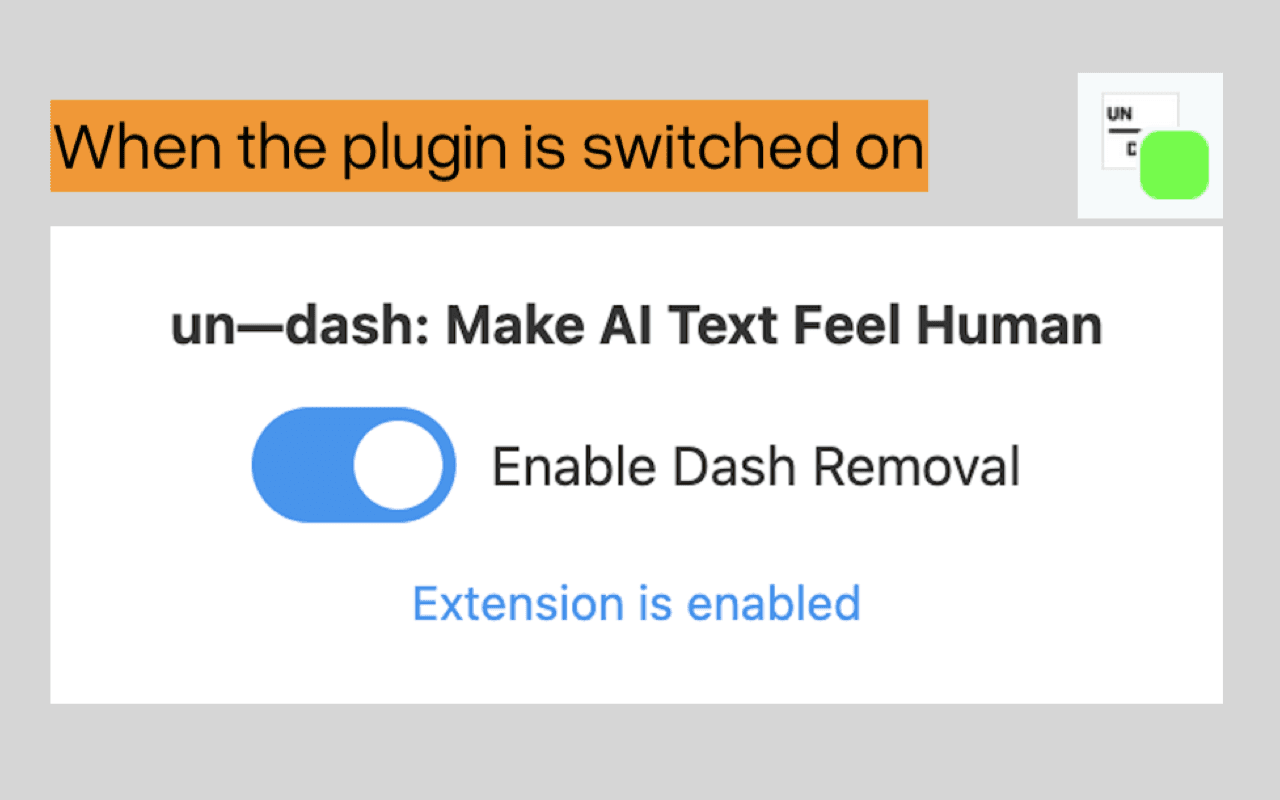
The extension sits quietly in the background while you work. Type or paste a sentence with an em dash and it swaps the dash for a space, which keeps the sentence readable and removes the giveaway in the same pass. When you need to fix text that already exists, you select it and clean it from the right-click menu. A small badge on the icon tells you whether the tool is on or off, so you're never guessing.
The scope is narrow on purpose, and that shapes what undash can and can't do. It deals with em dashes, not with rewriting, tone, or style. It won't fix awkward phrasing, and if a dash shows up after a paste, you sometimes need to nudge the text field before it clears. Everything happens inside your browser, so nothing you write gets sent anywhere.
Getting Started
- Open the undash listing on the Chrome Web Store and click "Add to Chrome."
- Pin the extension to the toolbar, then click its icon to toggle it on. A green badge means it's working.
- Type or paste text as usual. em dashes are replaced with spaces without any extra clicks.
- To clean text that's already on the page, select it, right-click, and choose "Undash this text."
- Toggle the icon again whenever you want to pause it, like when a document genuinely needs a dash.
Product Information
A quick look at undash's pricing, supported platforms, and performance.
Best for
The users, tasks, and scenarios where this tool fits best.
Users
- Writers and editors cleaning up AI drafts
- Students using chatbots for notes and essays
- Marketers and social media managers
- Founders and solo builders drafting updates or pitches
Tasks
- Cleaning pasted chatbot output
- Fixing existing text in place
- Polishing a draft before it goes out
- Preparing text for platforms that mangle dashes
Scenarios
- Writing inside web apps
- Quick edits on a shared machine
- Privacy-sensitive drafts
Key features
Automatic em dash replacement
The extension is an em dash chrome extension that watches editable fields and swaps long em dashes for spaces the moment they appear, whether you typed them or pasted them in. There's nothing to confirm and no prompt to dismiss. Text stays legible because a space reads more naturally than a dash in most sentences.
Right-click cleanup
For text that's already on the page, select it, open the right-click menu, and pick "Undash this text." This is the fallback when a paste slips through or a field doesn't react right away. It lets you remove em dash marks from text you've already written, cleaning a paragraph, an email, or a whole block in a single action.
One-click on and off toggle
A click on the toolbar icon flips the tool on or off, and a badge shows the state at a glance: green means active, red means paused. That matters when a document really does need a dash, such as a quoted line or a piece of formatted prose you don't want touched. The aim is simple: make ai text sound human without forcing you to retype a thing.
Runs everywhere you write
Because the extension matches all URLs, it works in the app you already use, from Gmail and LinkedIn to Notion, Twitter, and Google Docs. You install it once and it follows you across sites instead of confining you to one editor.
Private by design
Think of it as an ai text cleaner chrome extension that keeps your work to yourself. There's no tracking, no analytics, and no login. Everything runs inside your browser, and the text you write never leaves your machine. That matters for people handling client work, drafts, or anything they'd rather not hand to a third-party server.
Lightweight footprint
The extension is small and built to stay out of the way. It doesn't add toolbars, panels, or menus beyond the one right-click option. That keeps browsing speed intact and makes it easy to forget it's running until you need it.
Pros and cons
Pros
- Free to install and use, with no account, no subscription, and no upsell.
- Works on any site with text input, so there's no new editor to learn.
- Cleans text three ways: as you type, on paste, and through a right-click menu.
- Keeps everything local, with no tracking or data collection.
- Clear on/off state through a color-coded badge.
Cons
- Only handles em dashes, so it won't fix other signs of AI writing like stiff phrasing or repeated words.
- Pasted text sometimes needs a nudge, such as clicking in the field, before the dashes clear.
- Chrome-only: there's no Firefox, Safari, or mobile version, so users on other browsers are out of luck.
- It can't tell an intentional dash from an unwanted one, which is a problem for writers who use dashes on purpose.
Frequently asked questions
It is an em dash remover for text you type or paste in your browser. The dash is replaced with a space, which keeps the sentence readable while stripping one of the most common signs that AI wrote it.
Related content
Explore related tools, skills, and articles for undash.
undash Alternatives
Isgen AI
Isgen · AI DetectionIsgen AI is a web-based AI detector that scores text for machine authorship and shows you which sentences and phrases push the number up. It's built for teachers, editors, students, and writers. Their question is simple: did this draft come from ChatGPT, GPT-5, Claude, Gemini, DeepSeek, or another model? You paste or upload content, run a scan, and get a Human, AI, and Mixed breakdown in seconds. There's also a companion editor that scores text while you write it.
Humanizeai Tools
Humanizeai Tools · Writing · AI DetectionHumanizeai Tools is a web-based AI humanizer that rewrites machine-generated text so it sounds like a person wrote it, which is the whole point of the category it belongs to. Paste a draft from ChatGPT, Claude, or Gemini, run it through the tool, and it swaps out the phrases and sentence patterns that AI detectors flag. If your goal is to make AI text sound human before you publish it, this is the kind of tool built for exactly that. It suits students, bloggers, and marketers who need copy that reads naturally and clears tools like GPTZero, Copyleaks, and Winston AI after a single pass.

Hidemyai
Hidemyai · Writing · AI DetectionHidemyai is an AI content humanizer. It rewrites text from ChatGPT, Jasper, and similar tools so the result reads like a person wrote it. You paste your draft, pick a document type and tone, and the service returns a version meant to bypass AI detectors such as Originality.ai, Turnitin, and ZeroGPT. It targets writers, marketers, and students who lean on AI drafts but can't ship copy that sounds robotic. The promise is simple: make AI content undetectable.