

UniDeck
UniDeck B.V. · Coding · Productivity
UniDeck is a no-code dashboard builder on unideck.app: it pulls Google Workspace, GitHub, Jira, Linear and Trello data into one unified workspace with drag-and-drop widgets and AI insights.
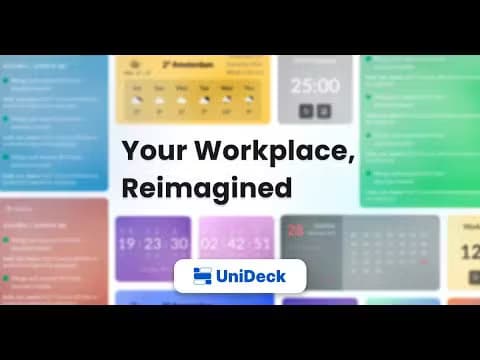
About UniDeck
What Is UniDeck
UniDeck is a no-code dashboard layer that sits on top of the apps a team already pays for. Instead of jumping between a mail client, a chat app, an issue tracker and a repo, you assemble one workspace from ready-made widgets and read live data from each connected tool. The company frames the pitch around a simple idea: stop losing the day to tab switching and scattered notifications.
It works the way a dashboard tool should. You drag widgets onto a page, connect each one to an account through OAuth, and the workspace updates as the underlying data changes. The company lists first-class integrations for Google Workspace, GitHub, GitLab, Jira, Linear, Trello, Toggl, Pinterest and Hacker News, with 16 built-in widgets of its own on top, covering notes, tasks, a calendar, a timer, and advanced tables and charts. Anything else can come in through a custom HTTP widget that reads from any API.
The limits are worth knowing before you commit. UniDeck is a read-and-display layer, not a system of record, and the developer integrations are read only by design, so it never writes back to GitHub, Linear or Jira. Several of the more useful widgets, like GitHub Actions, Hacker News and advanced charts, sit behind the paid tiers, and the free plan caps AI insights at once a week. The product is also still young, having launched publicly in January 2025, so the integration list is shorter than older automation platforms.
Getting Started
- Create a free account on the web, no card required, and confirm your email
- Start a dashboard and drag widgets onto the canvas from the library
- Connect each widget to an app through its OAuth login so UniDeck can read the data
- Arrange the layout with the visual editor, then share the dashboard by link or embed it
Product Information
A quick look at UniDeck's pricing, supported platforms, and performance.
Best for
The users, tasks, and scenarios where this tool fits best.
Users
- Developers
- Project and product managers
- Small teams and startups
- Students and note-takers
- Home and personal organizers
Tasks
- Consolidate live data
- Build internal tools
- Track time and focus
- Monitor pipelines
- Share a workspace
- Pull in custom data
Scenarios
- A code review pile-up
- A sprint check-in
- A remote workday
- A weekly team review
- A personal start page
Key features
Drag-and-Drop Dashboard Editor
The editor is the heart of the product. You start a blank page, drop widgets where you want them and resize them to fit, with a visual CSS editor for per-dashboard styling. No code is needed for the core build, which is the point: a non-technical teammate can assemble a useful workspace in a sitting. Layouts are saved per dashboard, so the same account can host a work view, a personal view and a team view side by side.
First-Class App Integrations
UniDeck connects to the tools a team already runs and reads live data from each one through OAuth, rather than a scheduled ETL pipeline. The company lists Google Workspace, GitHub, GitLab, Jira, Linear, Trello, Toggl, Pinterest and Hacker News, and separates that from its own 16 built-in widgets. The developer integrations are read only by design, so the product never writes back to GitHub, Linear or Jira, which keeps it safe to point at a repo you do not own.
Built-In Productivity Widgets
Beyond third-party apps, UniDeck ships a set of its own widgets: Meetings, Notes with markdown support, a Todo List, Time and Agenda, Calendar, Counter, Timer, Sticky Notes, Pomodoro, Quotes, Weather, and Advanced Table, Chart and Card. These cover the everyday pieces people usually scatter across separate apps. Because they live on the same canvas as the connectors, a single dashboard can mix your mail, your sprint board and a sticky note you wrote that morning.
Custom HTTP Widget
The integration list will never cover everything, so UniDeck includes a custom HTTP widget that reads from any API, including GraphQL endpoints. That is the escape hatch for internal tools and niche services: if an API returns data, the widget can show it next to the first-class integrations. It also means the platform is not locked to the vendor's catalog, which matters for teams with in-house systems.
AI Insights and Suggestions
UniDeck folds AI into the dashboard rather than bolting on a separate chatbot. The paid plans add live AI-powered insights and suggestions, and the company connects them to UniDeck AI along with ChatGPT and Gemini. The free plan gets a smaller taste, with insights generated once a week. The idea is that the AI reads what is on the dashboard and points out what deserves attention, which fits the product's goal of cutting the noise a team has to sift through.
Sharing, Teams and Embedding
A dashboard is only useful if the right people see it. UniDeck lets you share a dashboard with a link, embed it in Notion or Confluence, and, on the Teams plan, run a shared dashboard library with role-based access for admins, editors and viewers. Invites can go by link with an optional email-domain restriction, so a team can share a live view with clients without handing over the editor. This is the feature that turns a personal page into a team workspace.
Enterprise Controls
The Enterprise plan targets companies that need governance. It adds custom widgets developed to order, in-house AI models for privacy and security, enterprise-grade security with single sign-on, and a dedicated account manager. Those are the pieces IT asks about before a tool spreads across an organization, and UniDeck places them at the top tier rather than in the free or mid-range plans.
Pros and cons
Pros
- No coding needed to build a working dashboard, so non-technical teammates can own the workspace
- Connects the tools a team already pays for, from Google Workspace and GitHub to Jira, Linear and Trello
- Free plan with no credit card, which covers core widgets and basic AI insights
- Custom HTTP widget opens the door to any API, so the platform is not capped at the official catalog
- Dashboards can be shared by link or embedded in Notion and Confluence, with role-based access on Teams
Cons
- Read only by design, so it never writes back to GitHub, Linear or Jira and can't replace those tools
- Several useful widgets, including GitHub Actions, Hacker News and advanced charts, sit behind paid tiers
- The integration list is shorter than older rivals because the product only launched in January 2025
- Free plan AI insights refresh just once a week, so heavier AI use means paying
- Pricing is in euros and aimed at teams, which adds a currency and budget step for some buyers
Frequently asked questions
UniDeck is a no-code dashboard builder that pulls live data from the apps a team already uses into one unified workspace. You assemble dashboards from drag-and-drop widgets and connect each one to a tool like Google Workspace, GitHub, Jira, Linear or Trello through OAuth, then share the result by link or embed.
Related content
Explore related tools, skills, and articles for UniDeck.
UniDeck Alternatives

Base Code
Base44 (Wix) · Coding · ProductivityBase Code is a shared cloud development environment from Base44. Teammates describe changes to an existing GitHub codebase in chat, preview them live and send them back as pull requests.

Google EmbeddingGemma 2
Google DeepMind · Writing · Image · CodingGoogle EmbeddingGemma 2 is a 740M-parameter open model that turns text, code, images, audio, and video frames into vectors in one 768-dimension space, running on phones and laptops.

GitGlow
GitGlow · Coding · ProductivityGitGlow is a local-first desktop Git client that lets independent developers review their own code and their AI agents' changes in one place before shipping.