

Love Fantasies by AI
unite.com · Writing · Image
Love Fantasies by AI is a browser tool on unite.com that merges two portrait photos into romantic couple pictures. You upload one photo per person, start the generator, and download the results.
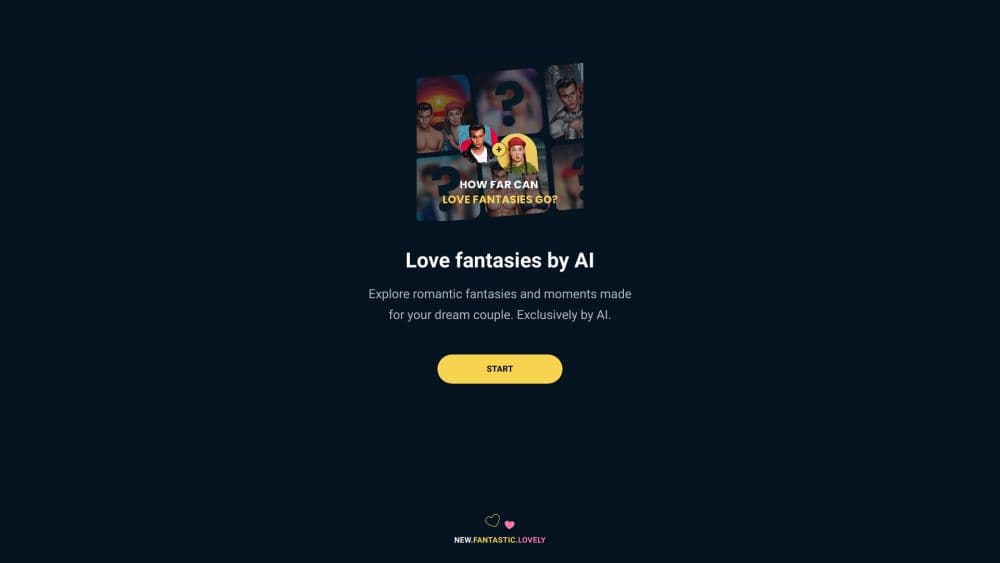
About Love Fantasies by AI
What Is Love Fantasies by AI
Love Fantasies by AI is a single-purpose web app from unite.com. It takes two portrait photos, one of each person, and returns a set of pictures that show the pair together in a romantic scene. In plain words, it's an AI couple photo generator with one job. The whole job runs in a browser tab, so there's nothing to install on a phone or a laptop.
The pitch is deliberately narrow. Most image tools ship a dozen modes and leave you to find the one you need. This one asks for two faces and does the rest. That's the right shape for a gift idea, a couple's anniversary post, or a quick visual joke about two people who have never met. As a romantic photo maker it stays out of your way.
The limits show up fast. Every free download carries a watermark, which you can drag anywhere on the image but not delete without paying. The free tier also runs out. Once the allowance is gone, the app pushes a subscription at $7.99 per week after a 3-day free trial. Results depend heavily on the source photos: two mismatched selfies with different lighting will produce a patchier result than two clean portraits shot at the same distance. The photo merge AI stage is the weak link here, not the scene styling.
Getting Started
- Open unite.com/love-fantasies-by-ai in a desktop browser and press Start. No account or payment is needed to try it.
- Upload one portrait each into the His photo and Her photo slots. Use photos where both faces look straight at the camera, in JPEG or PNG.
- Wait for the generator, usually a couple of minutes on the free tier.
- Review the results, drag the watermark where you want it, then download or share the image you like.
Product Information
A quick look at Love Fantasies by AI's pricing, supported platforms, and performance.
Best for
The users, tasks, and scenarios where this tool fits best.
Users
- Couples planning a low-key anniversary or Valentine's post
- Long-distance partners
- Social media users who want a quick visual gag
- People testing AI image tools before paying
Tasks
- Turning two portraits into a couple portrait generator job
- Making a shareable card for an occasion
- Repositioning the watermark before sharing
Scenarios
- A surprise anniversary post at short notice
- A playful gift between friends
- A first look at an AI photo tool
Key features
Two-Photo Couple Generation
The app needs exactly two inputs: one portrait of him, one of her. It places both faces in a shared romantic scene and keeps the framing tight on the couple. Where most AI portrait photos tools offer a dozen presets, this one decides the look for you. There's no prompt box and no style picker, which removes the guesswork but also the control.
Portrait Photo Guidance
The upload screen spells out what works: two portrait photos, one per person, with faces pointing straight at the camera. That guidance matters, since a profile shot or a crowded group photo can throw off the merge.
Watermark You Can Move
Free downloads come with a watermark. You can tap and drag it anywhere on the image so it lands away from faces or text, but removing it takes a paid plan. It's a practical middle ground between a hard-locked preview and a clean free download.
Browser Only, No Install
Everything runs on unite.com in a desktop browser. That keeps the barrier to entry low and avoids app store downloads, but it also means no offline use and no mobile app.
Weekly Subscription With a Trial
The paid option is a $7.99 weekly subscription that unlocks unlimited premium artworks, with three days free first. It renews automatically and the app states you can cancel any time.
Save and Share Flow
Every AI couple photo can be downloaded or shared straight from the results page. There's also a change photo button to swap in a different face and try again without starting over.
Pros and cons
Pros
- Two portraits are the only input, so a first result takes minutes rather than a setup session.
- No account is needed to try it, which makes it easy to judge the output before spending anything.
- The watermark can be repositioned by dragging, so it doesn't have to sit over the faces.
- Browser based, so it works on any modern desktop without an install.
Cons
- Free downloads keep the watermark. Removing it requires the $7.99 weekly subscription, which adds up fast if you only need one picture.
- The generator does one thing only. There's no scene picker, no style control and no way to describe what you want.
- Results depend on photo quality. Mismatched lighting, angles or resolution between the two portraits shows up in the merged image.
- No mobile app and no documented public API, so automated or bulk use isn't on the table.
- AI output can include visible artifacts. The app says as much on its upload screen.
Frequently asked questions
It combines two portrait photos into a set of pictures showing both people together in a romantic scene. You upload one photo per person and the app generates the results in your browser.
Related content
Explore related tools, skills, and articles for Love Fantasies by AI.
Love Fantasies by AI Alternatives

Google EmbeddingGemma 2
Google DeepMind · Writing · Image · CodingGoogle EmbeddingGemma 2 is a 740M-parameter open model that turns text, code, images, audio, and video frames into vectors in one 768-dimension space, running on phones and laptops.

MePersona
MePersona, Inc. · Writing · Productivity · MarketingMePersona is an AI unified inbox for creators. It learns your voice, drafts replies to fan messages from 12 platforms, and sends only what you approve.

Fluence
Yay Software (Yannick Huchard) · Writing · Voice & Language · ProductivityFluence is an Android app that reads PDFs, EPUBs, Word files and web articles aloud, follows each sentence as it speaks, and answers questions about the text on the phone itself.