

UniwebPay Skill
UniwebPay · Coding
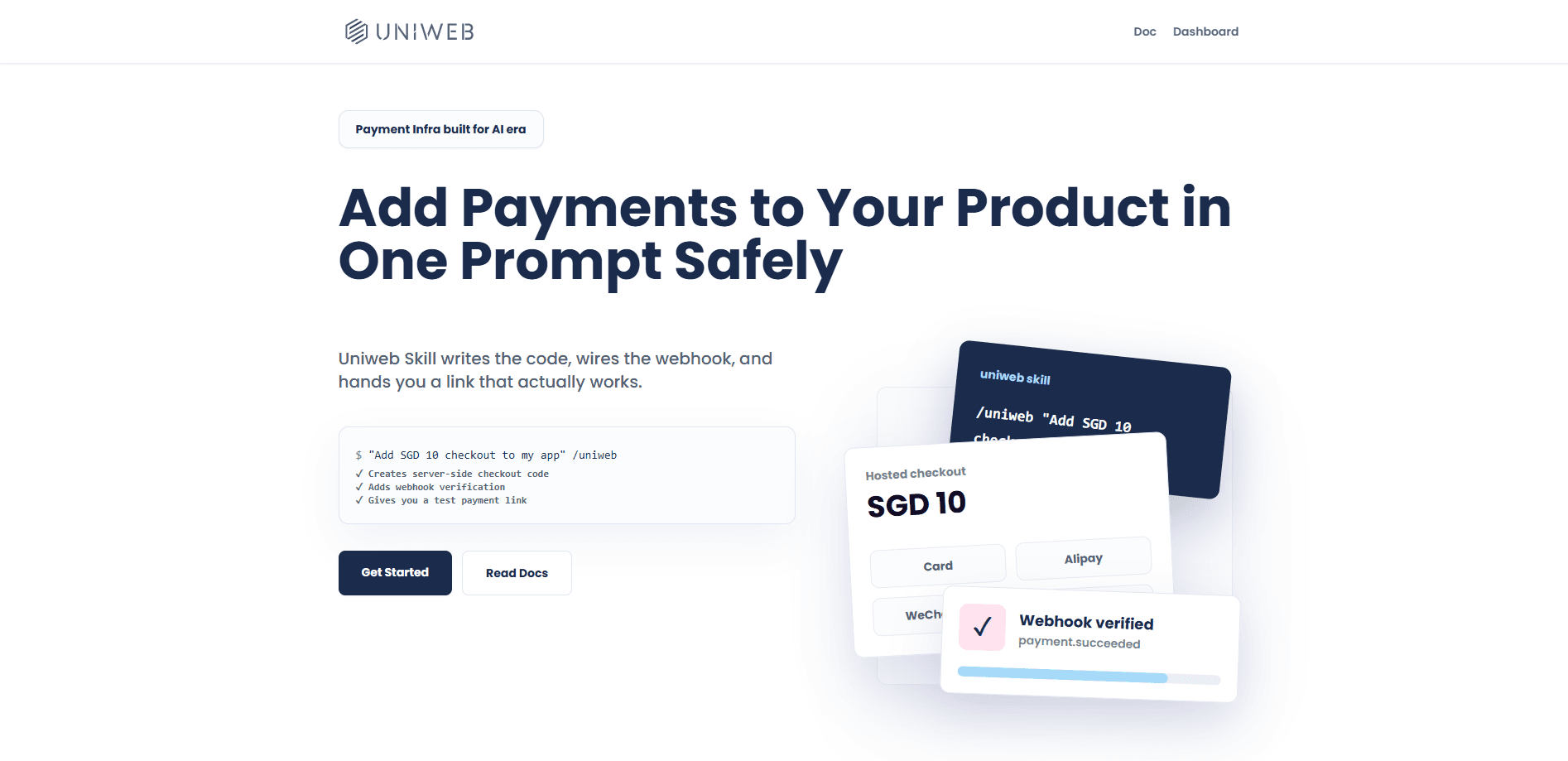
UniwebPay Skill is an AI-era payment integration tool that adds a working checkout to your site from a single prompt. Point it at your project, describe what you sell, and it drafts the server-side code, webhook verification, and shareable payment links you'd otherwise assemble by hand. It targets developers who want to accept payments without spending a weekend reading gateway docs, and it covers multiple payment methods in one integration.
About UniwebPay Skill
What Is UniwebPay Skill
UniwebPay Skill is a payment integration layer built for AI coding assistants. You install it as a skill, hand your assistant a task, and it generates the plumbing a checkout needs: server endpoints, order handling, webhook signature checks, and links you can send to customers. The point is to collapse a multi-step integration into a conversation.
So what is it, exactly? It's a generator, not a processor.
The tool isn't a payment processor itself. It wires your project to payment methods and gives you the code to run them, which matters if you'd rather keep control of your own codebase than hand everything to a hosted platform. For a solo founder shipping a side project, that distinction decides how much of your stack you can see and change.
The main limit is that you still need to read what it generates. Generated payment code touches money, so a quick review before going live isn't optional. It also depends on whichever payment providers you connect, so the methods available follow their coverage, not UniwebPay's.
Getting Started
- Install the UniwebPay Skill into your AI coding assistant and open the project you want to add payments to.
- Describe your product, price, and the payment methods you want to accept in a single prompt.
- Let the assistant generate the server-side checkout code, order handling, and webhook endpoint.
- Add your provider API keys to the environment and verify the webhook signature check works.
- Run a test payment, confirm the order records correctly, then switch to live credentials.
Product Information
A quick look at UniwebPay Skill's pricing, supported platforms, and performance.
Best for
The users, tasks, and scenarios where this tool fits best.
Users
- Indie developers building a paid side project
- Small product teams without a dedicated payments engineer
- Agencies prototyping client storefronts
Tasks
- Adding a first checkout to a web app
- Verifying webhooks safely
- Creating shareable payment links
Scenarios
- Launching a paid feature before you've built a billing system
- Taking preorders for a product page
- Selling a digital download or template
Key features
One-Prompt Checkout Generation
The core promise is simple. You describe what you're selling and the skill writes the checkout for you. It produces the server-side endpoints, the order record, and the flow a buyer walks through. That saves the slow part of integration, which is reading a gateway's docs and translating them into your stack. You review the output and adjust, but you don't start from a blank file.
Automatic Webhook Verification
Payments aren't done when the buyer hits pay. Your server has to confirm the transaction came from your provider and wasn't forged. UniwebPay Skill generates the webhook handler and the signature check that makes that confirmation real. Skip this and you risk fulfilling orders that were never paid, which is a mistake that costs you real money.
Shareable Payment Links
Not every sale needs a full storefront. The skill can generate payment links you send directly to a customer for a one-off charge. That's useful for invoices, preorders, or a quick sale in a chat thread where building a whole cart would be overkill. It's the smallest unit of "accept money" the tool supports.
Multiple Payment Method Support
The integration covers more than one way for customers to pay, so you're not locked to a single method that some buyers can't use. Which methods you get depends on the providers you connect. Check that your target customers' usual payment options are covered before you commit.
Server-Side Code, Not a Black Box
The output is code you own and can edit, not a locked hosted widget. That matters if your checkout needs custom rules: a specific tax calculation, a discount that only applies to certain users, or an order flow that ties into your own database. You can read it. You can change it. You keep it in version control alongside the rest of your project.
Built for AI Coding Assistants
The skill is designed to run inside an assistant, so it fits a workflow where you already plan and write code by talking to an AI. You don't switch tools to wire up payments. It slots into the same loop you use for everything else, which is the whole reason "AI-era" is in the name.
Pros and cons
Pros
- Cuts checkout setup from a multi-day task to a single prompt and a review pass.
- Generates webhook verification, which is the step most developers skip and later regret.
- Output is editable server-side code you keep in your own repo, so there's no lock-in to a hosted widget.
- Supports multiple payment methods, and payment links handle small sales without a full storefront.
Cons
- You still have to read and test the generated payment code before going live, since it touches real money.
- Available payment methods depend on the providers you connect, so coverage isn't guaranteed out of the box.
- The official site is a JavaScript app, so pricing and setup details aren't easy to skim without a working browser.
Frequently asked questions
It generates payment integration code for your project. You describe your product and the skill produces server-side checkout endpoints, webhook verification, and payment links. It's the glue between your app and a payment provider, not a provider itself.
Related content
Explore related tools, skills, and articles for UniwebPay Skill.
UniwebPay Skill Alternatives
Forefront
Forefront · CodingForefront is a web platform for building with open-source AI. It lets you fine-tune leading open-source language models on your own data, evaluate how they perform, and run them through an API or export them to host yourself. Developers who want the convenience of a closed-source platform but insist on owning their models and data are the target audience here.

Startkit
StartKit.AI · CodingStartkit is a boilerplate for building AI SaaS and AI wrapper products. Think of it as an AI startup boilerplate with the boring parts already wired up: authentication, Stripe and Lemon Squeezy payments, usage limits, transactional email, and an AI API starter that talks to OpenAI, Anthropic, Groq, or Llama. You clone the repo, set your price, and start on the part of your product that people actually pay for. It's Next.js under React and Tailwind, so most of the boilerplate code already feels familiar.
Testim
Tricentis · CodingTestim is an AI-powered test automation platform for building and running end-to-end tests across web, mobile, and Salesforce applications. It leans on machine learning to keep tests stable when an interface changes, so teams spend less time fixing broken selectors. Not bad for an automated testing tool you can start using today. You create tests by recording actions in a browser, then optionally add JavaScript when you need more control. It's a solid pick for busy QA teams.