

Unmixr
Unmixr · Voice & Language · Video
Unmixr AI is a browser voice studio that turns scripts into narration, clones voices, dubs video in 100+ languages, and exports captions or MP4 from one project.
About Unmixr
What Is Unmixr AI
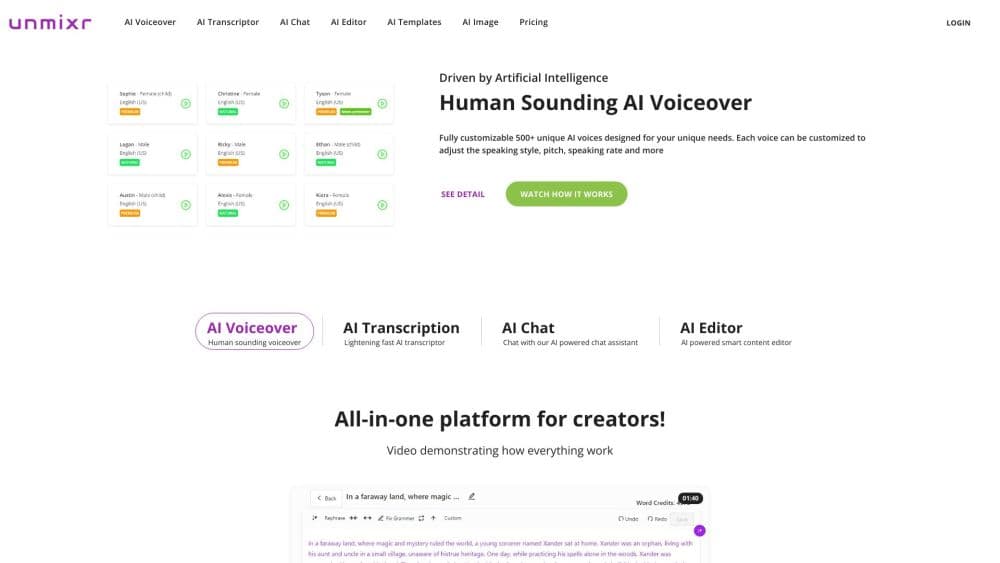
Unmixr AI is a web app for making spoken content: voiceovers, audiobooks, podcast dialogue, subtitles, and dubbed video. You paste a script or import a PDF, Word file, ePub, or public webpage, cast a voice, and direct the delivery in plain words. The project stays editable, so fixing one sentence doesn't mean re-recording the whole file.
It began as a text to speech tool and now runs several studios that share a single credit balance. Narration, Dialogue, Story, Course, Dubbing, Transcription, and Read Aloud all draw from the same wallet. That matters when your work mixes formats, because a month spent mostly on dubbing won't leave you with voiceover credits you can't use.
The limits are practical rather than technical. There's no desktop or mobile app, so everything happens in a browser tab and needs a connection. Cost scales with volume: a 10-minute narration runs about 9,000 credits, and the cheapest plan includes 100,000 a month. Anyone producing hours of audio each week will end up watching the meter.
Getting Started
- Create an account at unmixr.com. A new account starts with 5,000 credits, and adding a card raises the trial balance to 25,000 for seven days.
- Pick a studio for the job: Narration for a single voice, Dialogue for multi-speaker scripts, Story for chaptered books, or Dubbing for an existing video.
- Cast a voice from the library or clone your own. Every voice previews in the browser before you commit credits.
- Paste or import the script, then direct it. Type instructions like "slower on the closing line" or set pitch, pauses, and pronunciation per word.
- Export. Audio downloads as MP3 at 192 kbps, dubbing adds a WAV, and video projects render an MP4 with matching captions.
Product Information
A quick look at Unmixr's pricing, supported platforms, and performance.
Best for
The users, tasks, and scenarios where this tool fits best.
Users
- Course creators and trainers
- YouTube and short-form creators
- Podcasters working with multiple hosts
- Localization teams
Tasks
- Narrating a training video
- Turning a manuscript into an audiobook
- Dubbing a product demo into Spanish or Japanese
- Transcribing interviews or webinars
Scenarios
- A weekly publishing schedule with no recording sessions
- Refreshing an old course with a consistent narrator
- Testing a message in several markets before a launch
Key features
Instruction-Following Voice Direction
Unmixr's newer voice models accept plain-language direction instead of slider fiddling. You can ask for a warmer opening, a pause before a key number, or a flatter read on a disclaimer, and the model adjusts pace, pitch, and emphasis together. It's closer to directing a voice actor than filling in a form. For long scripts, the practical gain is fewer regenerate-and-listen cycles.
Voice Cloning With Consent Controls
Upload a short sample and the platform builds a clone that works in 80+ languages, billed at the same one credit per character as a stock voice. Cloning requires recorded consent from the speaker, which rules out grabbing a celebrity clip from the web. The useful part is consistency: a course recorded in March and updated in November sounds like the same person.
AI Dubbing and Localization
The dubbing studio takes a finished video, translates the speech, and re-voices it in 85 languages while keeping the original timing. Background music can be separated so the new vocal sits cleanly under it, and you get a WAV alongside the MP3. It handles a talking-head explainer well. Fast overlapping dialogue and heavy accents still need review.
Transcription and Captions in One Project
Media uploads return speaker-labelled transcripts, and the same pass produces subtitle files you can correct word by word. Because captions live in the project that made the audio, a script change doesn't leave you syncing two separate tools. Transcription bills at 240 credits per minute, which is the cheapest line item in the wallet.
Course and Training Workflows
The Course studio accepts slide decks and PowerPoint files, then narrates each slide and renders a video. You can keep one narrator across modules, save pronunciation rules for product names, and export modules separately. It's aimed at internal training teams that publish often and can't rebook a voice actor for every update.
One Credit Wallet Across Studios
Voiceover, transcription, and dubbing spend from the same balance at fixed rates: one credit per character, 240 per transcription minute, 1,920 per dubbing minute. Unused credits carry into whatever format you need next, and overage top-ups are available on every plan. Tiers change the volume and the export options, not the toolset.
Pros and cons
Pros
- Voice cloning costs the same per character as stock voices, so a consistent narrator doesn't carry a premium.
- Captions, video, and dubs come from the same project, which cuts the number of tools in a publishing workflow.
- Line-level direction in plain language produces usable takes faster than tweaking numeric sliders.
- The 85-language dubbing output keeps original timing, so a demo doesn't need re-editing after translation.
- A 5,000-credit starting balance lets you hear real output before paying.
Cons
- The $9 Lite plan blocks video export and API access, so creators who need MP4 files start at $19/mo.
- Credits expire with the billing cycle, and dubbing burns 1,920 per minute, so a long video can eat a plan quickly.
- There's no mobile or desktop app, which makes recording on the go or offline work impossible.
- Dubbing quality drops on overlapping speech and strong accents, and fixing it requires manual edits you can't do inside the dubbing studio.
Frequently asked questions
It's used to produce spoken content from text: voiceovers, audiobooks, podcast dialogue, subtitles, and dubbed video. Most people come for the AI voice generator and stay for the captions and dubbing that come out of the same project.
Related content
Explore related tools, skills, and articles for Unmixr.
Unmixr Alternatives

Prosp
Prosp · Writing · Voice & Language · MarketingProsp is an AI LinkedIn outreach tool built for agencies and sales teams, and it writes the message and the voice note in your own voice for each prospect so they actually reply. You connect your accounts, find leads, and let the AI draft and send personalized messages at scale, all from one inbox. It's built for people running outbound at volume. That's the whole pitch. Every touchpoint still has to feel human.

Wordly AI Translation
Wordly · Voice & Language · ProductivityWordly AI Translation is a real-time AI translation and captioning platform built for meetings, conferences, and events. It delivers live translation, captions, transcripts, and summaries in more than 60 languages, and attendees join by scanning a QR code or opening a link instead of using dedicated headsets. The platform works with Zoom, Microsoft Teams, Google Meet, and Webex, and it's designed for organizations that want multilingual access without hiring human interpreters for every session. Simple as that.
Musicful
Musicful AI · Voice & Language · VideoMusicful is an AI music generator and AI music video maker that turns text to music in minutes. Give it a text prompt, a set of lyrics, or a hummed melody and it returns a finished track with vocals and instruments. It also doubles as an AI song generator, produces music videos from the songs you create, and offers an AI cover tool plus a developer API. The platform runs in a web browser and through an Android app, so you can start a song on desktop and pick it up on your phone.