

UP Bridge the Gap
AAEON Technology Europe · Other
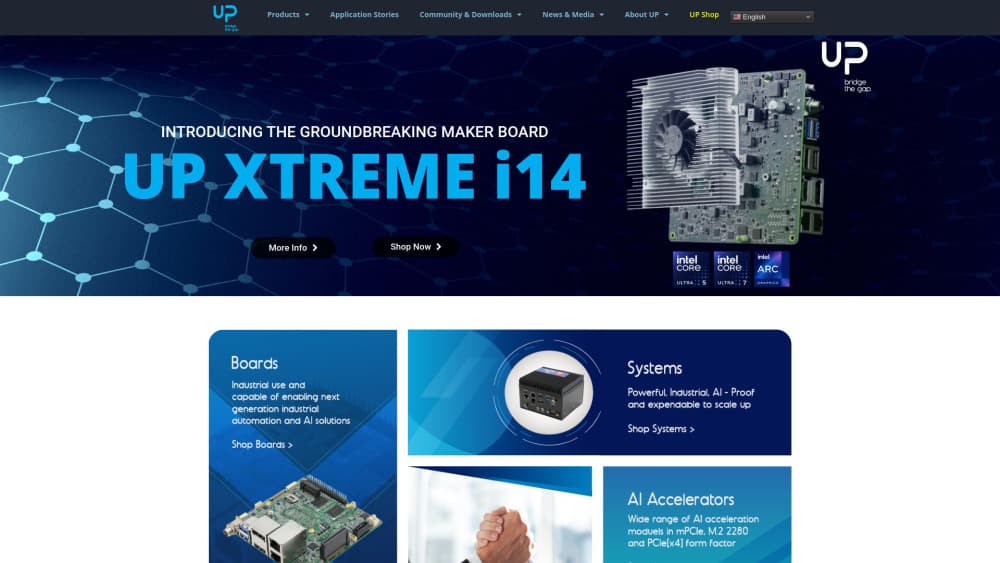
UP Bridge the Gap is AAEON's line of Intel single board computers, running from the $369 UP Squared to the $1,709 UP Xtreme i14, and built for edge AI, industrial control, and hardware prototyping.
About UP Bridge the Gap
What Is UP Bridge the Gap
UP Bridge the Gap is a hardware brand operated by AAEON Technology Europe. It launched in 2015 with a narrow promise: put a real Intel processor on a small board, keep the maker-friendly layout, and help developers carry a prototype into mass production.
The catalog covers ten form factors across board-level and system-level products. The UP Board and UP 7000 sit at the small, low-power end. The UP Squared line adds more ports and memory. The UP Xtreme family, including the UP Xtreme i14, targets heavier workloads with Intel Core Ultra chips, Intel Arc graphics, and up to 64GB of LPDDR5 memory.
The main limitation is scope. These are bare boards and fanless systems, so you supply the storage, display, enclosure, and operating system image. Nothing here works out of the box the way a mini PC does, and the entry price climbs fast once you add RAM, an NVMe drive, and a carrier board.
Getting Started
- Pick a board by workload: UP 7000 for light control tasks, UP Squared for balanced I/O, UP Xtreme i14 for vision and local inference.
- Order from the UP Shop or an AAEON distributor, and confirm the RAM and storage configuration before checkout.
- Flash your operating system. UP publishes Ubuntu, Yocto, and Windows images for most models, plus board-specific drivers and BIOS updates.
- Connect the 40-pin HAT, cameras, or industrial gear through the M.2, USB, and serial headers.
- Run your workload, then move to the Design Manufacturing Service if you need a custom carrier board or a production run.
Product Information
A quick look at UP Bridge the Gap's pricing, supported platforms, and performance.
Best for
The users, tasks, and scenarios where this tool fits best.
Users
- Industrial developers
- Robotics and vision engineers
- Makers moving off Raspberry Pi
- Product teams preparing a small production run
Tasks
- Running a local AI model at the edge
- Controlling machinery on a factory floor
- Digital signage and kiosk builds
- Prototyping an IoT gateway
Scenarios
- A pilot line that needs a cheap Intel board before a full production order
- A computer vision test rig in a lab
- A retrofit project replacing an old industrial PC
Key features
Intel processors from Atom to Core Ultra
The range starts with low-power Intel Atom x7000E chips on the UP 7000 and reaches Core Ultra silicon on the UP Xtreme i14. That spread matters because you can prototype on one tier and ship on another without rewriting your stack. Every model runs x86 binaries, so standard Linux and Windows tooling applies.
Raspberry Pi layout with a 40-pin HAT
All UP boards keep the same 40-pin HAT header as a Raspberry Pi, wired for GPIO, UART, I2C, PWM, I2S, and ADC. Existing sensor boards and relay modules usually plug straight in. The gain is a migration path: you keep the add-ons and pick up Intel performance.
Ten form factors across board and system level
UP sells bare boards, fanless edge systems, and kits. Small teams can start with a single board on a desk, then move the same design into a sealed chassis for a factory floor. Having both levels under one brand cuts the integration work when a project leaves the lab.
Edge AI headroom on the high end
The UP Xtreme i14 carries Intel Arc graphics with up to 128 execution units and support for Intel Deep Learning Boost. Combined with dual-channel LPDDR5, that gives an edge AI computer enough memory bandwidth for on-site inference. Graphics SR-IOV also lets you split GPU resources between virtual machines.
Industrial I/O and expansion
Expect M.2 2280 slots for NVMe or AI accelerators, M.2 2230 for Wi-Fi and Bluetooth, and an M.2 3052 B-key with nano SIM for 5G. Serial options run to RS-232, RS-422, and RS-485, and a dedicated fan header handles thermal design in enclosed cabinets. These are the ports that separate an SBC from a hobby board.
Design and manufacturing support
AAEON's Design Manufacturing Service takes a project from carrier board layout to production and certification. For a startup, that replaces a contract manufacturer search. For an established team, it means one vendor for the board, the BIOS, and the build.
Pros and cons
Pros
- Price ladder starts at $369 and tops out at $1,709, so there's a board for a prototype and a different one for deployment.
- The 40-pin HAT matches Raspberry Pi, which saves re-buying sensors and relay boards.
- Full x86 software support means Ubuntu, Yocto, and Windows images run without porting work.
- The UP Xtreme i14 handles local vision models with Intel Arc graphics and 64GB of memory.
- AAEON backs the line with long-life supply and a design-to-production service.
Cons
- Nothing ships ready to use. You add storage, an OS image, and often an enclosure before the board does anything.
- The price gap between an entry board and a fully configured i14 system is large, and RAM and NVMe costs sit on top.
- Intel chips draw more power than ARM boards, so passive cooling needs real design work in sealed cabinets.
- Documentation is split between the UP wiki, GitHub repos, and product PDFs, which slows down first-time setup.
Frequently asked questions
It's the hardware brand of AAEON Technology Europe, founded in 2015, that sells Intel-based single board computers and edge systems under the UP name.
Related content
Explore related tools, skills, and articles for UP Bridge the Gap.
UP Bridge the Gap Alternatives

Odyssey 3
Odyssey · OtherOdyssey-3 is Odyssey's foundation world model. It simulates physics in real time, turns a prompt into an interactive environment, and adapts to robots, cars and games.

JarvisCore
Prescott Data · Coding · Productivity · OtherJarvisCore is an open source Python runtime where AI agents work as equal peers on an agent mesh, claim tasks from a shared ledger, and reach external services through a zero-trust broker.
Clef
Cloudflare · Business · OtherClef is Cloudflare's open-source decision model for Workers AI. It returns calibrated probabilities for typed questions, not generated text, so agents can classify, route, and act fast.