

v0 by Vercel
Vercel · Coding
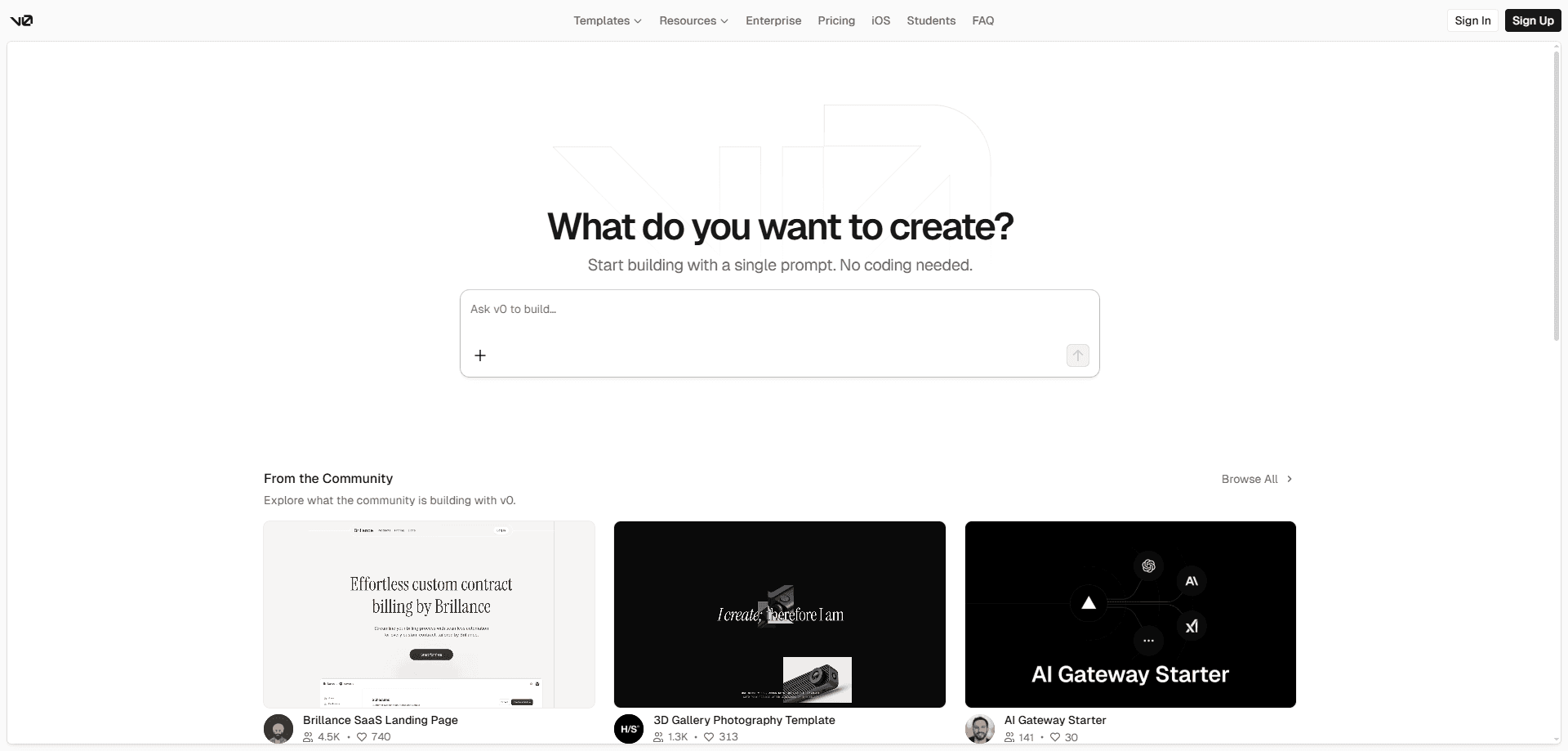
v0 by Vercel is an AI app builder that turns a plain-English prompt into working web code. It works as an AI code generator: you describe the page or app you want, and v0 generates React code styled with Tailwind CSS, then lets you refine it through a chat interface or a full built-in editor. It fits developers who want to skip the blank-file stage, and founders who want a working prototype before they write a spec. Code is yours to export, and paid plans connect straight to Vercel for hosting.
About v0 by Vercel
What Is v0 by Vercel
v0 is a generative tool for building web user interfaces and full apps. Vercel released it as an answer to a common problem: getting from an idea to real, editable code takes hours of setup before you make anything worth looking at. v0 removes that step. You type what you want, and it hands back a live preview plus the source files behind it.
The output is production-shaped code, not a mockup. Under the hood it uses Next.js and React with Tailwind CSS, so anything you build can move into a real repository without a rewrite. Vercel's February 2026 update added Git integration, Projects, a VS Code-style editor, and previews that run server-side code the same way production would. That was a big jump.
The Free plan gives you real output too. You just hit limits fast.
The catch is cost structure and lock-in. Generation runs on credits. Once your monthly balance empties, the tool stops until you top up or wait for the next cycle. The smoothest path also assumes you're comfortable on Vercel itself, since deployments, environment variables and previews tie into a Vercel project. You can still export the code and host it anywhere, but the deep integration is the whole point.
Getting Started
- Sign in at v0.app with a GitHub account or email, and pick the Free plan to explore.
- Describe the app or screen you want in the chat box, adding details about layout, colors and data as you go.
- Watch the live preview, then refine with follow-up prompts or open the built-in editor and edit the code by hand.
- Connect a GitHub repository if you want branches, commits and pull requests handled automatically.
- Publish to a Vercel deployment, or export the code and take it to your own hosting.
Product Information
A quick look at v0 by Vercel's pricing, supported platforms, and performance.
Best for
The users, tasks, and scenarios where this tool fits best.
Users
- Front-end developers who want a first draft of components before writing them by hand, with code they can edit and keep.
- Startup founders building a clickable prototype to show investors or early testers, no local setup required.
- Designers who can read code but don't want to hand-build layouts, since v0 goes from a mockup to a working page.
- Product teams that share credit pools and want multiple people iterating on the same Vercel project.
Tasks
- Generating React and Tailwind interfaces from a text prompt
- Building full-stack apps that connect to a backend, since previews now run API routes and database calls.
- Importing an existing GitHub repo and having an AI agent make targeted code changes with automatic commits.
- Creating AI agents and data-driven apps, one of the categories v0 explicitly supports.
Scenarios
- The blank-page moment at the start of a new project, when a working starting point saves the first few hours.
- A quick internal demo that needs to look real but can't wait for a full sprint.
- Testing a layout idea with real code before committing design resources to it.
Key features
Prompt-to-Code Generation
Type a description in everyday language and v0 returns a working interface. It can generate React code and Tailwind styles from that prompt alone. You can also attach a wireframe or mockup as a reference. The result runs live in the browser, so you judge it by what it does, not by a static picture.
Built-In Full Editor
The February 2026 update folded a VS Code-style editor into v0, so the AI agent, your code, the preview and configuration all sit in one window. You can accept what the model writes or drop into the source and change it yourself. Both work. That combination is what separates v0 from tools that only spit out snippets.
Git and GitHub Integration
Connect a repository and v0 manages branches, commits and pull requests on its own. Every code change creates an automatic commit, and Publish reuses or opens a pull request, merges it and kicks off the production deploy. It never pushes straight to main. Your production branch stays protected by design.
Production-Accurate Previews
Previews run your whole application inside an isolated environment powered by Vercel Sandbox, close to how it behaves once shipped. Server-side code, API routes, database connections and environment variables all work in the preview. That means what you see locally matches what deploys, cutting the surprises that show up when you ship. What you see is what you get.
One-Click Deployment
When the build looks right, Publish sends it to Vercel's infrastructure without a separate setup. You get a live URL and a production deployment tied to your project. It's fast. If you'd rather not use Vercel, you can export the code and deploy it to another host.
Automatic Error Fixing
v0 reads the diagnostics from broken code and proposes fixes on its own. Errors that would normally send you digging through logs get surfaced and patched in the chat. No digging. It's a small feature that saves a lot of context-switching during quick iterations.
Team Collaboration and Shared Credits
Plus and Business plans add shared projects, a shared credit pool, centralized billing and team-wide usage analytics. Multiple people can work on the same Vercel project, and pooled credits get used once individual monthly allowances run out. Business adds a data opt-out for teams with privacy requirements. Worth it for teams.
Pros and cons
Pros
- Output is real React and Tailwind code you can edit, export and host anywhere, not a locked design file.
- The built-in editor and the AI agent share one workspace, so you can switch between prompting and hand-editing without losing context.
- Git integration automates branches, commits and pull requests, which removes the fiddly parts of version control.
- Previews run server-side features like API routes and databases, so demos behave like the finished product.
- A free plan with 7 daily messages lets you test the workflow before paying anything.
Cons
- Generation runs on credits, and when the monthly balance runs out, the tool pauses until you top up or the cycle resets.
- The best experience assumes a Vercel project, so teams already on another host get less of the integrated value.
- The Premium plan is being retired and is closed to new users, which limits the options for individual power users.
- The Free plan's 7 daily messages go quickly once you start iterating on a real app.
Frequently asked questions
It builds web interfaces and full apps from text prompts. People use it for landing pages, dashboards, e-commerce storefronts, AI apps and internal tools, going from a description to editable React and Tailwind code in a live preview.
Related content
Explore related tools, skills, and articles for v0 by Vercel.
v0 by Vercel Alternatives
Forefront
Forefront · CodingForefront is a web platform for building with open-source AI. It lets you fine-tune leading open-source language models on your own data, evaluate how they perform, and run them through an API or export them to host yourself. Developers who want the convenience of a closed-source platform but insist on owning their models and data are the target audience here.

Startkit
StartKit.AI · CodingStartkit is a boilerplate for building AI SaaS and AI wrapper products. Think of it as an AI startup boilerplate with the boring parts already wired up: authentication, Stripe and Lemon Squeezy payments, usage limits, transactional email, and an AI API starter that talks to OpenAI, Anthropic, Groq, or Llama. You clone the repo, set your price, and start on the part of your product that people actually pay for. It's Next.js under React and Tailwind, so most of the boilerplate code already feels familiar.
Testim
Tricentis · CodingTestim is an AI-powered test automation platform for building and running end-to-end tests across web, mobile, and Salesforce applications. It leans on machine learning to keep tests stable when an interface changes, so teams spend less time fixing broken selectors. Not bad for an automated testing tool you can start using today. You create tests by recording actions in a browser, then optionally add JavaScript when you need more control. It's a solid pick for busy QA teams.