

v0.dev
Vercel · Coding
v0.dev, now at v0.app, is an AI app builder from Vercel. Describe an interface in plain text, and it generates working React and Next.js code you can edit, publish or deploy.
About v0.dev
What Is v0.dev
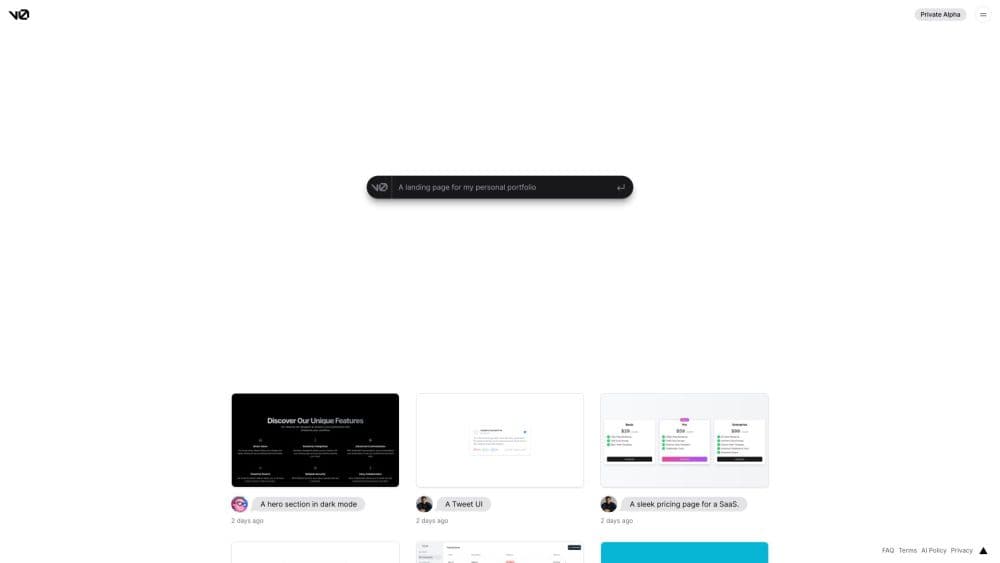
v0.dev, the tool many call v0 by Vercel, is an AI app builder for turning a written prompt into a working web interface. You describe the app you want in any language, and the text to code engine writes real React code built on Tailwind CSS and shadcn/ui, then shows a live preview beside it. It works as an AI code generator and a React code generator at once. The product started as a UI generator and has grown into a full-stack app builder that connects databases, APIs and payments before shipping to Vercel.
The problem it targets is the gap between an idea and the first running version. Instead of writing boilerplate, wiring components and setting up a project, you start from code the model already produced and refine it in conversation. Because the output targets the modern React stack that Vercel maintains, the result fits the deployment flow the same company runs, which keeps the path from prompt to public URL short.
The limit is the ceiling on complexity. v0 handles sites, dashboards, landing pages and AI apps well, but the AI tends toward clean, standard patterns. A team that needs unusual architecture or heavy backend logic still writes a fair amount by hand.
Getting Started
- Go to v0.app and sign in with a Vercel account, then start a new chat or create a project.
- Describe what you want to build in a sentence or two. The prompt can be written in your own language.
- Review the generated app in the live preview and switch to the Code tab to read the React and Tailwind output.
- Refine it by chatting: ask for a search bar, connect a database, or open Design mode to adjust styles visually.
- Publish with one click. v0 creates a Vercel project, deploys to production, or opens a pull request if the repo is connected to GitHub.
Product Information
A quick look at v0.dev's pricing, supported platforms, and performance.
Best for
The users, tasks, and scenarios where this tool fits best.
Users
- Front-end developers and engineers
- Designers who work with mockups
- Product managers and founders validating an idea
Tasks
- Turning a wireframe or screenshot into code
- Scaffolding a full-stack app
- Building AI chat interfaces
- Iterating on copy and layout
Scenarios
- Shipping a product page or landing site on a deadline
- Prototyping before a stakeholder review
- Testing a SaaS idea on a small budget
Key features
Text to Code Generation
The core feature turns a written prompt into a complete web app. You describe the layout, the sections and the behavior, and v0 writes React components styled with Tailwind CSS in the background. Prompts work in any language, so you can write in the one you think in. The code is meant to be read and edited, not just viewed.
Screenshot and Figma to UI
You can upload a screenshot or a design file and v0 reproduces the interface as working code. This targets the handoff step, where a designer's mockup normally has to be rebuilt by an engineer. The generated markup is close enough to adjust rather than start over.
Full-Stack Integrations
v0 connects to real services instead of stopping at the front end. From the integrations menu you install Neon or Supabase for databases, Upstash for Redis, and Blob for file storage. You can also add Stripe for payments and wire external APIs by describing the call and adding your keys as environment variables.
Built-in AI Gateway
The builder includes Vercel's AI Gateway, which configures your API key from your Vercel account and gives access to hundreds of models through one endpoint. You can install providers like Grok, fal and Deep Infra with a click, or bring your own OpenAI and Anthropic keys. That makes v0 a practical way to build AI chat and agent apps.
Design Mode
Design mode lets you select an element in the preview and adjust its styles visually or with a short instruction. Hit Apply and the change commits back to your source code as a new chat version. It gives people who do not write code a way to tune spacing, color and layout without touching the markup.
One-Click Publish and GitHub Flow
Publishing runs through Vercel. On the first publish you confirm the project name, choose the domain and go live. Later changes publish to the same URL, and if the project is linked to GitHub, v0 opens or reuses a pull request and merges it while respecting the repo's rules. Custom domains and analytics live in the project settings.
Pros and cons
Pros
- The generated code follows React, Tailwind and shadcn/ui conventions, so it fits real projects rather than sitting in a sandbox.
- Screenshot and Figma input turn a design into working UI, which removes the slowest part of front-end handoff.
- Integrations for databases, payments and the AI Gateway mean you can build a full-stack app without wiring services by hand.
- One-click publishing to Vercel and the GitHub pull request flow keep the path from prompt to production short.
- Design mode gives non-coders a way to alter the look without editing source files.
Cons
- The Free plan caps usage at a small number of daily messages and a modest credit balance, so steady work needs a paid plan. Paid tiers start at $20 per user per month.
- The AI leans toward standard, clean patterns, so unusual architecture or heavy backend logic still needs manual work.
- Much of the value assumes you deploy on Vercel and use its integrations, which matters if your team runs on another platform.
Frequently asked questions
v0.dev is Vercel's AI app builder. You describe an app in text, and it generates working React and Next.js code, shows a live preview, and lets you publish to Vercel. The product now lives at v0.app, and the v0.dev address points there.
Related content
Explore related tools, skills, and articles for v0.dev.
v0.dev Alternatives

Base Code
Base44 (Wix) · Coding · ProductivityBase Code is a shared cloud development environment from Base44. Teammates describe changes to an existing GitHub codebase in chat, preview them live and send them back as pull requests.

Google EmbeddingGemma 2
Google DeepMind · Writing · Image · CodingGoogle EmbeddingGemma 2 is a 740M-parameter open model that turns text, code, images, audio, and video frames into vectors in one 768-dimension space, running on phones and laptops.

GitGlow
GitGlow · Coding · ProductivityGitGlow is a local-first desktop Git client that lets independent developers review their own code and their AI agents' changes in one place before shipping.