

Vellum Assistant
Vellum · Coding · Other
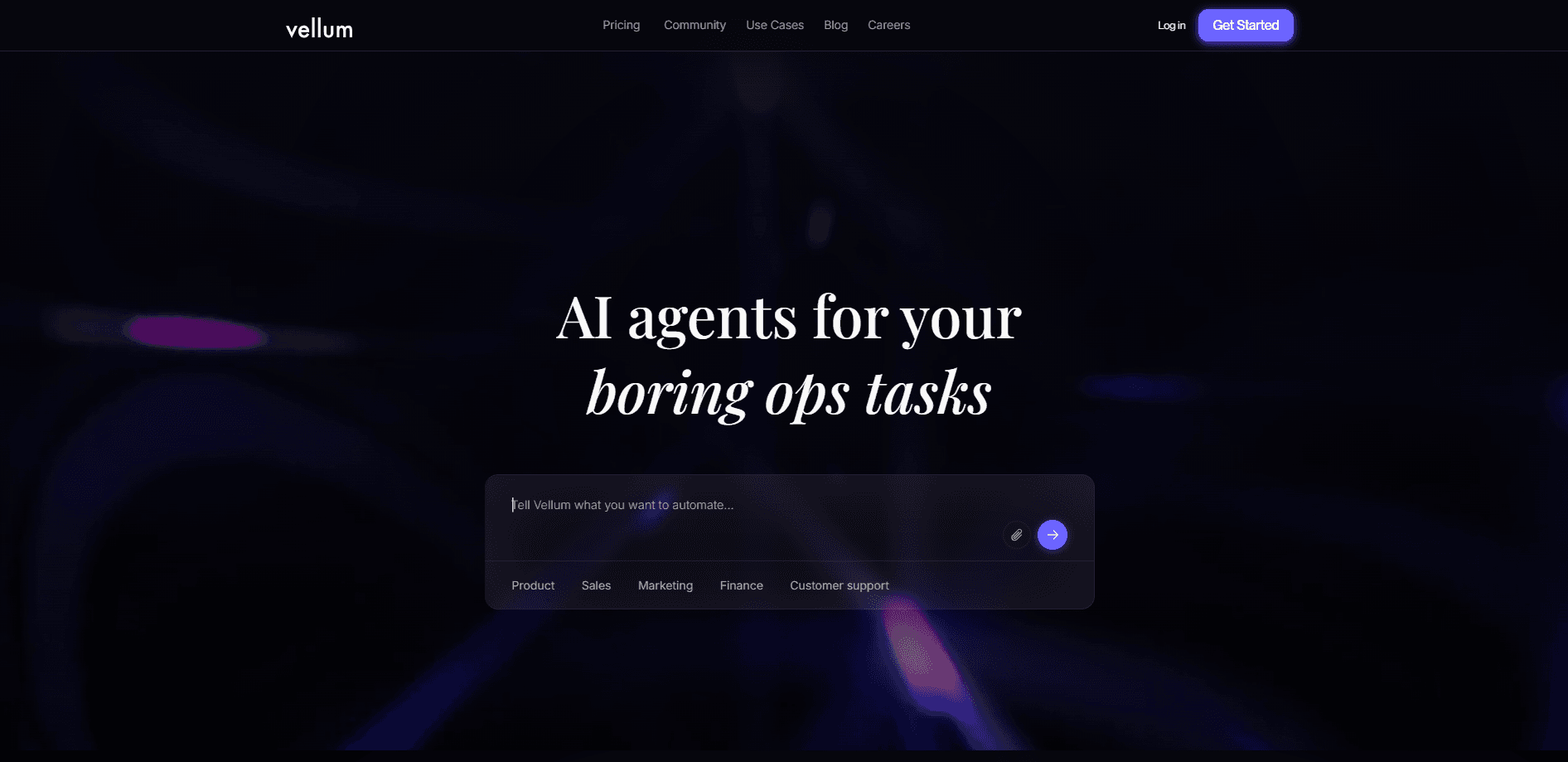
Vellum Assistant is a personal AI assistant that learns how you work, remembers your preferences, and takes action across the tools you already use. It runs locally on your machine or in the secure Vellum Cloud, keeps its own memory and credentials vault, and stays reachable from any device. Think of it as an AI assistant app that handles chores, not just chat. Unlike a plain chat window, it can send email, manage calendars, browse the web, build small apps, and run recurring tasks in the background, all while asking permission before anything risky. That's the short version.
About Vellum Assistant
What Is Vellum Assistant
Vellum Assistant is a personal AI agent built for people who want more than a chatbot tab. You shape its name, its tone, and how it does work for you, and it remembers that context across every conversation instead of starting from zero each time. The company sells it as something you own rather than rent, which is why the memory and credentials vault can live on your own machine if you prefer.
The main problem it solves is busywork that follows you across apps. Instead of copying details between Google Workspace, Slack, Notion, and your files by hand, describe the outcome and let the assistant chain the steps. It ships with built-in skills for those tools and can be extended with community plugins or skills you write yourself. Less copying. More done.
The biggest limit is trust and setup cost. High-stakes actions like emailing a new contact or spending credits need your approval until you mark them trusted, so it isn't a hands-off autopilot out of the box. Self-hosting and cloud tiers ask for real configuration time, and the open-source route puts upkeep on you. Plan for a setup session.
Getting Started
- Sign up with an email at vellum.ai and pick whether the assistant runs in Vellum Cloud or on your own machine.
- Give the assistant a name and a personality, then walk it through how you like to talk and work.
- Connect the tools you use most, such as Google Workspace, Slack, Notion, or your local filesystem.
- Start with a small task like a morning briefing or an inbox summary, then approve each action so it learns your preferences.
- Mark recurring, low-risk tasks as trusted so the assistant can handle them in the background without asking every time.
Product Information
A quick look at Vellum Assistant's pricing, supported platforms, and performance.
Best for
The users, tasks, and scenarios where this tool fits best.
Users
- Busy professionals
- Founders and small teams
- Privacy-focused users
Tasks
- Email triage and drafting replies
- Morning briefings
- Building small internal tools
Scenarios
- Daily review of scattered work updates
- Personal life admin
- Research before a decision
Key features
Long-Term Memory
The assistant keeps a memory built to hold the things that matter to you: people, preferences, projects, and past conversations. That context carries across sessions and devices, so you stop re-explaining yourself and what you want. It's the feature that separates a personal agent from a stateless chatbot. No memory, no assistant. That's the whole point. Everything else builds on it.
Actions Across Your Tools
Built-in skills cover Google Workspace, Slack, Notion, and the local filesystem, letting the assistant send email, manage calendars, write code, and edit files. Because it acts on your accounts rather than just advising you, useful work happens without copy-pasting between apps. Community plugins and custom skills extend the range further. It does the clicking for you.
Fine-Grained Permissions
High-stakes actions like emailing a new contact, changing an important file, or spending credits require explicit approval until you mark them trusted. That gives you a clear dial between convenience and control instead of a binary on or off. Once a task proves safe, let it run without prompts. Simple as that.
Model Flexibility
You can switch between models from OpenAI, Anthropic, and Gemini, or run open-weights models through Ollama. The switching happens at the account level, so you aren't locked into one provider as prices and capabilities shift. That matters most when a specific task needs a cheaper or stronger model. Swap when you need to.
Self-Hosting and Ownership
Vellum Assistant is open source, so you can deploy it on your own hardware, a VPS, or a private cloud. Self-hosting means you control your data, your keys, and your uptime, with no platform fee or computer-tier charge. The tradeoff? Maintenance and upgrades fall to you.
Sound and Voice
The assistant supports push-to-talk and always-listening modes, and it speaks back when you want a hands-free answer. That makes it usable while you're driving, cooking, or away from a keyboard. Voice also makes the daily briefing feel less like reading another dashboard. Just talk. It answers.
Pros and cons
Pros
- Memory carries context across conversations and devices, so you don't repeat yourself.
- Real tool actions, not just chat answers, across Google Workspace, Slack, Notion, and files.
- Open source with a self-hosting path that keeps data and keys under your control.
- Free start plus tiered plans from $30 to $200/mo, so you can scale capacity as needed.
- Permissions let you trust low-risk tasks while gating sensitive ones.
Cons
- Setup and self-hosting take real time, and the open-source route puts upkeep on you.
- The free tier includes usage limits, so heavier daily work pushes you to a paid plan quickly.
- Public API availability isn't clearly documented, which makes external integrations guesswork.
- Cloud tiers bill monthly at $30 and up, a real step over a basic chatbot subscription.
Frequently asked questions
It handles everyday busywork: email triage, calendar management, research, drafting documents, and repetitive background tasks. You describe the outcome and it chains the steps across the apps you already use. It's meant to be a working autonomous AI assistant, not just a chat box.
Related content
Explore related tools, skills, and articles for Vellum Assistant.
Vellum Assistant Alternatives
Forefront
Forefront · CodingForefront is a web platform for building with open-source AI. It lets you fine-tune leading open-source language models on your own data, evaluate how they perform, and run them through an API or export them to host yourself. Developers who want the convenience of a closed-source platform but insist on owning their models and data are the target audience here.

Startkit
StartKit.AI · CodingStartkit is a boilerplate for building AI SaaS and AI wrapper products. Think of it as an AI startup boilerplate with the boring parts already wired up: authentication, Stripe and Lemon Squeezy payments, usage limits, transactional email, and an AI API starter that talks to OpenAI, Anthropic, Groq, or Llama. You clone the repo, set your price, and start on the part of your product that people actually pay for. It's Next.js under React and Tailwind, so most of the boilerplate code already feels familiar.
Testim
Tricentis · CodingTestim is an AI-powered test automation platform for building and running end-to-end tests across web, mobile, and Salesforce applications. It leans on machine learning to keep tests stable when an interface changes, so teams spend less time fixing broken selectors. Not bad for an automated testing tool you can start using today. You create tests by recording actions in a browser, then optionally add JavaScript when you need more control. It's a solid pick for busy QA teams.