

Velocity 2.0 Prompt Co-Pilot
Totem Interactive · Writing
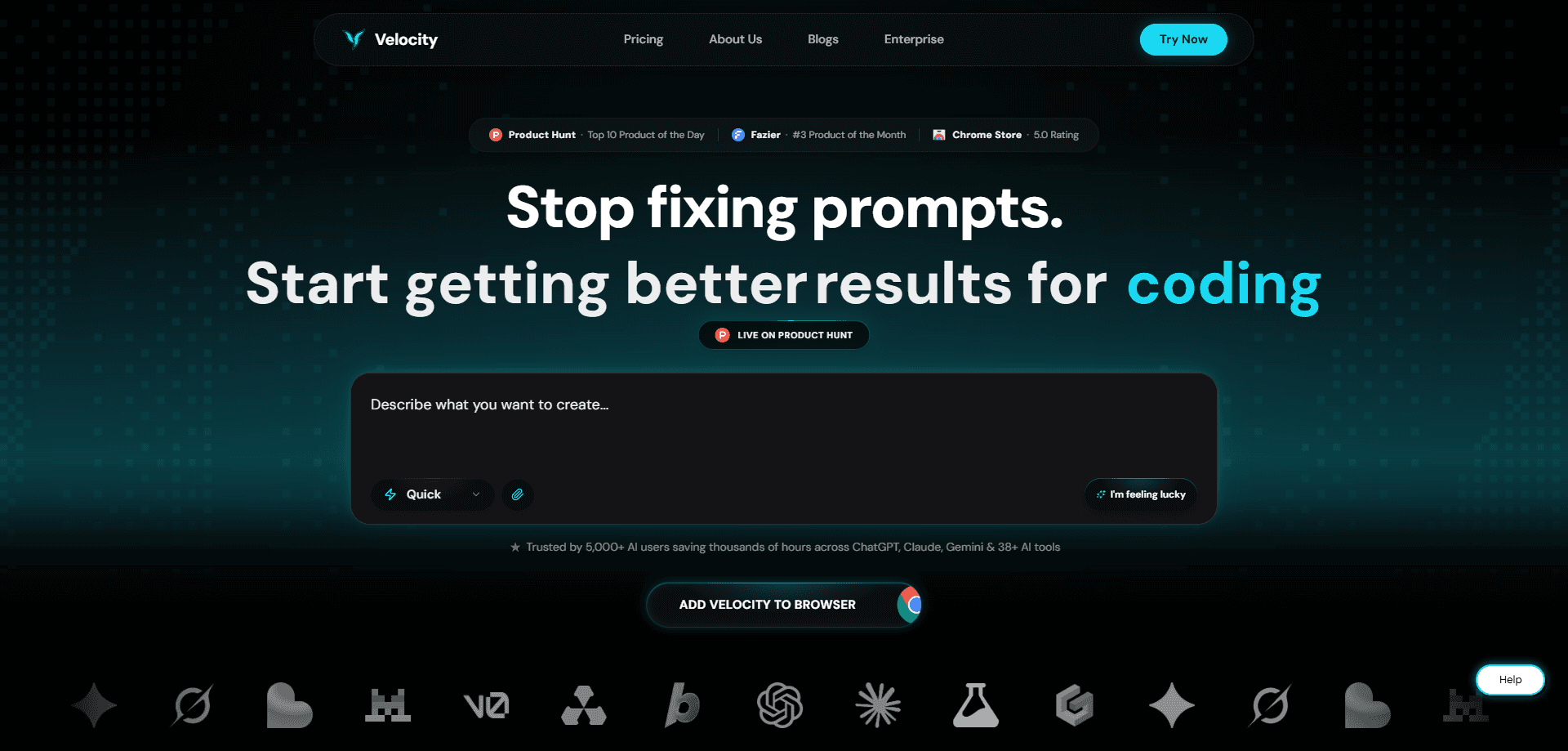
Velocity 2.0 Prompt Co-Pilot is an AI prompt enhancer that works as both a Chrome extension and a web app. You type whatever half-formed thought you have, and it rewrites that into a clear, context-aware prompt before sending it to ChatGPT, Claude, Gemini, or one of 40+ other AI tools. The pitch is simple: spend less time wrestling with wording and more time on the actual work.
About Velocity 2.0 Prompt Co-Pilot
What Is Velocity 2.0 Prompt Co-Pilot
Most people treat prompting as a typing problem. It isn't. It's a context problem, and that's the gap Velocity 2.0 Prompt Co-Pilot tries to close. Think of it as an AI prompt generator that sits between you and whatever chatbot you're already using. It rewrites your rough input into something structured, then sends it along. You keep your existing workflow. There's nothing new to learn beyond clicking one button.
It's built by Totem Interactive, the team behind the Velocity brand, and it targets the everyday frustration of getting mediocre answers because you didn't phrase the question well. The extension and the Prompt Studio web app share the same account, so your saved context and history follow you between them. There's a free weekly allowance, plus monthly and annual paid tiers above it.
The main constraint is scope. This isn't a model. It doesn't generate text on its own and it won't replace the AI tools you use. It only rewrites what you feed it, so if your underlying idea is thin, a sharper prompt won't rescue it. It also needs the extension installed to work inside third-party sites, which rules out locked-down browsers at work. Treat it as a prompt optimizer, not a thinking partner.
Getting Started
- Sign up at the Velocity site with an email or a connected account, then pick the free plan to test the waters.
- Install the Chrome extension and pin it to your toolbar so it's reachable inside any tab.
- Open ChatGPT, Claude, Gemini, or another supported tool and type your raw request the way you normally would.
- Hit the improve button, then use Refine to sharpen the result before you send it.
- Save good prompts to your prompt library and store recurring context for one-click reuse later.
Product Information
A quick look at Velocity 2.0 Prompt Co-Pilot's pricing, supported platforms, and performance.
Best for
The users, tasks, and scenarios where this tool fits best.
Users
- Marketers and content writers
- Developers and researchers
- Students and casual AI users
Tasks
- Rewriting vague requests before they reach a chatbot
- Reusing a project brief across tools
- Saving and browsing proven prompts
Scenarios
- Daily drafting and email writing
- Research across multiple AI tools
- Learning prompting by comparison
Key features
One-Click Prompt Enhancement
The core loop is a single button. You type something like "write about our Q3 launch" and the tool rewrites it into a prompt that names a role, audience, format, and length. What kind of input does it handle? The messy kind, the notes people actually type rather than the polished examples in prompt guides. Community reaction centers on that gap between intent and phrasing, which is where most mediocre AI answers come from. Not a magic fix for a bad idea. Still a real time saver for a good one.
Works Across 40+ AI Tools
Velocity 2.0 Prompt Co-Pilot runs inside the tools you already have open. Install the extension once and it works the same way on ChatGPT, Claude, and Gemini as it does on the other supported platforms. Personal accounts and company ones behave identically. That consistency matters if your team standardizes on one tool and you prefer another. You don't relearn anything when you switch. As a prompt engineering tool, it meets you where you already work.
Personalization and Context Transfer
The tool remembers the context you feed it and lets you keep several pieces ready to reuse. A standing brief, a tone guide, a product description, whatever you repeat often, can be dropped into a new prompt in one click instead of pasted again. The free plan holds three of these, which covers most personal use. Teams on enterprise plans get shared context and guardrails layered on top.
Prompt Studio and Library
Prompt Studio is the web half of the product and the roomier workspace. It keeps your history, runs longer sessions, and stores everything in one spot. The prompt library means you never start from a blank page, since ready-made prompts for common tasks sit alongside the ones you've saved. Browsing the library is a decent way to learn structure if you're new to this. No blank pages. No starting cold.
Improve and Refine Loop
Rather than accepting the first rewrite, you can push back on it. Improve and Refine let you ask follow-up questions to tighten a prompt before it goes out, up to three times per prompt on the free plan. It's the closest thing to a conversation about your wording, and it usually catches the ambiguity you'd otherwise miss until the answer came back wrong. Small habit. Big difference in output quality.
Free Weekly Enhancement Allowance
The free tier gives you ten enhancements every seven days, and the count resets automatically each week. No credit card is needed to start. That's enough to run the tool on your real work for a few days and judge whether the improved prompts are worth the upgrade, rather than guessing from a demo.
Pros and cons
Pros
- Works inside the AI tools you already use, so there's no new interface to learn.
- Context transfer and the prompt library cut down on repeated typing across sessions and tools.
- Free weekly allowance makes it easy to test on real tasks before committing.
- Improve and Refine catches vague wording before it costs you a bad answer.
- Same behavior on personal and company accounts, so nothing changes when you switch.
Cons
- The extension only runs in Chrome, so employees on locked-down browsers can't use it at work.
- No public API means you can't wire the enhancement step into your own scripts or pipeline.
- The free plan's three context slots and weekly cap run out fast for heavy users.
- It rewrites prompts but can't fix an underdeveloped idea, so results still depend on your input.
Frequently asked questions
It rewrites your rough input into a clearer, more structured prompt before you send it to an AI tool. The enhancement covers role, task, format, and constraints, so the model has less room to guess wrong. You still write the idea; the tool cleans up the wording.
Related content
Explore related tools, skills, and articles for Velocity 2.0 Prompt Co-Pilot.
Velocity 2.0 Prompt Co-Pilot Alternatives

Google EmbeddingGemma 2
Google DeepMind · Writing · Image · CodingGoogle EmbeddingGemma 2 is a 740M-parameter open model that turns text, code, images, audio, and video frames into vectors in one 768-dimension space, running on phones and laptops.

MePersona
MePersona, Inc. · Writing · Productivity · MarketingMePersona is an AI unified inbox for creators. It learns your voice, drafts replies to fan messages from 12 platforms, and sends only what you approve.

Fluence
Yay Software (Yannick Huchard) · Writing · Voice & Language · ProductivityFluence is an Android app that reads PDFs, EPUBs, Word files and web articles aloud, follows each sentence as it speaks, and answers questions about the text on the phone itself.