

Velozity
Velozity Labs Inc · Coding · Productivity · Business
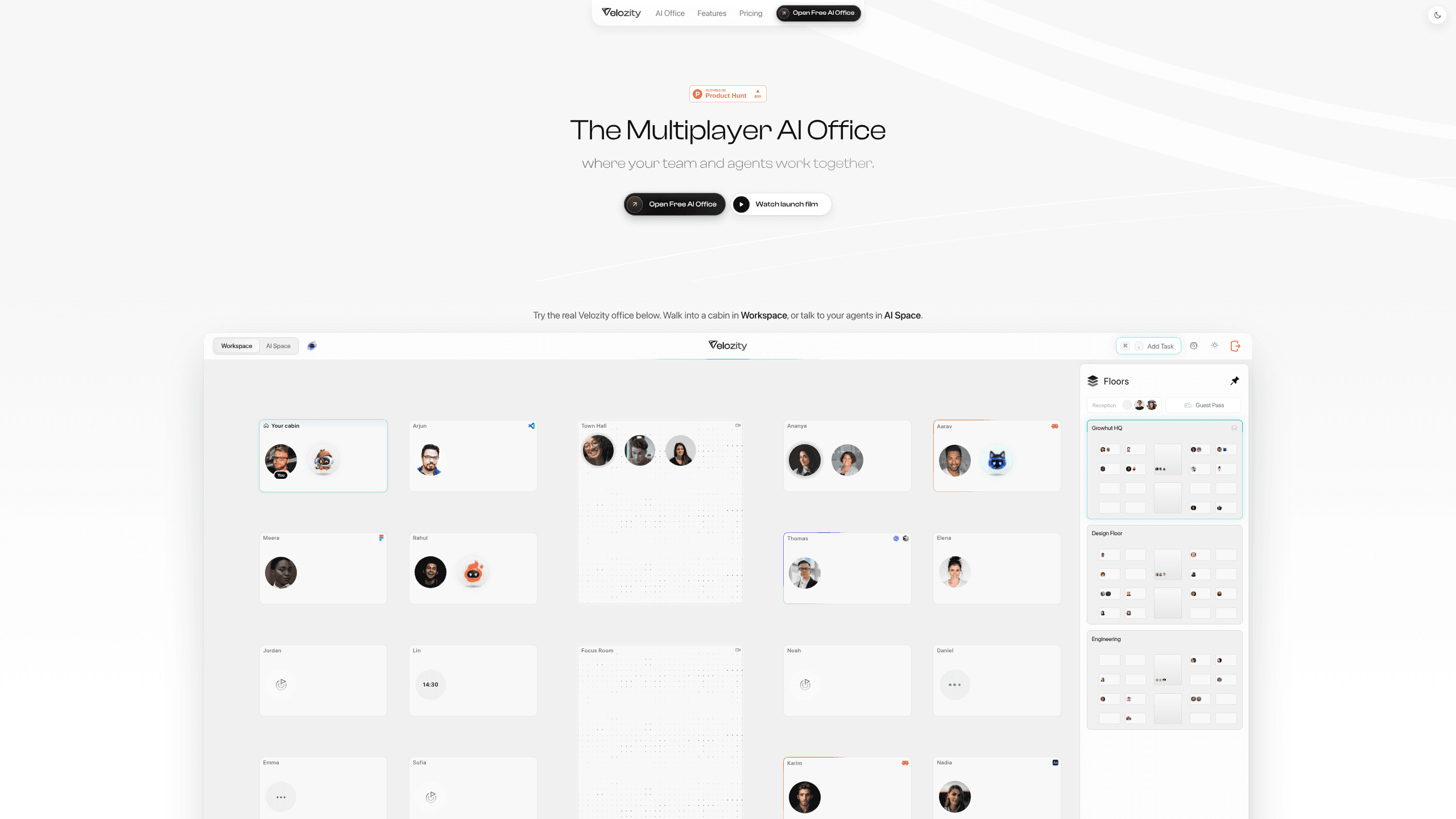
Velozity is an AI workspace where teams share conversations with AI agents, turn meetings into tasks, and hand work to an AI coworker that runs on its own cloud computer.
About Velozity
What Is Velozity
Velozity Labs Inc built Velozity as a team collaboration app with an agent layer, not another chatbot tab. The workspace puts people, AI agents, documents, and meeting notes in one place, so a project thread carries its own context instead of scattering across chat, email, and a separate bot window.
Two products share the same login. AI Space handles the meeting side: transcription, notes, tasks, calendar, and daily briefs. Co-Worker is the agent side. You define an AI teammate with a name, a face, and instructions, give it a cloud computer, then hand over work and watch it run.
The limits matter before you commit. Co-Worker runs on credits, and the free allowance is small: 150 credits, roughly a week of light use. AI Space Free caps you at 15 personal tasks a week and 200 minutes of meeting transcription. Connected apps refresh every four hours on Pro and keep only seven days of history on Free, so older context falls out of the agent's view.
Getting Started
- Open public.velozity.ai and create an account. No card is needed for the free tier.
- Pick a surface: AI Space for meetings and tasks, or Co-Worker for an agent teammate. Solo and team plans are separate, so decide up front who those seats are for.
- Connect the apps and calendar you want the agent to read, then create a Space and invite the people who belong in it.
- Define an agent, write its instructions, and hand it a first task. On iOS you can watch each step and answer its questions from your phone.
Product Information
A quick look at Velozity's pricing, supported platforms, and performance.
Best for
The users, tasks, and scenarios where this tool fits best.
Users
- Small teams that work in chat
- Founders and operators without a chief of staff
- Managers who sit in a lot of meetings
Tasks
- Turning a meeting into assigned work
- Research with a paper trail
- Daily follow-up
- Drafting inside a project thread
Scenarios
- A five-person startup that wants one place for meetings, tasks, and an agent
- Approving agent work while traveling
- A weekly report that writes itself
Key features
Spaces that hold people and agents together
A Space is a shared conversation where teammates and AI teammates work in the same thread. You mention an agent with @ to pull it in, reply in threads, and send voice notes that get transcribed. Because the agent reads the same context as the team, you stop pasting background into a separate chat window.
An AI coworker with its own computer
Co-Worker isn't a chat box. Each agent gets a cloud computer, a name, a face, and a set of instructions you write. You can watch it work step by step, answer its questions, and approve its plans. The output lands as documents, PDFs, CSV tables, or images you open inside Velozity.
Meeting transcription and notes
Meetings are recorded and transcribed, then summarized into notes and action items. AI Space also sends a morning brief and an end-of-day brief, so the day starts with what's pending instead of a scroll through chat history. Minutes are metered: 200 a month on Free, 1000 on Pro.
AI task management fed by your conversations
Tasks can be created by hand or pulled automatically from meetings and chats, up to 10 a month on the free tier. Each task keeps a link back to the conversation that produced it, which helps when you need to check why something was assigned.
Routines for scheduled agent work
A Routine is a saved instruction with a schedule. You create it once, the agent runs it on time, and each run leaves a record of what it produced. Good candidates are weekly status digests, inbox triage, and recurring checks on a connected app.
Agent control from your phone
The iOS app does the jobs that usually need a laptop. You create agents there, set up their cloud computer, and watch a run as it happens. A plan or a permission request arrives as a prompt you can approve, and the files an agent produced open inside the app. Notifications come through when an agent answers in a Space, so a reply doesn't have to wait for a desktop.
Pros and cons
Pros
- The free tier is usable, with 15 personal tasks a week, 200 transcription minutes, and 150 Co-Worker credits.
- People and agents share one thread, so project context stays in one place.
- Agents surface plans and permission requests before sensitive steps, which keeps a person in the loop.
- Pro seats cost $8.99 for AI Space and $15 for Co-Worker per user a month, less than the several tools it replaces.
- The iOS app handles approvals and file review, so work doesn't stop when you leave your desk.
Cons
- AI Space and Co-Worker are sold separately, each with its own free cap and Pro price, so a full setup means two subscriptions.
- Co-Worker credits run out fast: 1100 a month on Pro covers light use, and heavy research burns through them.
- No Android app. Mobile access is iPhone and iPad only, with everything else in the browser.
- Velozity doesn't publish an API, so teams can't connect it to internal systems or automate beyond the built-in Routines.
Frequently asked questions
It combines a team workspace with AI agents. You hold meetings and conversations in Spaces, Velozity transcribes them and turns them into tasks, and Co-Worker agents take on research, drafting, and follow-up work on a cloud computer.
Related content
Explore related tools, skills, and articles for Velozity.
Velozity Alternatives

Base Code
Base44 (Wix) · Coding · ProductivityBase Code is a shared cloud development environment from Base44. Teammates describe changes to an existing GitHub codebase in chat, preview them live and send them back as pull requests.

Google EmbeddingGemma 2
Google DeepMind · Writing · Image · CodingGoogle EmbeddingGemma 2 is a 740M-parameter open model that turns text, code, images, audio, and video frames into vectors in one 768-dimension space, running on phones and laptops.

GitGlow
GitGlow · Coding · ProductivityGitGlow is a local-first desktop Git client that lets independent developers review their own code and their AI agents' changes in one place before shipping.