

Vengo AI
Vengo AI · Voice & Language · Chatbot
Vengo AI turns a company's own websites, PDFs, and policy documents into citation-backed AI search, then adds sales agents that answer visitors and capture leads.
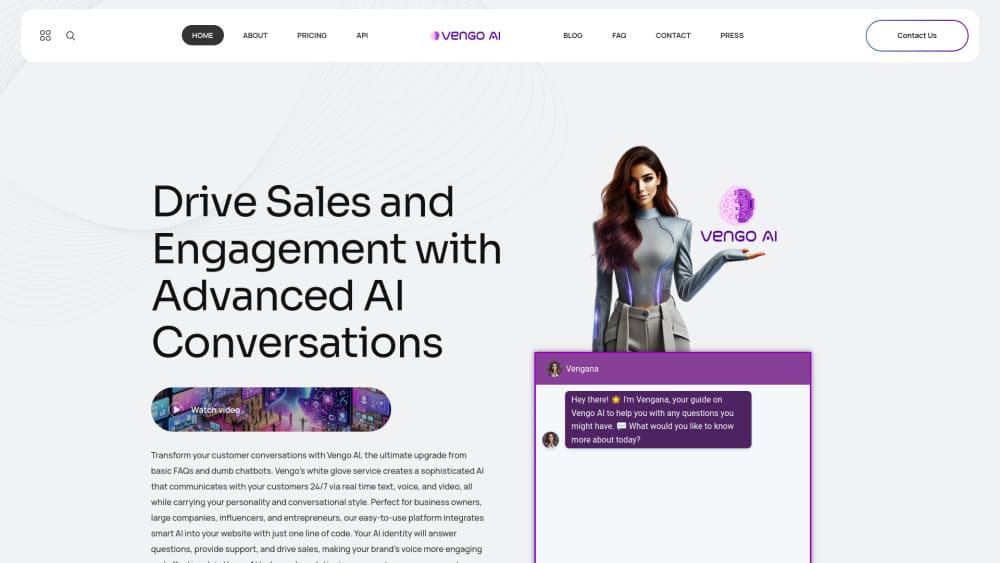
About Vengo AI
What Is Vengo AI
Vengo AI is an enterprise AI platform built around two jobs: finding answers inside a company's own content, and talking to the people who come looking for them. It indexes approved sources such as website pages, PDFs, support articles, manuals, and internal policies, then serves answers that point back to the document and section they came from.
The product targets companies that already own the information and can't get it to the right people. Support teams retype the same replies. Sales teams lose weekend enquiries. Employees dig through shared drives for a policy that changed last quarter. Vengo AI puts a conversational layer over that content instead of over the open web.
It isn't a consumer chatbot. There's no public plan page, pricing runs through a sales conversation, and most of the value shows up only after you connect real documents. A small team hoping for a five-minute widget will find the setup heavier than expected.
Getting Started
- Book an enterprise demo or open a self-serve signup, then describe your content sources and the questions you want covered.
- Connect approved material: site pages, PDFs, help center articles, policies, and internal documents.
- Index the content so semantic search and retrieval-augmented generation can match a question to the right passage.
- Set the agent's name, tone, greeting, and call to action, and choose whether voice is enabled.
- Paste the embed code into your site, then review the first conversations in the dashboard.
Product Information
A quick look at Vengo AI's pricing, supported platforms, and performance.
Best for
The users, tasks, and scenarios where this tool fits best.
Users
- Support teams buried in repeat questions
- Sales teams at small and mid-sized companies
- Operations, HR, and admissions staff
Tasks
- Answering policy, pricing, and coverage questions straight from documents
- Screening website visitors before a salesperson replies
- Finding out what people actually ask
Scenarios
- A university site with admissions rules spread across dozens of PDFs that keyword search barely touches.
- A B2B software help center that ships changes every sprint and leaves the documentation a step behind.
- An after-hours sales window where visitors from other time zones arrive while the team sleeps.
Key features
Generative AI Search With Citations
Search here means a conversation, not a list of links. A visitor asks a question in plain language, and the platform retrieves the relevant passages from indexed documents, then writes an answer with the source named underneath. Citations can point to a specific section, and the original PDF stays downloadable, which is the difference between an answer you can trust and one you have to verify by hand.
AI Sales Agents for Lead Capture
Agents sit on your site and open a conversation instead of waiting for a form. They qualify intent, ask the follow-up questions a salesperson would ask, collect contact details, and route the opportunity with the transcript attached. Voice is available per agent, so the same knowledge base can handle a typed chat and a spoken call.
One-Line Embed on Any Site
Deployment is a snippet of code pasted into the page, which works on WordPress, Wix, Squarespace, and hand-built sites. No engineering sprint is required to get the agent live. You also control how it looks and sounds: name, appearance, greeting, and the calls to action it offers at the end of a conversation.
Internal Knowledge Assistant
The same retrieval layer can sit behind a login for employees. Staff ask about expense rules, onboarding steps, or escalation paths and get an answer with a pointer to the handbook section. This is where a lot of the practical value lands, since internal search is usually the weakest tool in a company.
Voice Conversations
Voice runs on the same content as the text agent. A visitor can speak a question and hear the answer, which suits service businesses, clinics, and property teams that take enquiries by phone. Each agent has its own voice setting, so you can keep voice on for the sales agent and off for the support widget.
Analytics and Knowledge Gap Reporting
The dashboard records who talked to the agent, what they asked, what contact details they left, and which conversations moved toward a sale. Low-confidence and unanswered queries get grouped so you can see which documents need rewriting. Lead data and chat summaries export as CSV, and CRM syncing is handled by export for now.
Pros and cons
Pros
- Answers carry citations down to the document section, which makes the output auditable for compliance-heavy teams.
- The same knowledge layer powers customer search, sales agents, and an internal assistant, so you connect content once.
- Setup is genuinely light: one embed line, no developer needed, and it runs on the common site builders.
- Multilingual support covers English, Spanish, French, Arabic, Chinese, and more, which matters for global support desks.
Cons
- Every answer is only as good as the documents behind it, so teams with messy or outdated content will spend real time cleaning up before results improve.
- Direct CRM integration is still in progress, which means exporting leads by CSV and importing them by hand in the meantime.
- Pricing isn't published and runs through a demo, so you can't size the cost against your budget without talking to sales first.
Frequently asked questions
No. The agents are the front end of a retrieval system built on your approved content. They pull from indexed documents, cite where an answer came from, and say so when the content doesn't cover a question rather than inventing a reply.
Related content
Explore related tools, skills, and articles for Vengo AI.
Vengo AI Alternatives

Foley
Hanamori Labs, LLC · Voice & Language · Productivity · AI AssistantFoley is a voice to-do list that turns a spoken sentence into a filed task, complete with project, date and time, then helps you plan the day around what is already there.

HireKey
HireKey · Voice & Language · Productivity · LeaningHireKey is an AI job search copilot built by a former tech recruiter. It checks role fit, tailors resumes, runs interview practice and tracks every application.

Fluence
Yay Software (Yannick Huchard) · Writing · Voice & Language · ProductivityFluence is an Android app that reads PDFs, EPUBs, Word files and web articles aloud, follows each sentence as it speaks, and answers questions about the text on the phone itself.