

Verificient
Verificient Technologies, Inc. · Other
Verificient is an AI-powered online proctoring software and identity verification platform best known for Proctortrack, its remote proctoring tool that watches online exams and hiring assessments.
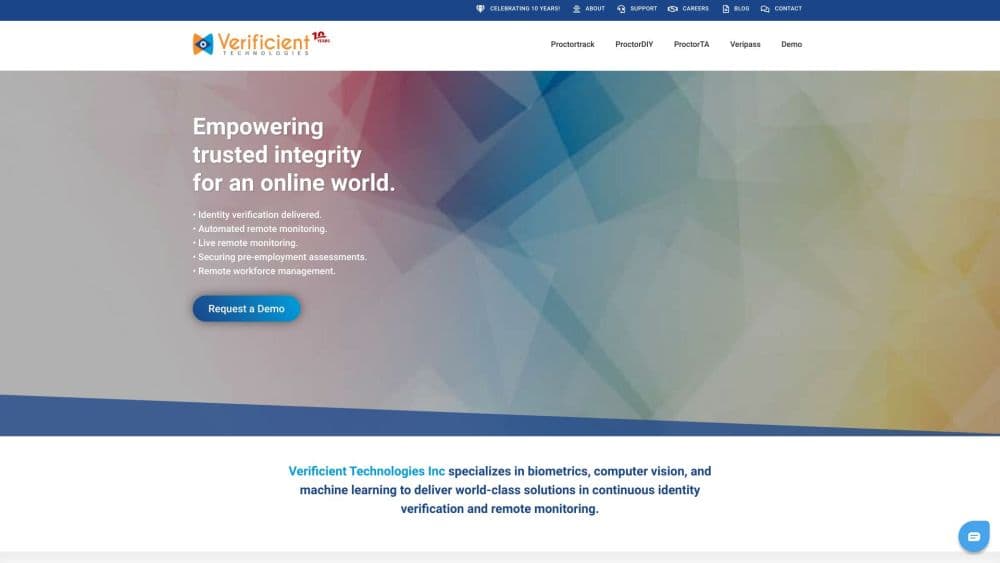
About Verificient
What Is Verificient
Verificient builds software that checks who someone is before and during an online test, then watches for cheating without a human proctor sitting on the other end. Its main product is Proctortrack, and the company pairs it with tools such as Veripass for identity checks, ProctorTA for in-classroom browser locking, and ProctorDIY for schools that want to run their own live proctoring.
The product exists because the old model of an instructor watching a classroom does not survive a move to the web. A student can take a final from a bedroom, a proctoring center, or a laptop in a library, and schools still need to prove the right person showed up and no one cheated. Verificient attacks that with biometrics, computer vision, and machine learning, then lets a human step in only when the system flags something.
The company says it has delivered more than 10 million identity verification and monitoring sessions across 150-plus countries. On the Proctortrack site it puts the figure at 15 million exams. Either way, this is a platform built for scale, not a small classroom tool. That scale is the selling point for universities and certification bodies, and it is also the main limitation: pricing is quote-based and aimed at institutions, so an individual teacher or a small tutoring business can rarely just sign up and start.
Getting Started
- Request a demo through the Proctortrack or Verificient site and describe whether you need automated, live, hybrid, or browser-lock proctoring.
- Integrate the service with your exam delivery system or learning management system so tests route through Proctortrack.
- Onboard test takers by having them create a baseline profile with a face scan, an ID scan, and a knuckle scan.
- Configure proctoring rules, then run a pilot exam and review the flagged sessions before rolling out at full scale.
Product Information
A quick look at Verificient's pricing, supported platforms, and performance.
Best for
The users, tasks, and scenarios where this tool fits best.
Users
- Universities and colleges
- Certification and licensing bodies
- HR and recruiting teams
Tasks
- Proctoring online exams
- Blocking AI-assisted cheating
- Verifying exam data after the fact
- In-classroom lockdown
Scenarios
- A university moving finals online
- Remote hiring rounds at scale
- Certifications that must hold up to scrutiny
Key features
AI-Driven Automated Proctoring
Proctortrack, the company's take on AI exam proctoring, watches a session with computer vision and machine learning, flagging odd behavior in real time instead of recording everything for a human to scrub through later. The company calls this a proctorless approach, meaning most exams run with no live proctor and staff only review the alerts that matter.
Biometric Identity Verification
Before an exam starts, test takers build a baseline profile using a face scan, an ID scan, and a knuckle scan. Veripass then checks later sessions against that profile, which is how the platform ties a specific exam attempt to a specific verified person rather than just a login.
Secure Browser Against AI Cheating
A standalone secure browser locks the testing environment so ChatGPT, other AI assistants, cheat bots, and browser extensions cannot run during an exam, which is where a secure browser for exams earns its keep. That matters now because AI tools make impersonation and answer lookup easier than they have ever been.
Multi-Level Proctoring Options
You pick the level that fits the stakes. ProctorLock gives automated ID checks with a browser lock for attendance and low-stakes quizzes, automated proctoring handles quizzes and finals at scale, live proctoring puts humans on high-stakes certifications, and hybrid proctoring blends AI with live proctors for large exams.
360-Degree Session Monitoring
The platform layers several checks at once: OS-level protection with virtual machine and stealth app detection, a room and desktop scan with a live ID check, screen recording and mirroring, and a second camera view through a phone. Each layer covers a different way a test taker might try to slip past the rules.
Mobile App and Cross-Platform Access
Proctortrack runs on iOS, Android, Windows, and macOS, and the newer mobile app puts proctoring on a phone with a unified experience across both mobile platforms. A second camera from the phone extends coverage to the room around the test taker.
LMS and Test Platform Integration
Proctortrack plugs into common exam delivery systems and learning management systems, so a school can route its existing tests through proctoring without rebuilding the exam itself. That integration is what makes the platform workable for institutions that already have their own testing stack.
Pros and cons
Pros
- Identity verification goes beyond a login, using face, ID, and knuckle scans to tie an exam to a real person.
- The secure browser directly targets AI-assisted cheating, which is the newest problem schools face.
- Multiple proctoring levels let an institution match cost and oversight to how much an exam matters.
- The platform is built for volume and the vendor cites sessions in the millions across more than 150 countries.
- Works across web, desktop, mobile, and a Chrome extension, so test takers are not locked to one device.
Cons
- Pricing is quote-based, so you cannot estimate your cost without going through the vendor's sales team.
- There is no free plan and no self-serve signup, which rules out individual teachers and tiny programs.
- Biometric and desktop monitoring collects sensitive data, so schools must handle privacy reviews and student consent before rollout.
- Getting set up depends on integrating with your existing exam or LMS platform, which adds an IT project to the plan.
Frequently asked questions
Verificient provides AI-driven online proctoring and identity verification, mostly for universities, certification bodies, and employers that run online exams or assessments and need to confirm who is taking them. Its flagship product is Proctortrack.
Related content
Explore related tools, skills, and articles for Verificient.
Verificient Alternatives

Odyssey 3
Odyssey · OtherOdyssey-3 is Odyssey's foundation world model. It simulates physics in real time, turns a prompt into an interactive environment, and adapts to robots, cars and games.

JarvisCore
Prescott Data · Coding · Productivity · OtherJarvisCore is an open source Python runtime where AI agents work as equal peers on an agent mesh, claim tasks from a shared ledger, and reach external services through a zero-trust broker.
Clef
Cloudflare · Business · OtherClef is Cloudflare's open-source decision model for Workers AI. It returns calibrated probabilities for typed questions, not generated text, so agents can classify, route, and act fast.