

Verva
Verva (formerly TwainGPT) · Writing
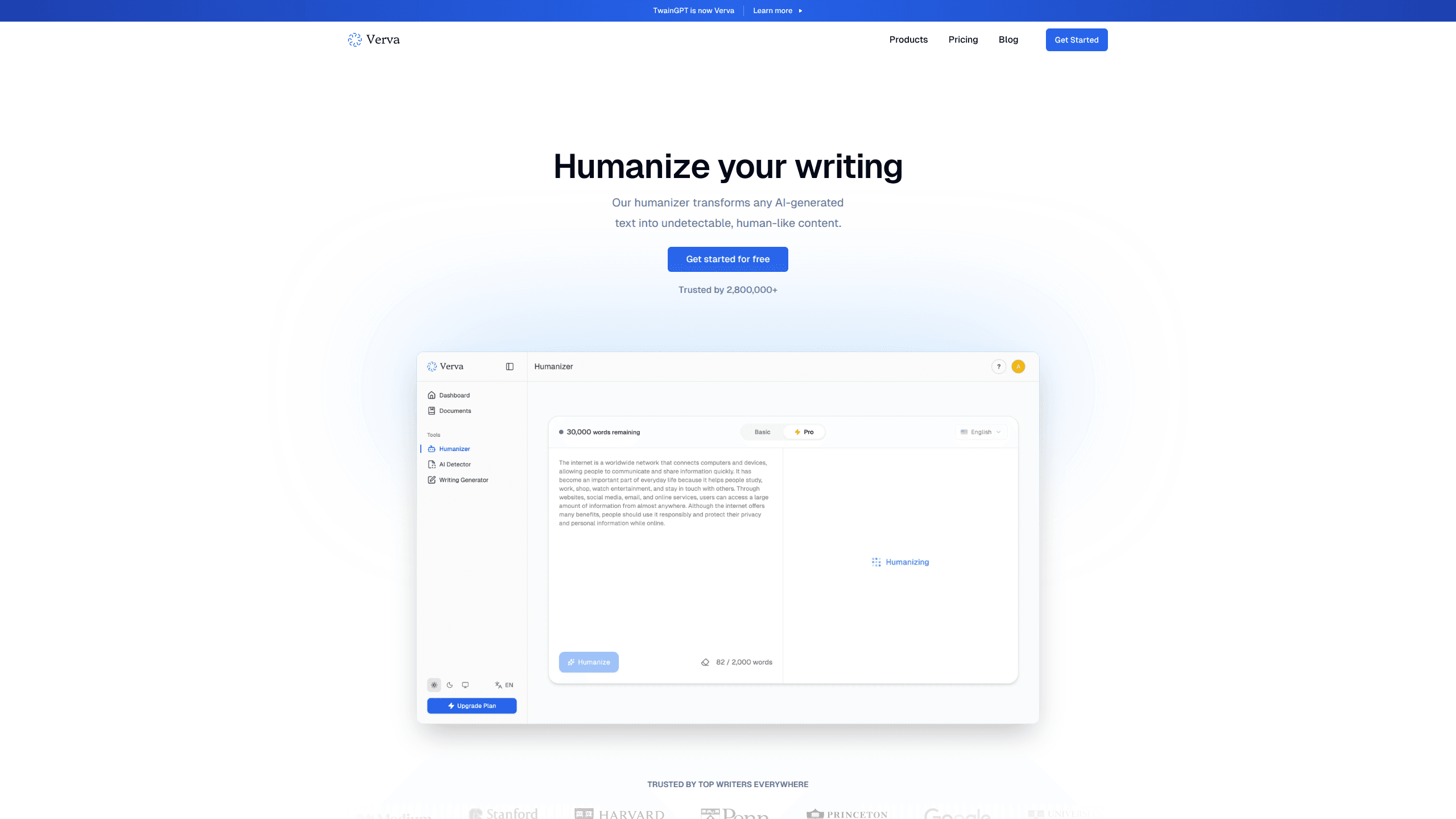
Verva is an AI humanizer that takes text written by tools like ChatGPT and rewrites it so it reads like a person wrote it. The platform, previously known as TwainGPT, also bundles an AI detector and a text generator, so you can generate a draft, check it against detection, and rewrite it into natural prose without ever leaving the same browser tab. It runs in a web browser and targets writers, students, and marketers who need output that doesn't trip AI-detection tools.
About Verva
What Is Verva
Verva is a browser-based writing tool built around one job: making AI-generated text sound human. Paste a block of machine-written prose, hit a button, and the humanizer returns a version with the flat, repetitive patterns smoothed out. The tool grew out of TwainGPT, which launched in 2024 and rebranded to Verva in August 2026. The company says more than 2.8 million users have signed up since launch.
Two side tools ship alongside the humanizer. An AI detector scores how likely a passage is to be flagged as machine-written, and a generator produces draft text from a prompt. Together they cover a common loop: generate a first draft, check whether it looks machine-written, and rewrite it until it reads like something a person typed.
The biggest limit is what Verva can't promise. No humanizer, including this one, can guarantee it will beat every detector forever. Detectors update, and chasing perfect scores is a moving target. Verva addresses this partly with "future proof" access on every paid plan, but the honest framing is that results vary by tool and by text.
Getting Started
- Create an account at verva.com using your email.
- Pick a plan on the pricing page. There's no free tier, so you need to subscribe before you can run full-length text.
- Paste your AI-generated draft into the humanizer box and select a mode.
- Run the output through the built-in AI detector to see how it scores.
- Copy the finalized text into your document, blog, or email.
Product Information
A quick look at Verva's pricing, supported platforms, and performance.
Best for
The users, tasks, and scenarios where this tool fits best.
Users
- Content writers
- Students and researchers
- Marketers and SEO teams
Tasks
- Rewriting AI drafts into natural prose
- Checking text against AI detection
- Generating starter copy from a prompt
Scenarios
- Cleaning up a blog post before publishing
- Preparing client-facing emails
- Polishing application or cover-letter text
Key features
AI Humanizer
This is the product's centerpiece. Feed it machine-written text and it returns a rewritten version designed to read like natural human writing, It cuts the stiff phrasing and repetitive rhythm that detectors pick up on. The goal is simple: humanize AI text until it sounds like you typed it yourself. You can run everything from a single paragraph to full-length articles, depending on your plan's word limit.
AI Detector
The detector scores a passage for how likely it's flagged as AI-generated. Big difference from a coin flip? Not quite. It's most useful as a feedback loop: humanize, test, adjust if the score still looks suspicious. Treat the number as a signal, not a verdict, since detection accuracy varies across tools.
AI Text Generator
Beyond rewriting, Verva can produce draft text from a prompt. The generator feeds neatly into the rest of the workflow, so you can spin up a draft and humanize it without leaving the platform.
Watermark-Free Output
Every paid plan includes watermark-free results and "future proof" access. In practice that means the text you export carries no embedded tag from the tool. That matters if you're aiming for undetectable AI writing you can publish under your own name.
Plan-Based Word Limits
Each tier sets a monthly cap on humanizer words, detector runs, and generator uses. Basic gives you 8,000 words. Premium raises that to 30,000. Ultimate removes the limit entirely. The structure suits light users who want a low entry price and heavier users who don't want to count words.
Pros and cons
Pros
- Combines humanizing, detection, and generation in one browser tool, which saves switching between services.
- Clear tiered pricing that starts low, so light users aren't paying for volumes they won't use.
- Watermark-free output on all paid plans keeps the text clean for publishing.
- A large existing user base suggests the tool has been stress-tested in real writing workflows.
Cons
- No free plan means you have to pay before you can try full-length output, which is a real hurdle if you just want to test it.
- No humanizer can guarantee it beats every detector, and Verva doesn't claim otherwise, so don't bank on permanent undetectability.
- The platform is web-only, so there's no desktop app or mobile app for offline work.
- Pricing is listed at annual billing, so monthly flexibility may cost more than the advertised figures.
Frequently asked questions
Verva rewrites AI-generated text so it reads like it was written by a person. It also includes an AI detector and a text generator, giving you a humanizer, a checker, and a drafting tool in one browser interface.
Related content
Explore related tools, skills, and articles for Verva.
Verva Alternatives

Google EmbeddingGemma 2
Google DeepMind · Writing · Image · CodingGoogle EmbeddingGemma 2 is a 740M-parameter open model that turns text, code, images, audio, and video frames into vectors in one 768-dimension space, running on phones and laptops.

MePersona
MePersona, Inc. · Writing · Productivity · MarketingMePersona is an AI unified inbox for creators. It learns your voice, drafts replies to fan messages from 12 platforms, and sends only what you approve.

Fluence
Yay Software (Yannick Huchard) · Writing · Voice & Language · ProductivityFluence is an Android app that reads PDFs, EPUBs, Word files and web articles aloud, follows each sentence as it speaks, and answers questions about the text on the phone itself.