

VEXI
Elomami1976 · Coding
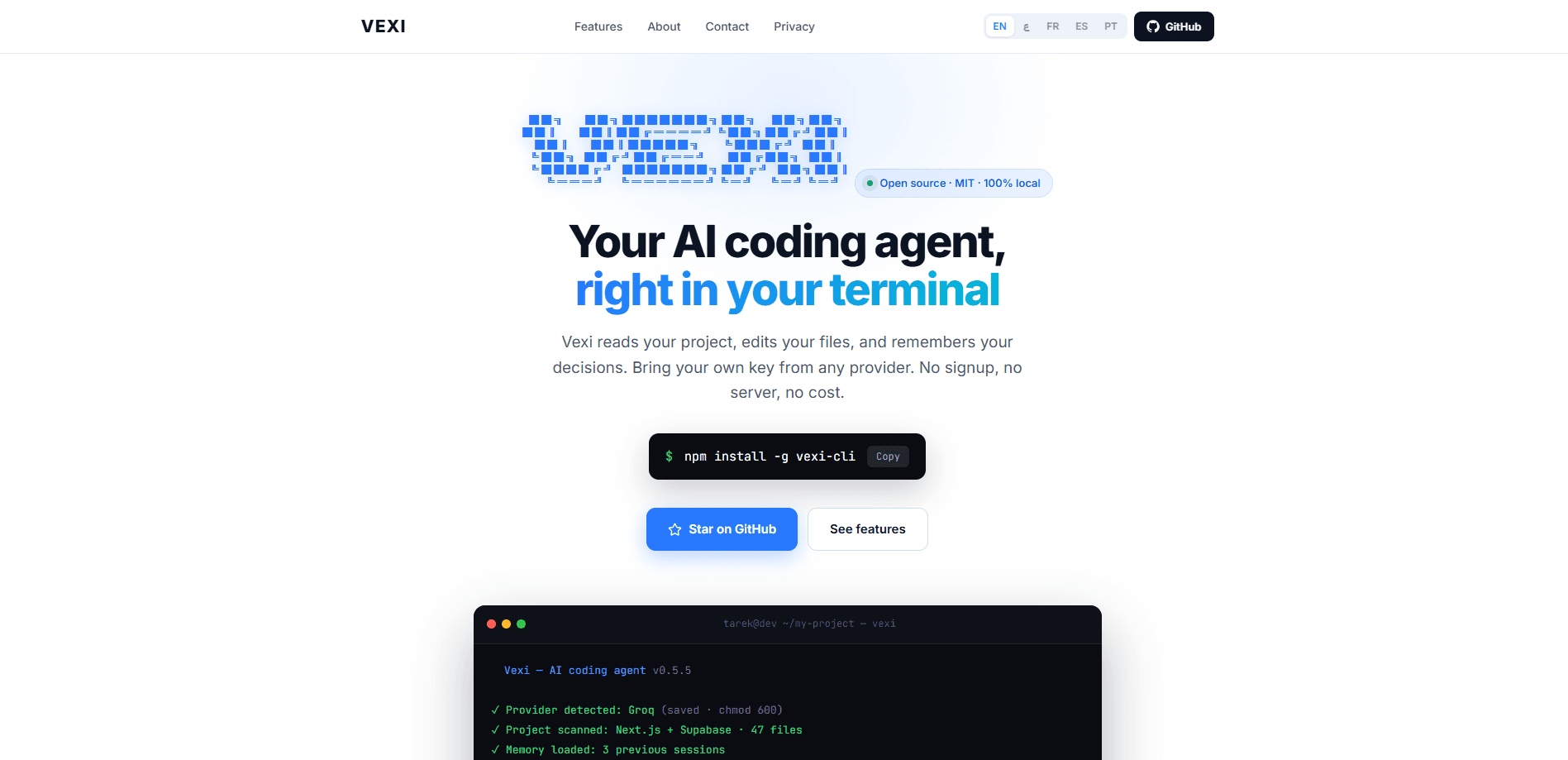
VEXI is an open-source AI coding agent that runs in your terminal, reads your whole project, edits files directly, and remembers decisions across sessions so you don't start from scratch each time. As a local AI coding tool that follows the BYOK model, it stays free and MIT-licensed: you link it to any provider with your own API key. Everything runs on your machine, so your code and keys never leave it.
About VEXI
What Is VEXI
VEXI is the agent, not the brain. It reads your files, writes code, and chats with you in the terminal, but it has no AI model built in. It connects to a model that lives elsewhere, like OpenRouter, Groq, or DeepSeek, using an API key you already have. Think of a web browser. Chrome ships with no websites; it just connects to them. VEXI works the same way.
That split matters because it changes who pays for what. The VEXI CLI is free to install, and it's free to keep. The AI model behind the agent carries a cost only if the provider you connect charges you. Several don't, including Groq, Google Gemini, and Cerebras. Many developers start on OpenRouter's free models and never spend a cent.
The catch is that free models are weaker. They may invent files that don't exist, drift between languages, or ignore your instructions. When that happens, it's the model, not VEXI. So what do you do about it? Switch to a stronger paid model, which usually fixes the problem. VEXI needs Node.js to run, and it works on Windows, Mac, and Linux.
Getting Started
- Install Node.js if you don't have it, then run
npm install -g vexi-cliin your terminal. - Run
vexi setupand paste your provider's endpoint URL, your API key, and pick a model. VEXI verifies the connection with a live request before saving. - Open a project folder and type
vexito start an interactive session, then describe what you want in plain language. - Let VEXI scan your codebase and make edits. Type
/undoto roll back any change, or/pushto commit and push from the chat. - Type
vexi updateto get newer releases, orvexi uninstallto remove it cleanly.
Product Information
A quick look at VEXI's pricing, supported platforms, and performance.
Best for
The users, tasks, and scenarios where this tool fits best.
Users
- Developers who live in the terminal
- Privacy-conscious coders
- Arabic, Spanish, Portuguese, or French speakers
Tasks
- Fixing bugs in a specific file
- Explaining unfamiliar code
- Scripting in CI
Scenarios
- Picking up a project after a break
- Switching models to cut costs
- Demo and review sessions
Key features
Bring Your Own Key
VEXI connects to 13 providers, including Groq, Google Gemini, DeepSeek, Cerebras, Anthropic, OpenAI, and OpenRouter, and it leans on a BYOK AI agent design so you keep control of billing. It works as an open source coding assistant rather than a locked product: you paste an endpoint URL in vexi setup, and VEXI detects the provider, fetches the live model list, and verifies the connection before saving. Your key is stored locally only.
Context Compression Engine
This is the feature that separates VEXI from a plain chat wrapper. It keeps a running summary of the decisions you've made, so reopening a project doesn't mean re-explaining your architecture, naming choices, or past fixes. The in-session example shows it recalling "User chose JWT for authentication" when you ask about a bug.
Understands Your Whole Project
VEXI scans your entire codebase, not just the file you have open. It respects .gitignore and skips node_modules, so it won't waste tokens reading dependencies. That means it can answer questions about structure and dependencies, not only the current buffer.
Snapshot, Undo, and Redo
Every AI edit is snapshotted before it happens. Type /undo to roll back, /redo to reapply, and /history to browse the full change log. Because snapshots live in the .vexi folder, undo works even in projects that aren't under git. It's safe to experiment.
Multilingual Code Explanations
vexi explain writes an explanation of any file or folder and can output in Arabic, Spanish, Portuguese, or French. Arabic opens as a right-to-left HTML page in your browser, which sidesteps the missing Arabic glyphs in older Windows consoles.
Custom Skills and MCP Servers
Skills are plain markdown files in .vexi/skills/ that get injected as rules in every session. Use them for things like "always use Windows PowerShell commands" or "reply in Arabic." You can also add MCP servers to give the model extra tools via vexi mcp add.
Git Push and Build Commands From Chat
/push stages your changes, drafts an AI commit message, and pushes, with credential checks before it starts. VEXI also runs build commands like pip install, gcc, javac, and cargo directly from the chat for Python, Java, C, Rust, and Go projects.
Token and Cost Tracking
/usage shows real token counts per session and an estimated dollar cost, with a summary on exit. Free-tier models read as $0. If you're on a paid model, you always know what a session is costing before it adds up.
Pros and cons
Pros
- Free and open source under the MIT license, with no signup and no server.
- Works with 13 providers, including several with free tiers, so you can start at zero cost.
- Runs 100% locally, so code and keys never leave your machine.
- Explains code in five languages, with proper right-to-left rendering for Arabic.
- Snapshot-based undo means you can try risky edits without git.
Cons
- The agent has no built-in model, so you need your own API key before it does anything useful.
- Free models drift and invent files, which pushes many users toward paid models or a free provider tier.
- Remote MCP servers aren't supported directly; you need the `mcp-remote` bridge, and `vexi update` can fail on Windows with a spawn error.
- With a small project count and few GitHub stars, community answers and tutorials are still thin.
Frequently asked questions
The VEXI tool is free and open source. What you pay, if anything, is for the AI model you connect it to. Providers like Groq, Google Gemini, and Cerebras offer free tiers, and OpenRouter has models ending in :free, so a full setup can cost nothing.
Related content
Explore related tools, skills, and articles for VEXI.
VEXI Alternatives
Forefront
Forefront · CodingForefront is a web platform for building with open-source AI. It lets you fine-tune leading open-source language models on your own data, evaluate how they perform, and run them through an API or export them to host yourself. Developers who want the convenience of a closed-source platform but insist on owning their models and data are the target audience here.

Startkit
StartKit.AI · CodingStartkit is a boilerplate for building AI SaaS and AI wrapper products. Think of it as an AI startup boilerplate with the boring parts already wired up: authentication, Stripe and Lemon Squeezy payments, usage limits, transactional email, and an AI API starter that talks to OpenAI, Anthropic, Groq, or Llama. You clone the repo, set your price, and start on the part of your product that people actually pay for. It's Next.js under React and Tailwind, so most of the boilerplate code already feels familiar.
Testim
Tricentis · CodingTestim is an AI-powered test automation platform for building and running end-to-end tests across web, mobile, and Salesforce applications. It leans on machine learning to keep tests stable when an interface changes, so teams spend less time fixing broken selectors. Not bad for an automated testing tool you can start using today. You create tests by recording actions in a browser, then optionally add JavaScript when you need more control. It's a solid pick for busy QA teams.