

Vibe Pocket - Run CLI Agents
Vibe Pocket · Coding
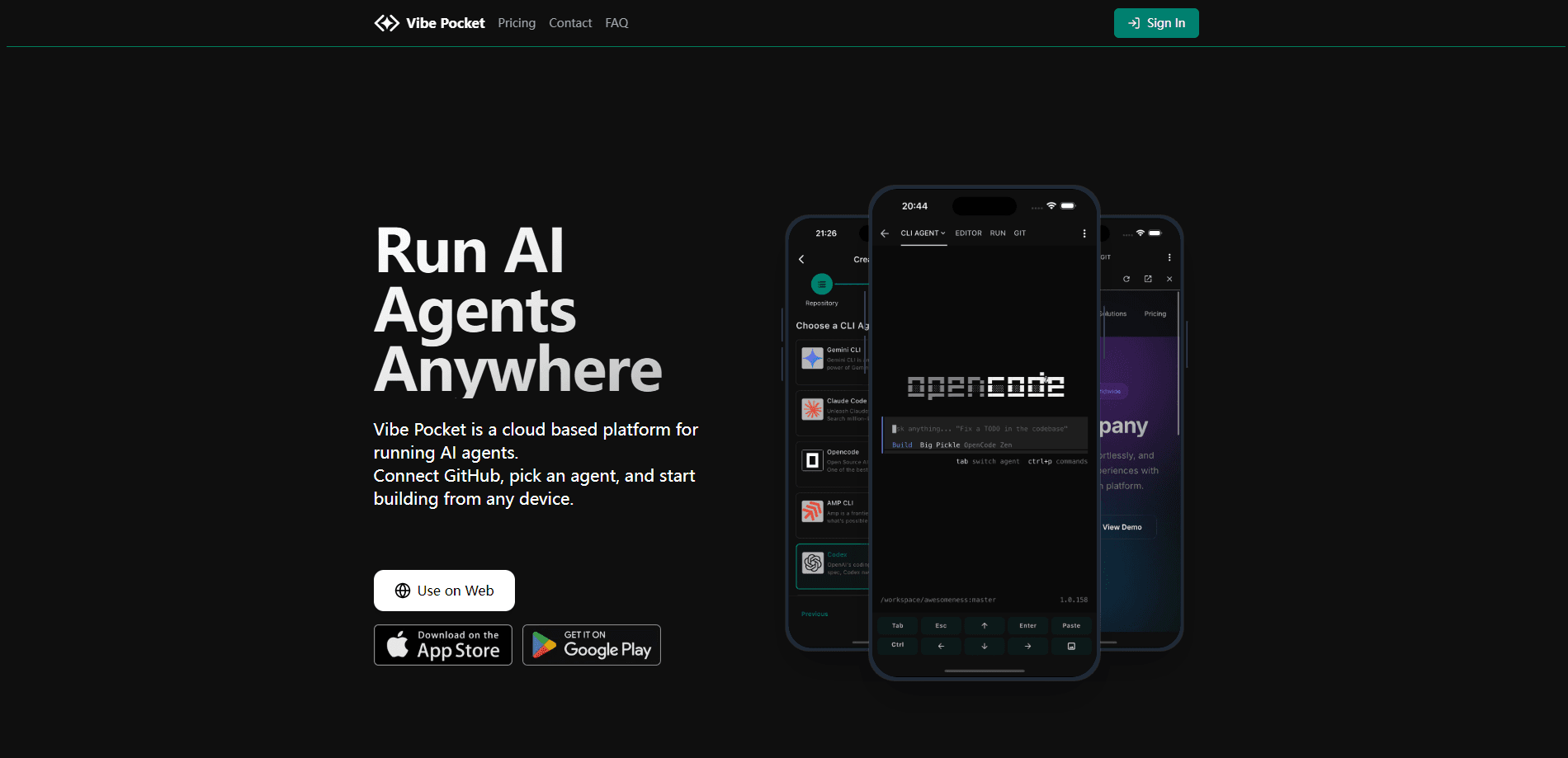
Vibe Pocket is a cloud AI coding platform built to run CLI agents for you, so you can launch Codex, Claude Code, Aider, or Gemini in a browser without installing anything locally. It connects to your GitHub account, spins up a full development environment with persistent storage, and keeps terminals alive across devices. If you want to write or review code from your phone, a tablet, or a borrowed laptop, this is the point.
About Vibe Pocket - Run CLI Agents
What Is Vibe Pocket
Vibe Pocket is a cloud platform for running AI coding agents. Instead of installing a CLI agent on your machine, you connect GitHub, pick a repository, and choose an agent. The container builds in the browser and you start working in seconds.
The main problem it solves is environment setup. Getting Codex or Claude Code running locally means juggling runtimes, keys, and dependencies before you write a line. Vibe Pocket pre-configures that stack and hands you a terminal.
The biggest limitation is cost for heavy use. Every plan runs on your own model key (Bring Your Own Key), so the subscription buys compute and storage, not tokens. Your model bill is separate and can grow fast. The platform is also still in beta, so plan features may shift.
Getting Started
- Sign up at vibepocket.com and connect your GitHub account for private and public repos.
- Pick an existing repository or start from a fresh template.
- Select an agent such as Codex, Claude, Aider, or Gemini.
- Bring your own model key from a provider like OpenRouter or Z.ai.
- Launch the cloud environment and start coding in the browser terminal.
Product Information
A quick look at Vibe Pocket - Run CLI Agents's pricing, supported platforms, and performance.
Best for
The users, tasks, and scenarios where this tool fits best.
Users
- Solo developers who want AI coding agents without touching local setup, as long as they bring a model key.
- Mobile-first coders who review or patch code from a phone or tablet and need a terminal that follows them.
- Teams testing a cloud development environment before committing to self-hosted tooling, as long as they check beta plan limits first.
Tasks
- Running Claude Code or Codex in the cloud
- Long-running refactors
- Sharing a running dev server
Scenarios
- Reviewing a pull request on your commute and pushing a fix before you reach the office.
- Kicking off a dependency upgrade on desktop, then checking the output later on a laptop.
- Spinning up a clean environment for a quick experiment without polluting your main machine.
Key features
Pre-Configured AI Agents
Vibe Pocket runs Codex, Claude Code, Aider, Gemini, and OpenCode out of the box. You don't install runtimes. You don't chase version conflicts. The environment ships ready for whichever agent you pick, so the first five minutes go into your code, not your setup.
GitHub Integration
Connecting your account gives the environment access to private and public repositories. You select a repo and the container pulls it in, so your working branch is live the moment the environment boots. For teams that live in GitHub, this keeps the workflow in one place.
Persistent Storage
Every container comes with persistent storage, 10 GB on the Lite and Plus plans and 50 GB on Pro. Files, dependencies, and configuration survive restarts, so you don't rebuild your environment each session. Fewer lost afternoons. That's the whole pitch.
Always-On Terminals
Terminal sessions stay alive when you close the tab or switch devices. Long-running tasks keep going in the background, and always-running containers on the Pro plan remove the idle timeout entirely. This is what makes a phone a real workspace rather than a viewer.
Real-Time Sync Across Devices
You can type a command on your phone and watch the output on your laptop, or the reverse. The session follows you instead of staying pinned to one screen. It's a small thing. It still changes how you work when you're moving between devices all day.
Public Port Forwarding
Any running dev server can be exposed with a public HTTPS link in a click. Handy for testing inbound webhooks, sharing a preview with a teammate, or checking a build on a device that can't reach your local network.
Bring Your Own Key
The platform works with your own model keys from providers like OpenRouter and Z.ai, plus any compatible model. You keep control of which model powers each agent and pay providers directly. The tradeoff is that usage costs sit outside your Vibe Pocket bill.
Pros and cons
Pros
- Runs several popular CLI agents with no local installation, so setup time drops to minutes.
- Persistent storage keeps files and dependencies between sessions instead of resetting.
- Sessions survive tab closes and device switches, which makes mobile coding practical.
- Public port forwarding lets you share a running server through a plain HTTPS link.
- Cheap entry tier at $2/mo makes it easy to test before scaling up.
Cons
- Bring Your Own Key means model usage is billed separately, so the real cost depends on how hard you run the agents.
- The platform is in beta, so pricing and plan features can change without much warning.
- You need a GitHub account and a working repo, which rules out quick one-off scripts outside version control.
- Idle timeouts on the lower tiers cut sessions short, and removing them requires the Pro plan.
Frequently asked questions
It's a cloud platform for running CLI AI coding agents like Claude Code and Codex from any device. You connect GitHub, pick an agent, and work in a browser terminal without installing anything on your machine.
Related content
Explore related tools, skills, and articles for Vibe Pocket - Run CLI Agents.
Vibe Pocket - Run CLI Agents Alternatives
Forefront
Forefront · CodingForefront is a web platform for building with open-source AI. It lets you fine-tune leading open-source language models on your own data, evaluate how they perform, and run them through an API or export them to host yourself. Developers who want the convenience of a closed-source platform but insist on owning their models and data are the target audience here.

Startkit
StartKit.AI · CodingStartkit is a boilerplate for building AI SaaS and AI wrapper products. Think of it as an AI startup boilerplate with the boring parts already wired up: authentication, Stripe and Lemon Squeezy payments, usage limits, transactional email, and an AI API starter that talks to OpenAI, Anthropic, Groq, or Llama. You clone the repo, set your price, and start on the part of your product that people actually pay for. It's Next.js under React and Tailwind, so most of the boilerplate code already feels familiar.
Testim
Tricentis · CodingTestim is an AI-powered test automation platform for building and running end-to-end tests across web, mobile, and Salesforce applications. It leans on machine learning to keep tests stable when an interface changes, so teams spend less time fixing broken selectors. Not bad for an automated testing tool you can start using today. You create tests by recording actions in a browser, then optionally add JavaScript when you need more control. It's a solid pick for busy QA teams.