

VibecodedHub
VibecodedHub · Coding · Other
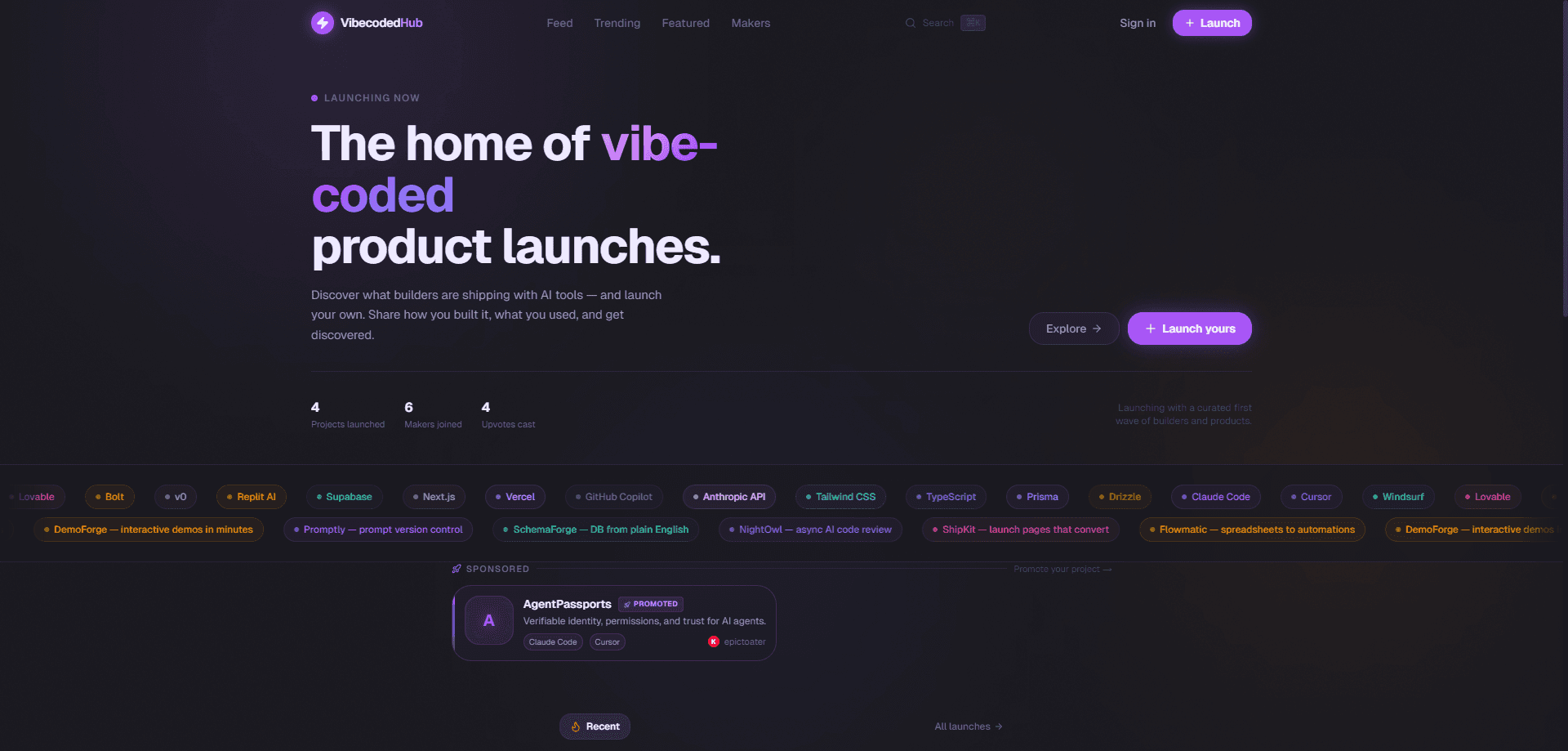
VibecodedHub is a discovery and launch platform built for AI-native, vibe-coded products. It gives makers a place to submit and launch what they've built. It also gives everyone else a feed to browse, featuring new AI projects, trending releases, and the people behind them. In other words, it's a combined AI product launch platform and product discovery platform. The tagline says it plainly: it's built for people who ship, and it calls itself the home of AI-native product launches. If you've used AI coding tools to build something and need a place to show it, or you're just curious what people are shipping with these tools right now, that's the audience this platform is aiming at.
About VibecodedHub
What Is VibecodedHub
VibecodedHub is a web platform where AI-assisted, vibe-coded products get discovered and launched. Vibe coding means you describe what you want and let an AI tool write most of the code, which has pushed a lot of small apps and tools into the world faster than any directory can track. VibecodedHub organizes that flow into a browsable feed and a maker-facing launch system.
For builders, it's a distribution channel. You sign up, submit a project, and it lands in front of an audience looking specifically for AI-made tools rather than a general startup crowd. For visitors, it's a curated place to see what's trending, what's featured, and who's building.
The main limitation is that it's a young, web-only platform, and I couldn't find a public pricing page or API documentation on the site as of writing. Treat cost questions as unresolved until the team publishes details. It's also not a code host or deployment service. It points people at your project; it doesn't build or run it for you.
Getting Started
- Go to vibecodedhub.com and click Sign up to create an account, or Sign in if you already have one.
- Once logged in, head to Submit a project to register what you've built.
- Add your project's name, a short pitch, and the link where people can try it.
- Pick the details that describe your build, then send it in for review.
- Wait for approval, after which your project can appear in the feed and get featured.
Product Information
A quick look at VibecodedHub's pricing, supported platforms, and performance.
Best for
The users, tasks, and scenarios where this tool fits best.
Users
- Indie makers and solo builders
- Curious AI enthusiasts
- Early-stage founders
Tasks
- Launching a side project
- Finding new AI tools to try
- Tracking who's building
Scenarios
- Weeknight build, weekend launch
- Browsing for inspiration
- Measuring early interest
Key features
Product Feed for AI-Native Builds
The Feed is the core browsing surface. It runs through recent and noteworthy vibe-coded products in one stream, which saves you from hunting across separate directories. It's aimed at people who specifically want AI-built tools, not general software. Simple as that.
Featured Placements
The Featured section highlights selected projects. It's a shortcut, nothing more. For visitors, it points to the products the team thinks deserve attention; for makers, featured products get the main visibility bump the platform offers natively. That's why a clear pitch and a working link matter so much.
Trending View
Trending surfaces products gaining traction right now. Want current momentum instead of the team's picks? This is your tab. It's the closest thing to a live pulse of what the community is rallying around.
Makers Directory
The Makers section lists the people behind the projects. Follow the builders, not just the builds. If you want to track specific people rather than products, this is where you do it. It also gives your profile a home beyond any single launch.
Project Submission and Launch
Submitting a project is the maker-facing side of the platform. You add your build, and once it's approved it can move into the public feed and featured rotation. That approval step keeps the feed focused on real, working products instead of dead links. No approval, no listing.
Account-Based Access
Signing up lets you submit projects and track your own launches. No payment required. The account requirement is modest, just enough to tie submissions and status to a person rather than an anonymous drop.
Pros and cons
Pros
- The audience is pre-filtered for AI-native products, so your AI-built tool isn't competing with everything else for attention.
- Browsing is simple: a feed, a featured list, a trending list, and a makers directory cover the main ways people want to discover.
- Submitting a project is lightweight, which keeps the barrier low for solo builders.
- Launch and discovery live in the same place, so you don't need to set up a separate landing page just to be listed.
Cons
- There's no public pricing page or API documentation yet, so you can't plan costs or integrations up front.
- It's web-only, so mobile-first builders have no dedicated app to work with.
- As a newer platform, its reach is still growing, which means a launch here works better as one channel among several rather than a lone bet.
Frequently asked questions
It's a discovery and launch platform for AI-native, vibe-coded products. Makers use it to launch what they've built, and visitors use it to find, browse, and follow new AI-made tools.
Related content
Explore related tools, skills, and articles for VibecodedHub.
VibecodedHub Alternatives
Forefront
Forefront · CodingForefront is a web platform for building with open-source AI. It lets you fine-tune leading open-source language models on your own data, evaluate how they perform, and run them through an API or export them to host yourself. Developers who want the convenience of a closed-source platform but insist on owning their models and data are the target audience here.

Startkit
StartKit.AI · CodingStartkit is a boilerplate for building AI SaaS and AI wrapper products. Think of it as an AI startup boilerplate with the boring parts already wired up: authentication, Stripe and Lemon Squeezy payments, usage limits, transactional email, and an AI API starter that talks to OpenAI, Anthropic, Groq, or Llama. You clone the repo, set your price, and start on the part of your product that people actually pay for. It's Next.js under React and Tailwind, so most of the boilerplate code already feels familiar.
Testim
Tricentis · CodingTestim is an AI-powered test automation platform for building and running end-to-end tests across web, mobile, and Salesforce applications. It leans on machine learning to keep tests stable when an interface changes, so teams spend less time fixing broken selectors. Not bad for an automated testing tool you can start using today. You create tests by recording actions in a browser, then optionally add JavaScript when you need more control. It's a solid pick for busy QA teams.