

vibecodeprompts
Simpl Labs · Coding · Prompts
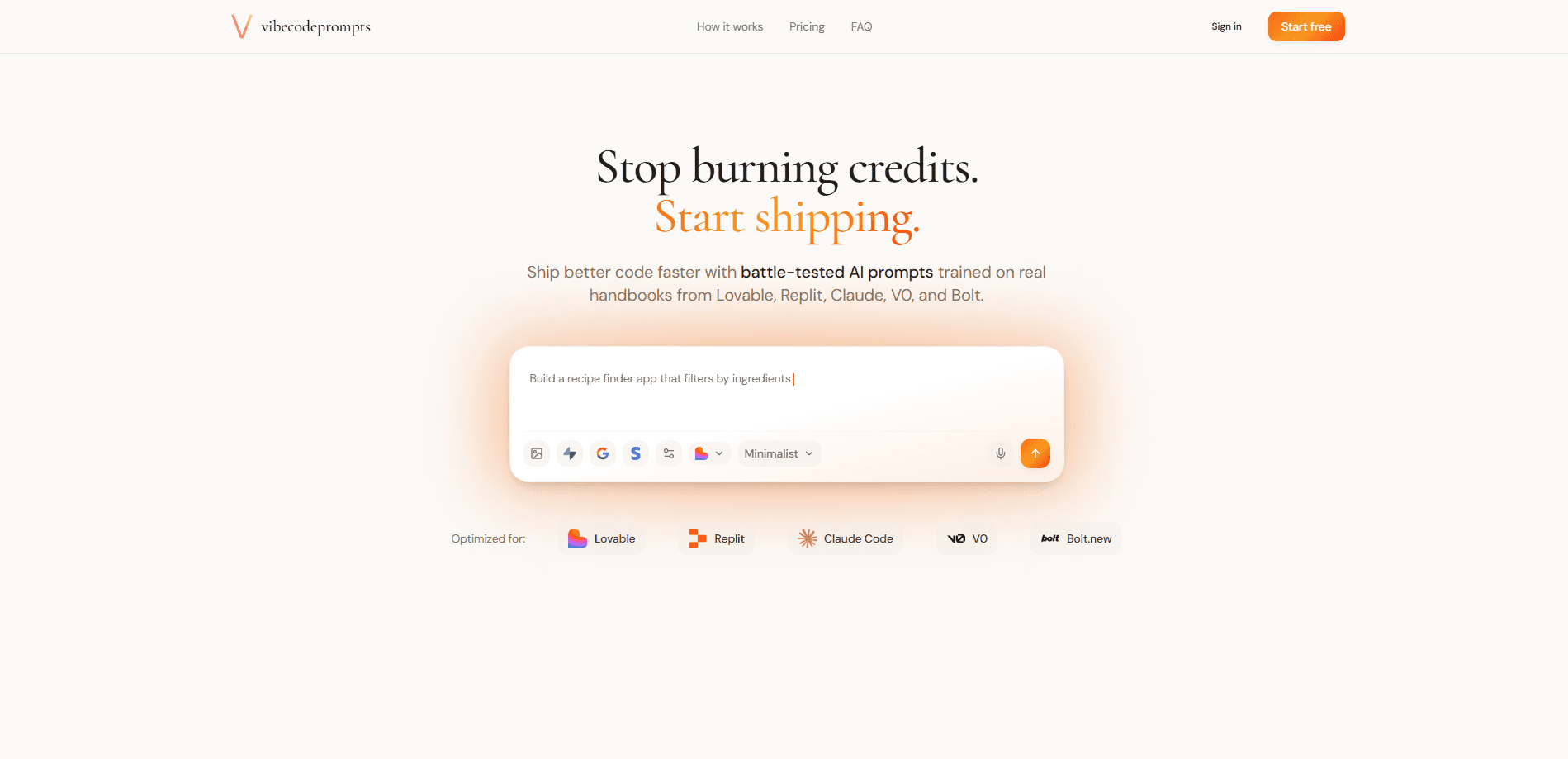
vibecodeprompts is an AI prompt generator built for vibe coding. You describe an app idea in plain language, and it returns a structured, production-ready prompt tuned to a specific AI coding tool like Lovable, Replit, Claude Code, V0, or Bolt. It also handles backend choices such as Supabase, auth, and payments, so the prompt you hand your tool sets up those pieces correctly. The pitch is simple: fewer retries, fewer wasted credits, faster builds. If you write vibe coding prompts by hand and keep guessing at what your tool needs, this is aimed at you. Sound familiar? Then it's probably worth a look.
About vibecodeprompts
What Is vibecodeprompts
vibecodeprompts works as a prompt engineering tool first and a prompt store second. It generates, checks, and organizes prompts so you spend less time rewriting them. It sits between your idea and your AI coding tool. A vague sentence goes in, and a prompt covering structure, tech stack, database setup, and deployment targets comes out. The problem it solves is real. Vibe coders burn credits on prompts that fail on the first try because the tool guesses at missing details. When you're paying per generation and a build takes ten attempts instead of one, those misses add up fast across a month of work.
The product leans on tool-specific generation. A prompt for Lovable doesn't look like one for Bolt or Claude Code, since each tool expects its own format and level of detail. vibecodeprompts swaps in the right structure automatically. No manual reformatting. Just pick your tool and go.
It writes prompts, not code, and it won't fix a bad idea. If your app concept is thin, a cleaner prompt won't rescue it. You also need an account and a working subscription to an AI coding tool, since vibecodeprompts doesn't build or host anything itself. That last point matters if you assumed the tool would spin up your app.
Getting Started
- Create a free account at vibecodeprompts.cloud, no credit card needed for the first 10 prompts each month.
- Type your app idea into the prompt box, then set constraints like deployment target (Vercel, Netlify, Cloudflare, AWS, Railway) and a timebox such as MVP or full build.
- Pick the AI coding tool you're targeting, then add backend options like Supabase, auth, or payments if you need them.
- Generate the prompt, review the output, and copy it into your chosen tool.
- Save useful prompts to your library so you can reuse the parts that worked.
Product Information
A quick look at vibecodeprompts's pricing, supported platforms, and performance.
Best for
The users, tasks, and scenarios where this tool fits best.
Users
- Non-coders and indie founders
- Experienced developers using AI tools
Tasks
- Writing a first prompt for a new app
- Fixing prompts that keep failing
- Reusing proven prompt parts
Scenarios
- Weekend MVP sprints
- Prototyping a SaaS dashboard
- Clients who want to build their own tools
Key features
Tool-Specific Prompt Generation
Each supported tool gets its own prompt format. vibecodeprompts generates for Lovable, Replit, Claude Code, V0, and Bolt. Every tool has different requirements, and the generator handles them. That means you're not pasting a generic prompt into a tool that wants something else.
Backend-Aware Prompts
You can toggle Supabase integration, authentication flows, and payment systems before you generate. The resulting prompt carries the right setup instructions for those pieces, so your AI tool doesn't improvise them. This is the part most people skip, and it's usually why a build stalls halfway. Skip it and you'll pay for it later.
Plan Mode
Plan Mode is a chat-based planning step, exclusive to Pro. You talk through architecture, user flows, and data models with the AI before a single prompt is written, which forces the gaps in your plan to the surface while they're still cheap to fix instead of after your tool has already built the wrong thing. It's aimed at people who want the structure settled first rather than discovering gaps mid-build. Worth the upgrade if you build often and hate reworking a half-finished project.
AI Feedback and Iteration
Paste any prompt, including ones you wrote elsewhere, and get a structured read on it. The tool flags risks, scores clarity, and lets you iterate through a chat, so instead of rewriting from scratch you fix the specific part that's causing trouble. Handy when a prompt looks fine but keeps producing broken output. No more guessing why it failed.
Prompt Library
You can save, organize, and reuse prompts over time. Over a few projects, that builds into a personal set of templates. There's also a shared component set organized by tool and category for auth, payments, and UI. Reusing parts that already worked beats rewriting them every time.
Target and Constraint Controls
Before generating, you set deployment targets like Vercel or Railway and a timebox such as a 1-2 day MVP. Those choices feed into the prompt, so the output respects where you're shipping and how much time you've got, which keeps you from generating an elaborate full-build prompt when all you wanted was a quick proof of concept. Small step, big payoff.
Pros and cons
Pros
- Output is tuned per tool, so prompts fit Lovable, Replit, Bolt, V0, and Claude Code instead of being one-size-fits-all.
- Handles backend setup details (Supabase, auth, payments) that otherwise get lost in a vague prompt.
- The free tier gives 10 prompts a month with no card, which is enough to test whether it fits your workflow.
- Cheap entry point at $4.99/mo, with a $69.99 lifetime option for people who don't want another subscription.
- Prompt library and reusable components cut down on rewriting the same instructions.
- Saves you the boring part, which is remembering every backend detail each time.
Cons
- It only writes prompts. You still need a separate AI coding tool and pay for its credits.
- No public API.
- The 10 prompts/month free limit runs out fast on a busy project, pushing you to Pro quickly.
- A clean prompt won't fix a weak idea, and the tool does nothing to help you validate one.
Frequently asked questions
It's a web tool that turns a plain-language app idea into a structured prompt for AI coding tools. It handles prompt formatting for each tool so you don't have to learn the differences yourself. Simple as that.
Related content
Explore related tools, skills, and articles for vibecodeprompts.
vibecodeprompts Alternatives
Forefront
Forefront · CodingForefront is a web platform for building with open-source AI. It lets you fine-tune leading open-source language models on your own data, evaluate how they perform, and run them through an API or export them to host yourself. Developers who want the convenience of a closed-source platform but insist on owning their models and data are the target audience here.

Startkit
StartKit.AI · CodingStartkit is a boilerplate for building AI SaaS and AI wrapper products. Think of it as an AI startup boilerplate with the boring parts already wired up: authentication, Stripe and Lemon Squeezy payments, usage limits, transactional email, and an AI API starter that talks to OpenAI, Anthropic, Groq, or Llama. You clone the repo, set your price, and start on the part of your product that people actually pay for. It's Next.js under React and Tailwind, so most of the boilerplate code already feels familiar.
Testim
Tricentis · CodingTestim is an AI-powered test automation platform for building and running end-to-end tests across web, mobile, and Salesforce applications. It leans on machine learning to keep tests stable when an interface changes, so teams spend less time fixing broken selectors. Not bad for an automated testing tool you can start using today. You create tests by recording actions in a browser, then optionally add JavaScript when you need more control. It's a solid pick for busy QA teams.