

vibecoder.date
vibecoder.date · Coding · AI Assistant
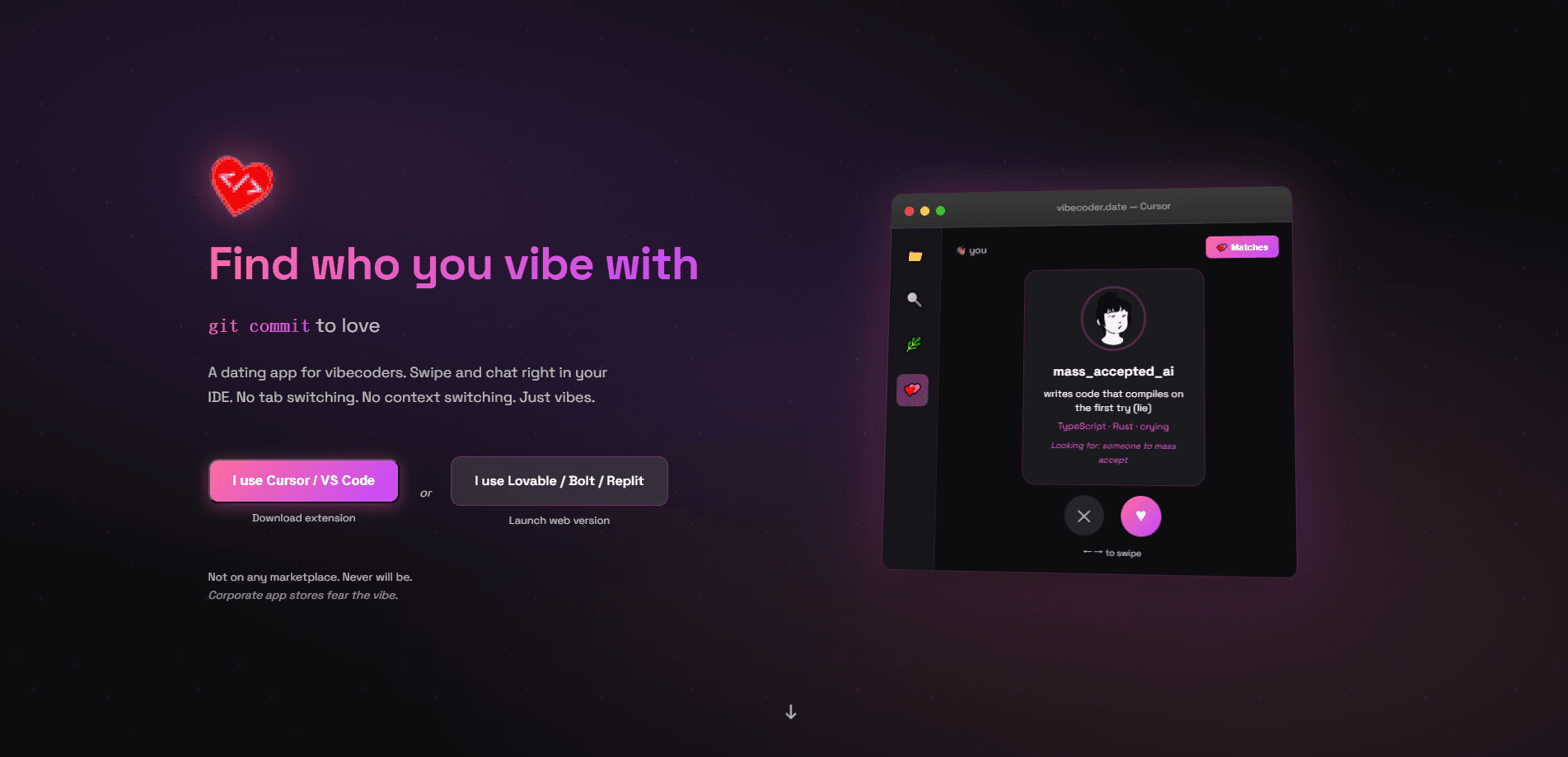
vibecoder.date is a dating app for developers that lives inside the editor you already have open. Instead of a separate mobile app, it plugs into coding environments like VS Code and Cursor, so you can swipe through profiles, match with other programmers, and hold a conversation without switching windows. Why bother? Simple. Your best chance of meeting someone who gets your jokes about merge conflicts is to look for them where you already spend your day.
About vibecoder.date
What Is vibecoder.date
vibecoder.date is a dating app for developers built around a single idea: keep the whole experience inside the IDE. You install it as an editor extension, sign in, and start browsing profiles in a side panel while your code sits in the main window. There is no phone app to open, no browser tab to hunt down, and no context switch to break your flow.
The appeal is fairly obvious if you have ever tried to hold a conversation on a dating app while a build was running. Everything stays in one place. You match, you chat, and you go back to work.
The main limitation is reach. Because it runs as an IDE extension rather than a mainstream app, the pool of people you can meet is limited to others who have also installed it. That's a real constraint, not a marketing line. A niche dating app only becomes useful once enough of your niche shows up. Small pool. Few matches.
Getting Started
- Open your editor, like VS Code or Cursor, and install the vibecoder.date extension from the marketplace or the project site.
- Sign in with your account and fill out a short profile, usually a name, a photo, and a few details about what you build.
- Open the vibecoder.date panel in your sidebar and start swiping through developer profiles.
- When you match with someone, open the chat panel and send a message without leaving the editor.
- Keep the panel docked while you work, or close it and come back later when a match replies.
Product Information
A quick look at vibecoder.date's pricing, supported platforms, and performance.
Best for
The users, tasks, and scenarios where this tool fits best.
Users
- Developers who spend most of their day in VS Code or Cursor
- Programmers looking for a partner who shares the same interests
Tasks
- Swiping through developer profiles during a compile or a wait
- Chatting with a match without alt-tabbing away
Scenarios
- Solo work sessions where you want some social contact between tasks
- Remote developers who rarely meet people outside their team
Key features
Dating inside the IDE
vibecoder.date runs as an extension in editors like VS Code and Cursor, so profiles and chat show up in a side panel. You never leave the window you're working in. For anyone who hates juggling apps, that's the whole point.
Swipe and chat without switching context
You browse profiles, swipe, and message matches right from the panel. The flow mirrors a normal dating app, just relocated into your editor. A quick swipe during a build no longer costs you your place in the code.
Profiles built around developers
Instead of a generic bio, the experience leans into what you build and the tools you use. That gives conversations a natural starting point, and it also tends to filter for people who actually understand your schedule and your interests.
Editor-native workflow
Because it lives where you work, vibecoder.date fits into the gaps in a coding day rather than competing with them. Short waits become small social moments. Whether that's a benefit or a distraction depends on self-control. You decide when to open the panel. And when to close it.
Pros and cons
Pros
- No context switching: the whole dating experience stays inside your editor.
- Meets you where you already are: no extra app to install on your phone.
- Developer-focused: profiles and chat assume a shared technical background.
- Lightweight by design: swiping and replying fit into short breaks.
Cons
- Small pool: you can only match with people who also installed it, so the user base may feel thin in some regions.
- Not a mobile app: if you want matches on your phone, this isn't built for that.
- Extension dependency: it only works where it's installed, so you can't check in from just any device.
- Language and region limits: reach depends on who signs up near you, and I couldn't confirm availability for every country.
Frequently asked questions
It's a dating app for developers that runs inside an IDE. You install it as an extension, then swipe and chat in a side panel while you code.
Related content
Explore related tools, skills, and articles for vibecoder.date.
vibecoder.date Alternatives
Forefront
Forefront · CodingForefront is a web platform for building with open-source AI. It lets you fine-tune leading open-source language models on your own data, evaluate how they perform, and run them through an API or export them to host yourself. Developers who want the convenience of a closed-source platform but insist on owning their models and data are the target audience here.

Startkit
StartKit.AI · CodingStartkit is a boilerplate for building AI SaaS and AI wrapper products. Think of it as an AI startup boilerplate with the boring parts already wired up: authentication, Stripe and Lemon Squeezy payments, usage limits, transactional email, and an AI API starter that talks to OpenAI, Anthropic, Groq, or Llama. You clone the repo, set your price, and start on the part of your product that people actually pay for. It's Next.js under React and Tailwind, so most of the boilerplate code already feels familiar.
Testim
Tricentis · CodingTestim is an AI-powered test automation platform for building and running end-to-end tests across web, mobile, and Salesforce applications. It leans on machine learning to keep tests stable when an interface changes, so teams spend less time fixing broken selectors. Not bad for an automated testing tool you can start using today. You create tests by recording actions in a browser, then optionally add JavaScript when you need more control. It's a solid pick for busy QA teams.