
Video to Prompt
Video to Prompt · Writing · Video
Video to Prompt is a free AI video description generator that turns any uploaded clip into a detailed, multi-language text prompt you can reuse.
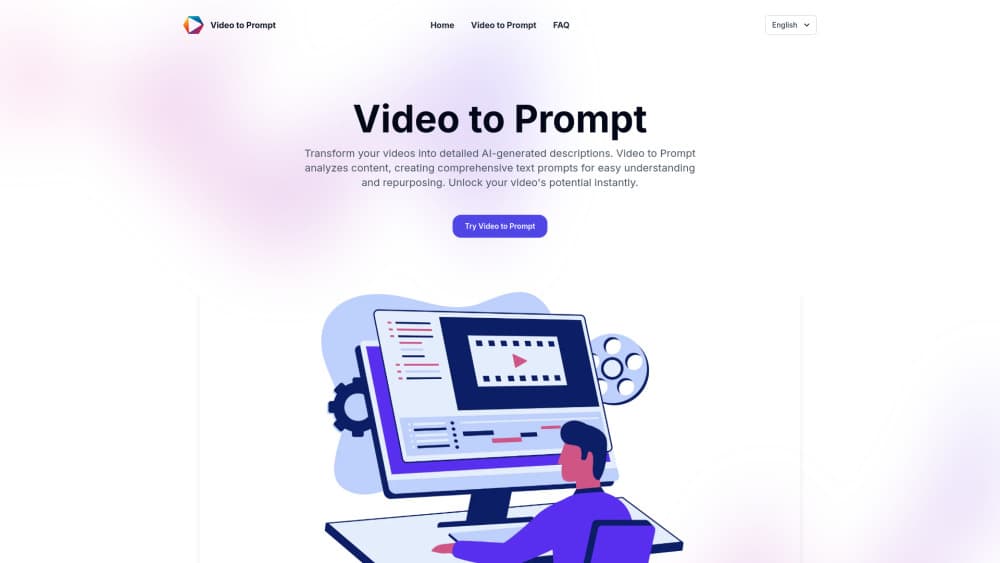
About Video to Prompt
What Is Video to Prompt
Video to Prompt is a browser-based AI tool that watches a video and writes back a detailed text description of what happens in it. Upload a clip, and the system reads the visuals, the audio, and the overall flow, then hands you a prompt you can copy into a caption, a script, or a search-optimized post.
The pitch is simple: describing a video by hand is slow and easy to do badly. Most people end up with vague lines like "product demo" or "funny moment." Video to Prompt aims to pull out the specifics instead, the scenes, the pacing, the tone, so the text actually reflects the footage. Want a description that reads like someone actually watched the clip? That's the gap it's trying to fill.
It won't replace a human editor. The output is a starting draft, and you'll still want to trim it. But as a first pass on a long video, it saves real time.
Getting Started
- Open videotoprompt.net and go to the tool page.
- Upload the video you want analyzed. The format list covers MP4, AVI, MOV and most common files.
- Paste a guiding prompt such as "Describe the video in detail" into the dialog box.
- Submit and wait. Most clips come back in a few minutes.
- Copy the description, or keep asking follow-up questions to dig into specific parts.
Product Information
A quick look at Video to Prompt's pricing, supported platforms, and performance.
Best for
The users, tasks, and scenarios where this tool fits best.
Users
- Social media creators
- Documentary and video editors
- UX researchers
- E-learning developers
Tasks
- Writing a video description for a YouTube or social upload.
- Repurposing an existing video into a blog post or script draft.
- Turning a reference clip into a text prompt for an AI video model.
- Building captions and alt text for accessibility.
Scenarios
- You have a backlog of clips and need text for all of them, fast.
- A client wants a written summary of a long recording.
- You're adapting one video for audiences in several languages.
- You need a search-friendly description but don't know where to start.
Key features
Instant AI Video Analysis
Upload a clip and the tool returns a written description within seconds to a few minutes. It reads visual elements, audio, and the narrative flow together, so the output covers scenes and context rather than just naming objects on screen. For anyone sitting on a folder of unlabeled footage, that speed is the main draw.
Multi-Language Output
You can generate descriptions in a range of languages, which matters if you're publishing to more than one market, and it means you don't have to write English copy and translate it later. Instead you can produce the description in the target language up front, which is a practical shortcut for global campaigns and localized social posts.
Follow-Up Questions
The tool isn't a one-shot black box. After you get the first description, you can keep chatting with it, asking for more detail on a specific scene or a different angle on the whole clip. That back-and-forth turns a rough summary into something closer to what you actually need.
Copy-Ready Prompt Output
The description comes out as plain text you can paste anywhere. That suits a few jobs at once: a caption, a script draft, a blog intro, or a prompt you feed into an AI video generator to recreate a similar look. The output is meant to move, not to sit in the app.
Private Processing
Uploads are handled over encrypted connections, the site states that your content stays confidential through the process, and that claim is worth checking against your own requirements before you upload anything sensitive, especially if you're working with client footage or material under an NDA.
Pros and cons
Pros
- Free to use, with no account signup blocking the basic workflow.
- Handles common video formats including MP4, AVI and MOV.
- Detailed descriptions that capture scenes, tone and pacing, not just objects.
- Multi-language output helps with localized publishing.
- Follow-up questions let you refine the result instead of settling for the first draft.
Cons
- Upload size and length limits aren't clearly published, so long footage may fail without warning.
- No public API, which rules it out for teams that need to automate at scale.
- Output is a draft, not a finished description. Expect to edit it before publishing.
Frequently asked questions
It turns a video into a written description. You upload a clip, and the AI produces a detailed text prompt that sums up what's happening, which you can reuse for captions, scripts, or another AI tool.
Related content
Explore related tools, skills, and articles for Video to Prompt.
Video to Prompt Alternatives

Google EmbeddingGemma 2
Google DeepMind · Writing · Image · CodingGoogle EmbeddingGemma 2 is a 740M-parameter open model that turns text, code, images, audio, and video frames into vectors in one 768-dimension space, running on phones and laptops.

MePersona
MePersona, Inc. · Writing · Productivity · MarketingMePersona is an AI unified inbox for creators. It learns your voice, drafts replies to fan messages from 12 platforms, and sends only what you approve.

Fluence
Yay Software (Yannick Huchard) · Writing · Voice & Language · ProductivityFluence is an Android app that reads PDFs, EPUBs, Word files and web articles aloud, follows each sentence as it speaks, and answers questions about the text on the phone itself.