

Videodubber
VideoDubber.ai · Voice & Language · Video
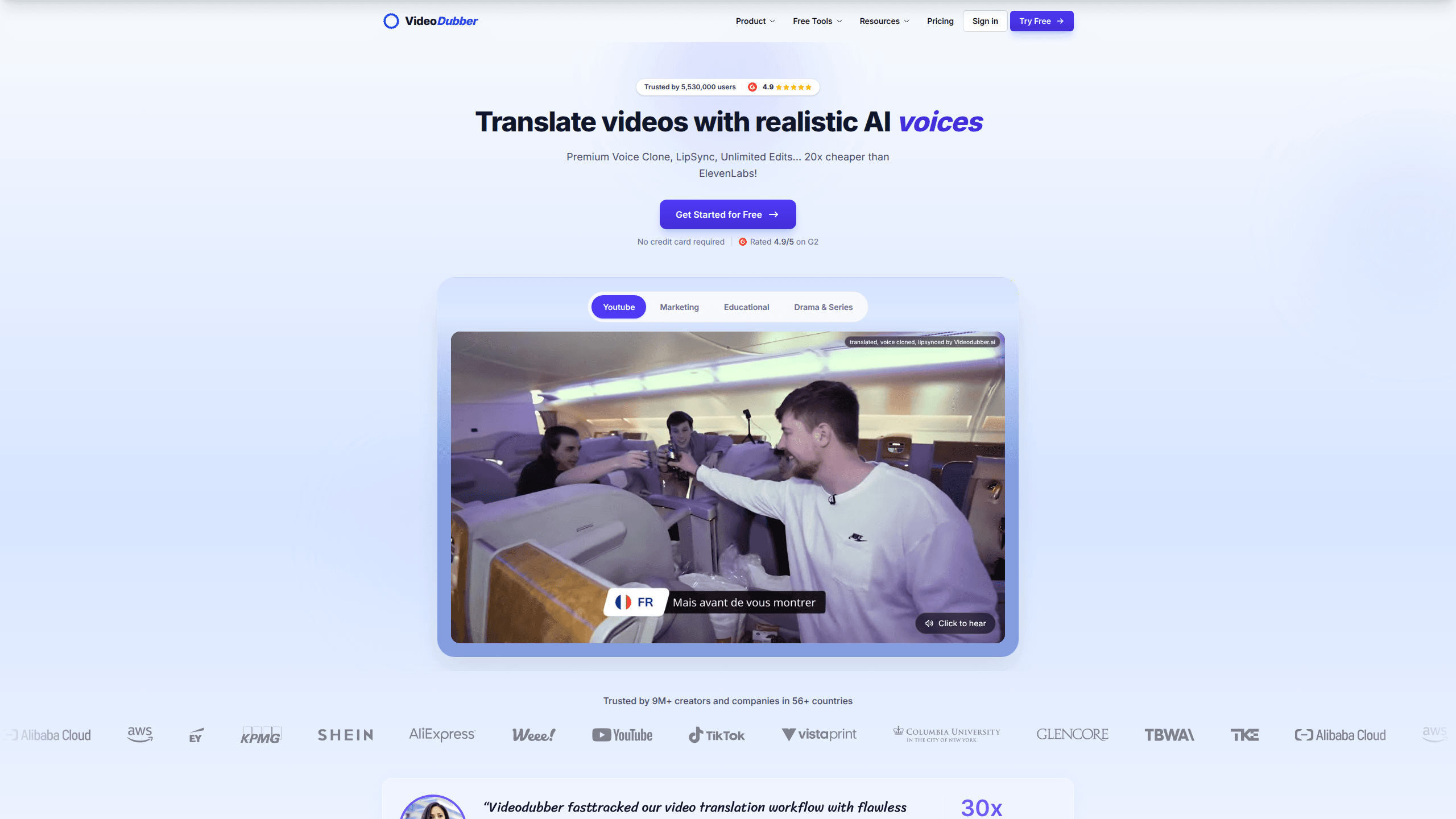
VideoDubber is an AI video translation and dubbing platform built for creators, educators, and teams who want their videos to speak more than one language. You upload a file, pick a target language, and it returns a dubbed video with cloned voices, frame-accurate lip sync, and exportable subtitles. The free plan gives you 5 minutes to test the workflow before you pay for more.
About Videodubber
What Is VideoDubber
VideoDubber is a web-based AI dubbing service from a team of AI researchers. Think of it as a video dubbing tool that runs the whole localization chain in one place. It takes an existing video, transcribes the speech, translates it, and re-records the audio in a voice that sounds like the original speaker. The pitch, tone, and accent carry over. A viewer watching the Spanish or Japanese cut doesn't feel like they're hearing a robot read a script. Not bad for an automated pipeline. The free plan gives you 5 minutes to test the workflow before you pay for more.
The core problem it solves is cost and turnaround, because traditional dubbing means booking voice actors, a studio, and a mixing engineer for every single language you want to reach. That's slow. It's also expensive. VideoDubber replaces most of that with an automated pipeline you run yourself, on a per-minute price instead of a per-project invoice. For a solo creator, the gap between those two models is the whole point.
The biggest limitation is context. AI translation handles clean narration well but can stumble on heavy slang, overlapping speakers, or comedy that leans on wordplay, where the joke depends on sounds that simply don't survive the jump into another language. You still need a human pass on the edited script if your content is nuance-heavy, and that step takes real time even if the tooling makes it easy to do inside the same project window. The built-in editor exists for exactly that reason, and re-translating a line doesn't cost extra minutes. Fair trade, honestly.
Getting Started
- Sign up on the VideoDubber site and open the translation tool, or try the free tier without committing to a plan.
- Upload your video or audio file, or paste a subtitle track in SRT or VTT format.
- Choose the source and target language, then select a voice mode for each speaker.
- Run the translation, then review the draft in the editor and fix any lines that read wrong.
- Export the result as an SRT or VTT subtitle file, or as a fully dubbed MP4.
Product Information
A quick look at Videodubber's pricing, supported platforms, and performance.
Best for
The users, tasks, and scenarios where this tool fits best.
Users
- YouTube creators
- E-learning providers
- Marketing teams
- Nonprofit and community orgs
Tasks
- Dubbing a talking-head video
- Translating a batch of product demos
- Generating subtitles
- Localizing a multi-speaker interview
- Fixing hard-coded subtitles
Scenarios
- Running a video localization push before a global product launch, when every demo needs to ship in several languages at once.
- Publishing a weekly video series in three or four languages on a fixed schedule.
- Reaching an international audience on a platform where captions drive most of the watch time.
- Testing whether a market responds to your content before paying for studio dubbing.
- Processing a back catalog of older videos in bulk through the API.
Key features
Voice Cloning With VoicePARROT
VideoDubber's VoicePARROT model learns a speaker's tone, emotion, and accent so the dubbed audio sounds like the same person in a new language. It draws on a large body of real speech. You can also feed in clean voice samples for a closer match. For interview-style content, each speaker gets their own cloned voice. That's the difference between a dub and a parody. Huge.
Frame-Accurate Lip Sync
SyncPRO locks the dubbed audio to the speaker's mouth movement frame by frame. The result reads as a performance shot in the target language rather than a translation pasted over the original, which is the tell that gives most cheap dubbing away. It's the feature that separates a dubbed clip from an obviously overdubbed one. Watch a comparison side by side. The gap shows up fast.
Unlimited Editing
You can rewrite lines, swap voices, adjust timing, and re-export as often as you want without metered edit fees. Re-translating a single line is free of extra-minute charges. That matters. When a phrase lands badly in the target language, you'd rather fix it than re-run the whole video.
Subtitle and Video Export
One project can output bilingual captions, burned-in text, or a publish-ready dubbed MP4. Subtitle tracks download as SRT or VTT, which most video platforms accept directly. No extra tool required. You don't need a separate converter to move from raw translation to a finished file that's ready to upload.
API and Integrations
REST endpoints cover translation, dubbing, and lip sync, so you can plug VideoDubber into a CMS, an LMS, or a custom content pipeline that already handles your uploads, approvals, and publishing steps. Bulk processing through the API is how teams handle large libraries without touching each file by hand. It's also listed on AWS Marketplace. That matters for buyers who route purchases through cloud budgets.
Translation Controls and Glossary
Glossary support keeps product names, character names, and technical terms consistent across every language in a project. Ever had a brand name get translated by mistake? Glossary locking stops that. Custom translation prompts let you steer formality, style, and audience fit, so a line aimed at teenagers doesn't come back sounding like a legal memo. Both features target localization teams who care about terminology staying accurate at scale.
Pros and cons
Pros
- Voice cloning and lip sync run in one project, so you skip stitching two separate tools together and paying for both.
- Editing is unmetered, which removes the fear of racking up charges while you polish a script line by line.
- Support for 150+ languages and accents covers most localization targets out of the box.
- Unused minutes carry over instead of expiring at the end of a billing cycle.
- A REST API makes batch processing realistic for teams with large video libraries.
Cons
- The free tier caps at 5 minutes, so it's a trial rather than a real production option.
- Translation quality drops on slang-heavy, joke-dense, or overlapping-speaker content, which means a manual review pass is usually necessary.
- Pricing is per-minute rather than flat, so heavy users need to estimate volume carefully before picking a plan.
Frequently asked questions
It translates video and audio into other languages, then re-records the audio with a cloned voice and syncs the speaker's lips to it. You can also export subtitles on their own. Simple as that.
Related content
Explore related tools, skills, and articles for Videodubber.
Videodubber Alternatives

Prosp
Prosp · Writing · Voice & Language · MarketingProsp is an AI LinkedIn outreach tool built for agencies and sales teams, and it writes the message and the voice note in your own voice for each prospect so they actually reply. You connect your accounts, find leads, and let the AI draft and send personalized messages at scale, all from one inbox. It's built for people running outbound at volume. That's the whole pitch. Every touchpoint still has to feel human.

Wordly AI Translation
Wordly · Voice & Language · ProductivityWordly AI Translation is a real-time AI translation and captioning platform built for meetings, conferences, and events. It delivers live translation, captions, transcripts, and summaries in more than 60 languages, and attendees join by scanning a QR code or opening a link instead of using dedicated headsets. The platform works with Zoom, Microsoft Teams, Google Meet, and Webex, and it's designed for organizations that want multilingual access without hiring human interpreters for every session. Simple as that.
Musicful
Musicful AI · Voice & Language · VideoMusicful is an AI music generator and AI music video maker that turns text to music in minutes. Give it a text prompt, a set of lyrics, or a hummed melody and it returns a finished track with vocals and instruments. It also doubles as an AI song generator, produces music videos from the songs you create, and offers an AI cover tool plus a developer API. The platform runs in a web browser and through an Android app, so you can start a song on desktop and pick it up on your phone.