
VidNarrate
Vibe · Writing · Voice & Language · Video
VidNarrate is an AI video generator that turns a topic or headline into a narrated, subtitled video and can auto-post it to YouTube and social media on a set schedule.
About VidNarrate
What Is VidNarrate
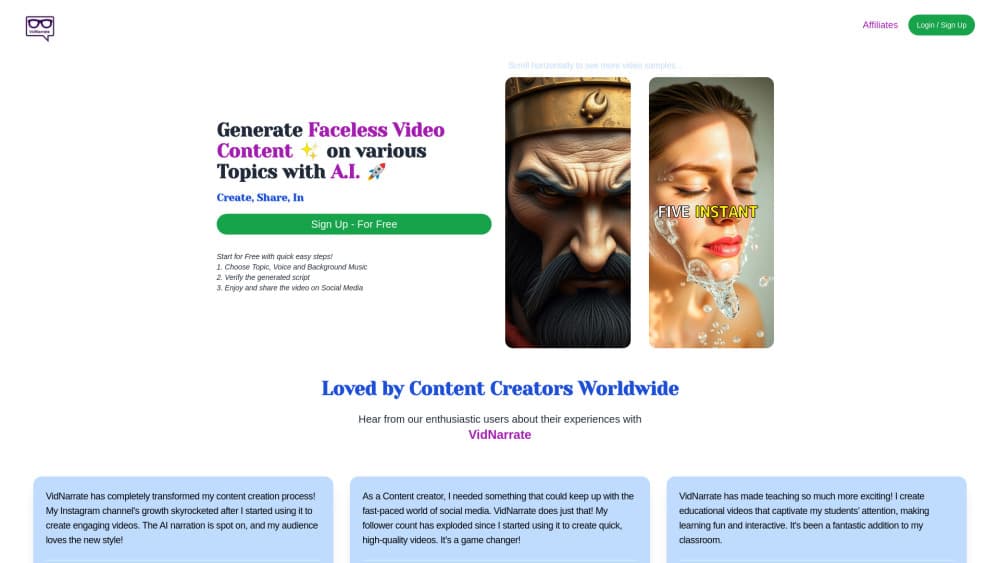
VidNarrate is a browser-based tool for making videos without a camera, a scriptwriter, or an editing suite. You pick a topic or a news subject, choose a narrator voice and background music, and the platform writes the script, generates images, adds a voiceover and captions, and renders a finished clip. It belongs to the Vibe family of creator tools alongside Vibe Adverts and RefinePic.
The core idea is a content calendar you barely have to touch. Instead of making one video at a time, you set a posting rhythm, and VidNarrate produces and publishes videos on that cadence. That suits faceless YouTube channels, social media pages, and teaching accounts that need a steady stream of AI generated videos rather than a single polished piece.
The trade-off is control. This is a template-driven pipeline, so the look and pacing follow the tool's presets more than your design instincts. It's aimed at people who want volume and consistency, not frame-level editing. Anyone wanting precise cuts, layered audio, or custom motion should look elsewhere.
Getting Started
- Sign up free at vidnarrate.com with an email or a connected account.
- Choose a topic, or pick Daily News and name the news subject you want covered.
- Select a narrator voice, an art style, and background music.
- Review the generated script and captions, then tweak them if you want.
- Download the video or set a posting schedule so it goes out to YouTube and social media automatically.
Product Information
A quick look at VidNarrate's pricing, supported platforms, and performance.
Best for
The users, tasks, and scenarios where this tool fits best.
Users
- Faceless video maker users
- Social media managers
- Teachers and trainers
Tasks
- Turning a news headline into a video
- Making long-form explainers
- Making cinematic or animated shorts
Scenarios
- Filling a posting calendar for the next month
- Running a news-driven channel
- Producing classroom content
Key features
Topic-driven video generation
VidNarrate works less like text to video than like a topic to video pipeline. It starts from a subject, not a timeline. You name a topic or choose from a list of genres, and the tool writes a title, caption, and full script before rendering the video. That front-loads the work people usually dread: finding something to say and structuring it. Moments after you confirm the theme, the script is ready to review.
Automatic narration, music, and captions
Every video ships with a voiceover, background music, and on-screen subtitles by default. You pick from a set of narrator voices and languages rather than recording your own. For creators without a good mic or a quiet room, this removes the biggest barrier to publishing. Captions also make the clips usable for viewers watching without sound.
Scheduled auto-posting to YouTube and social media
The video scheduling layer is what separates VidNarrate from a one-off generator. Choose a frequency such as Daily or Twice Daily, and the system uploads newly generated videos on its own. You set it once, and it keeps publishing. You can stop the run or change the topic at any point.
Daily News mode
Selecting Daily News makes VidNarrate check current headlines and build a video on the subject you name, whether that's a sports team, a celebrity, or a policy story. The result is a clip tied to something people are already searching for, which helps a small channel ride a trend instead of waiting for one.
Cinema Mode and animated visuals
Cinema Mode aims for a more dramatic look. It uses AI image generation for the visuals and can animate still images into motion, giving shorts the movement that holds attention on a feed. It suits storytelling and entertainment topics more than dry explainers.
Long videos with multiple scenes
Beyond shorts, VidNarrate can build longer videos from several generated scenes, which opens up YouTube's main feed, tutorials, and in-depth storytelling. You keep control over each segment, so a longer piece stays structured instead of drifting.
Pros and cons
Pros
- The script, voiceover, music, and captions all come from one topic input, so no filming or editing is required.
- Scheduled auto-posting means a channel can run for weeks off a single session of setup.
- Daily News mode ties videos to current subjects, which helps with discovery.
- Cinema Mode and multi-scene support cover both short clips and longer pieces.
- The free sign-up lets you test the workflow before paying.
Cons
- The look and pacing follow presets, so output can feel uniform across a channel.
- There's no fine-grained editor for precise cuts, layered audio, or custom motion graphics.
- It's a web-only tool, so there's no native mobile app for working on the move.
- The AI narration won't match the warmth of a human host, which matters for personality-led channels.
Frequently asked questions
It generates narrated, subtitled videos from a topic or news subject and can post them to YouTube and social media on a schedule. It handles the script, images, voiceover, and captions in one pass.
Related content
Explore related tools, skills, and articles for VidNarrate.
VidNarrate Alternatives

Google EmbeddingGemma 2
Google DeepMind · Writing · Image · CodingGoogle EmbeddingGemma 2 is a 740M-parameter open model that turns text, code, images, audio, and video frames into vectors in one 768-dimension space, running on phones and laptops.

MePersona
MePersona, Inc. · Writing · Productivity · MarketingMePersona is an AI unified inbox for creators. It learns your voice, drafts replies to fan messages from 12 platforms, and sends only what you approve.

Fluence
Yay Software (Yannick Huchard) · Writing · Voice & Language · ProductivityFluence is an Android app that reads PDFs, EPUBs, Word files and web articles aloud, follows each sentence as it speaks, and answers questions about the text on the phone itself.