

ViralBot
Viralbot · Writing · Video · Marketing
ViralBot is an automatic short-form video editor for educators, coaches, and talking-head creators. It adds AI captions and B-roll, then exports vertical videos for TikTok, Reels, and Shorts.
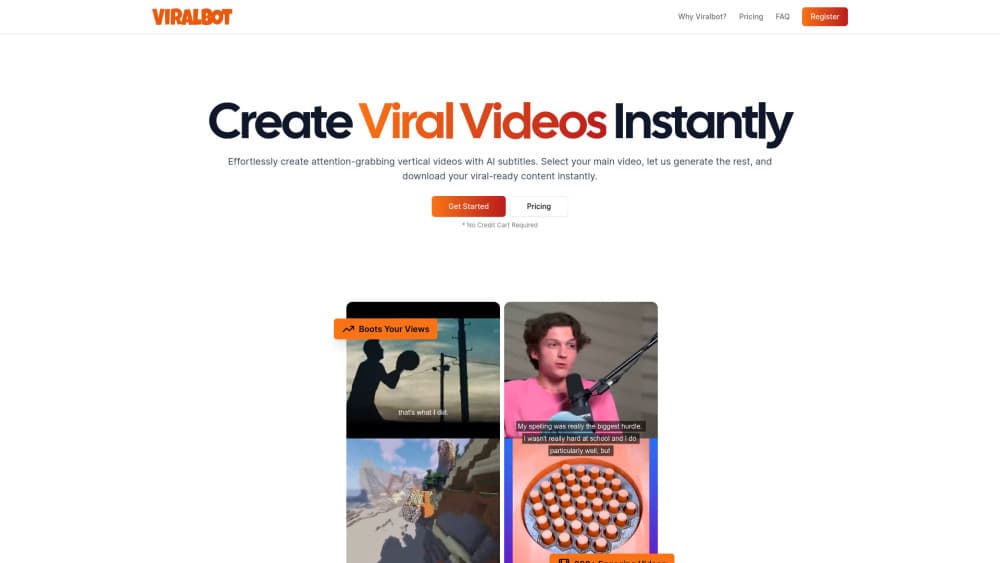
About ViralBot
What Is ViralBot
ViralBot is a web app that takes a talking-head recording you already own and turns it into a finished vertical video. You upload the footage, and the tool handles captions, supporting clips, and the 9:16 framing in one pass. The output lands at 1080p and is sized for the usual short video feeds.
The problem it solves is timeline work. Cutting a 20 minute recording into three shorts means trimming, re-framing, typing subtitles, and hunting for B-roll that fits. ViralBot does a first pass on all four steps, so you spend your time reviewing instead of assembling.
The limits are worth knowing before you pay. It's a browser tool with no mobile app, the output stays close to a template look, and captions still need a check on names and technical terms. You also have to bring your own main footage, because the tool pairs clips from its stock library with video you upload.
Getting Started
- Create an account on the ViralBot site. The first video doesn't ask for a card.
- Upload a main video you own or have permission to use, up to 3 minutes on paid plans.
- Run the generate step and let the tool write captions, pick supporting footage, and build the vertical frame.
- Review the edit, swap any clip that doesn't fit, and adjust caption styling.
- Render and download the 1080p file, then post it to the platform you publish on.
Product Information
A quick look at ViralBot's pricing, supported platforms, and performance.
Best for
The users, tasks, and scenarios where this tool fits best.
Users
- Educators and course sellers
- Coaches and consultants
- Solo creators without an editing routine
Tasks
- Turning one long recording into several shorts
- Adding readable captions to a phone-first video
- Filling gaps with supporting footage
- Re-formatting horizontal footage for vertical feeds
Scenarios
- A weekly content cadence with a small team of one
- Repurposing a webinar or podcast
- Testing hooks before a bigger shoot
Key features
Automatic Editing Pass
ViralBot builds the edit for you: it cuts the main footage, sets the vertical frame, and places captions in one run. You get a viewable draft instead of an empty timeline. The value is time, not craft. Expect to touch the result before publishing.
Captions Built for Muted Viewing
Captions are generated from your audio and styled for phone screens. You can change the look and fix words the model got wrong, which matters for names, product terms, and accents. Nothing is burned in until you render.
200+ Clip B-roll Library
The tool pairs your main video with supporting footage pulled from a built-in library of more than 200 clips. If a pick clashes with your message, regenerate it and try a different match. This is the feature that makes ViralBot a vertical video editor rather than a subtitle tool.
Creator Controls Before Render
Every generated element stays editable. Swap the B-roll, adjust pacing, restyle the text, and check the framing before you spend a render. This keeps you in charge of what goes out under your name.
1080p Exports and Platform Sizing
Finished files come out at 1080p in a vertical frame suited to TikTok videos, YouTube Shorts, and Instagram Reels. You download the file and publish it yourself, so there's no account linking or scheduler to set up.
Credit Pricing That Scales With Output
Plans are sold in credits rather than fixed video counts. Starter gives 200 credits for $7.99 a month, Creator 500 for $14.99, and Studio 1,000 for $29.99. An average video runs about 100 credits at up to 3 minutes.
Pros and cons
Pros
- Produces a complete vertical draft from one upload, covering captions, B-roll, and framing in a single pass.
- The clip library removes the hardest part of making shorts, which is finding footage that supports what you're saying.
- Every element stays editable, so a generated edit is a starting point rather than a locked output.
- Credit pricing maps to output, and the $7.99 entry plan is low enough to test on real footage.
- Review before render means you don't burn credits on an edit you'll discard.
Cons
- You must supply your own main footage, so it's useless if you have no recording to start from.
- 200 credits covers roughly two videos, and a 10 video month on the entry plan isn't possible without upgrading.
- It's browser only, which rules out phone-first workflows where you shoot and publish on the same device.
- Captions still need a manual pass on names and jargon, and there's no documented public API for automating uploads.
Frequently asked questions
ViralBot is an automatic short-form video editor that turns a recording you upload into a captioned vertical video with supporting B-roll. It runs in a browser and exports 1080p files you publish yourself.
Related content
Explore related tools, skills, and articles for ViralBot.
ViralBot Alternatives

Google EmbeddingGemma 2
Google DeepMind · Writing · Image · CodingGoogle EmbeddingGemma 2 is a 740M-parameter open model that turns text, code, images, audio, and video frames into vectors in one 768-dimension space, running on phones and laptops.

MePersona
MePersona, Inc. · Writing · Productivity · MarketingMePersona is an AI unified inbox for creators. It learns your voice, drafts replies to fan messages from 12 platforms, and sends only what you approve.

Fluence
Yay Software (Yannick Huchard) · Writing · Voice & Language · ProductivityFluence is an Android app that reads PDFs, EPUBs, Word files and web articles aloud, follows each sentence as it speaks, and answers questions about the text on the phone itself.