

Translated Vocabulary Flashcards Generator
VocabGenerator · Writing
Translated Vocabulary Flashcards Generator turns PDFs, subtitles, images, or a topic into translated vocabulary flashcards for learners, teachers, and self-study.
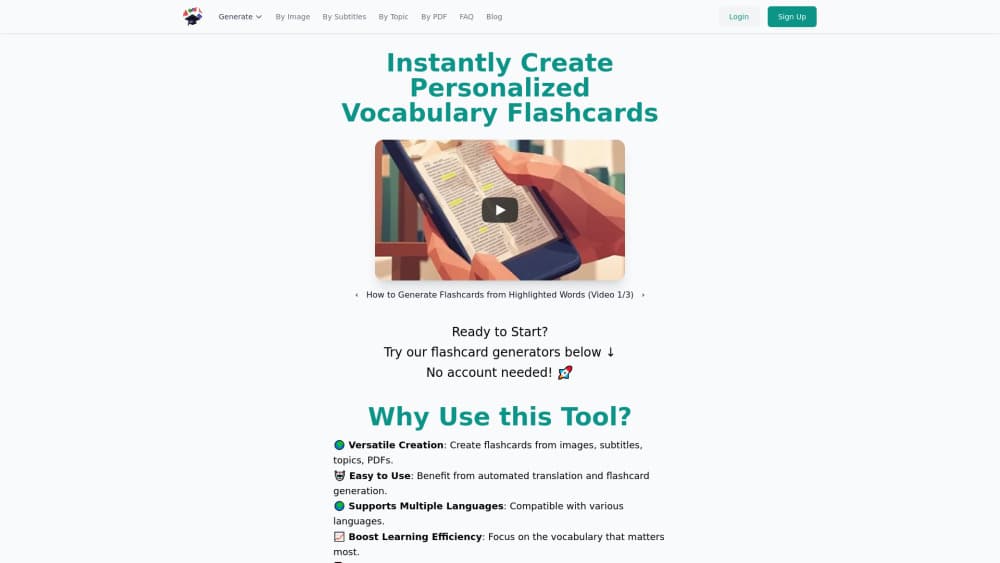
About Translated Vocabulary Flashcards Generator
What Is Translated Vocabulary Flashcards Generator
Translated Vocabulary Flashcards Generator is a free flashcard generator for anyone who needs word lists without typing them by hand. You give it a source (a PDF, a screenshot, a subtitle file, or just a topic), and it detects vocabulary, translates each word, and hands back a reviewable set. The results export straight to Anki, Quizlet, CSV, or PDF.
The appeal is speed. Pulling vocabulary out of a textbook chapter or a film's subtitles used to mean hours of manual entry, word by word, card by card. Here you upload, review, and export in one sitting. No credit card. No account, if you don't want one.
Two things worth knowing before you rely on it. Translations come from Google Cloud Translation, with topic-based sets handled by the Llama 3 language model, and both can miss context. The site itself suggests double-checking the output. Limits also apply to some features when you skip signing up. Fair warning, then, but not a dealbreaker.
Getting Started
- Open the site and pick a source: topic, PDF, image, or subtitles.
- Set the source language (the language you're learning) and target language for translations.
- Choose how many words you want in the set, then generate.
- Review the cards, remove anything you already know, and confirm the translations.
- Export to Anki, Quizlet, CSV, or PDF.
Product Information
A quick look at Translated Vocabulary Flashcards Generator's pricing, supported platforms, and performance.
Best for
The users, tasks, and scenarios where this tool fits best.
Users
- Language learners
- Teachers and tutors
- Exam prep students
Tasks
- Building a vocabulary deck from a PDF textbook
- Turning a film's subtitles into study cards
- Learning from a photo of handwritten notes
Scenarios
- Cramming for a test tomorrow
- Preparing class material
- Casual vocabulary building
Key features
Four Ways to Build a Set
You aren't limited to typing words in. Point the tool at a topic, upload a PDF, drop in an image, or hand it a subtitle file, and it pulls the vocabulary for you. Subtitle support is the unusual one here. Most flashcard tools stop at text and PDFs, so film and series learners get a real option. That's a niche, but a real one.
Automatic Translation
Each word comes back with its translation already attached. The front and back of every card are filled before you touch it. Topic-based sets use the Llama 3 language model, while uploaded files and images lean on Google Cloud Translation, so the two paths don't behave identically. The site is upfront that you should double-check the results, which is fair advice for any machine translation.
Export to Anki, Quizlet, CSV, or PDF
Sets leave the tool in formats you probably already use. Anki and Quizlet imports mean your cards drop straight into the study apps you already know, while CSV and PDF cover printing, spreadsheets, and anyone who'd rather work offline. That range matters if your class or study group is split across tools. Everyone studies their own way, after all.
Topic-Based Generation
Type a subject and the tool builds a relevant word list for it, no source file needed. You pick the source language for the new words and the target language for translations, then set how many words you want. If you're learning a language and already read PDFs, watch subtitled films, or photograph word lists, this tool saves you the tedious part of turning that material into something you can actually review.
Free to Use Without an Account
You can generate flashcards without signing up or entering card details, and the site says everything is currently free. Some features stay limited on the free, no-account path. Creating an account is optional, and if you make one you can delete it with a button.
Pros and cons
Pros
- No signup, no credit card, and free to start
- Built from real sources: PDFs, images, subtitles, or topics
- Exports to Anki, Quizlet, CSV, and PDF
- Account creation is optional and easy to reverse
- Handles translation automatically, saving manual entry
Cons
- Machine translations can miss context, so review before studying
- Some features are limited if you skip creating an account
- It's web-only, with no offline mode or mobile app
- No public API for automating set creation
Frequently asked questions
Yes. The site says everything is currently free, and you can create flashcards without an account or credit card. Some features stay limited until you sign up.
Related content
Explore related tools, skills, and articles for Translated Vocabulary Flashcards Generator.
Translated Vocabulary Flashcards Generator Alternatives

Google EmbeddingGemma 2
Google DeepMind · Writing · Image · CodingGoogle EmbeddingGemma 2 is a 740M-parameter open model that turns text, code, images, audio, and video frames into vectors in one 768-dimension space, running on phones and laptops.

MePersona
MePersona, Inc. · Writing · Productivity · MarketingMePersona is an AI unified inbox for creators. It learns your voice, drafts replies to fan messages from 12 platforms, and sends only what you approve.

Fluence
Yay Software (Yannick Huchard) · Writing · Voice & Language · ProductivityFluence is an Android app that reads PDFs, EPUBs, Word files and web articles aloud, follows each sentence as it speaks, and answers questions about the text on the phone itself.