

Vocol.ai
Vocol AI (Aiello, Taipei) · Voice & Language · Productivity
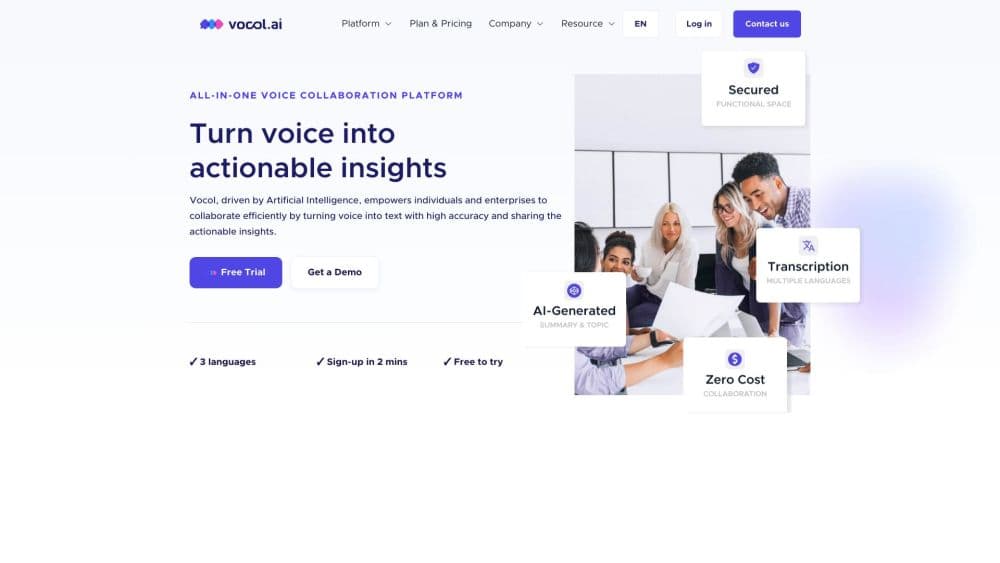
Vocol.ai is an AI voice collaboration platform that transcribes meetings, interviews and lectures in Chinese, English and Japanese, then turns them into shareable summaries, topics and action items.
About Vocol.ai
What Is Vocol.ai
Vocol.ai is a web and mobile workspace for people who talk for a living and then have to write things down. Fed a call, a lecture, an interview or a podcast, it produces a searchable transcript, a bulleted outline of key takeaways and a topic list, and it keeps all of it in one cloud library that coworkers can open, comment on and search.
The software comes from a Taipei team, and the product is aimed at the part of Asia where meetings flip between Mandarin, Japanese and English inside a single hour. That focus shows in the language list, which is short by design instead of sprawling. The vendor says the speech models were trained in-house for those three languages, and that mixed-language conversations stay readable in the transcript.
The catch is scope. Vocol is not built to be a universal meeting recorder that hops into any video call on its own. It takes uploaded audio and video files, and connects to some conference systems and meeting platforms for automatic recording, with more on the way. Someone expecting a bot that appears in every calendar invite should check the integration list before signing up. There's also a usage currency called V-points, which covers transcription time and makes cost planning a bit less obvious than a flat monthly price.
Getting Started
- Sign up for a free account at vocol.ai. Every new account starts with 200 V-points, and 1 V-point covers about 1 minute of transcription.
- Upload an audio or video file from the browser, or install the mobile app and record straight from the phone. A single upload can run up to 180 minutes.
- Let the AI work. It detects the language, separates speakers, writes the transcript, then builds a summary, a topic list and suggested action items.
- Fix names and terminology in the transcript. Renaming a speaker updates every line at once, so a cleanup pass takes seconds.
- Mark the moments that matter, share them as highlights, and assign action items to teammates so everyone leaves with the same list.
Product Information
A quick look at Vocol.ai's pricing, supported platforms, and performance.
Best for
The users, tasks, and scenarios where this tool fits best.
Users
- Sales and account managers
- Journalists and podcasters
- Students in Asian universities
- Team leads
Tasks
- Meeting transcription and minutes
- Interview transcription
- Cross-border calls
- Turning talk into to-dos
Scenarios
- A weekly client review that has to be shared with people who missed it
- A monthly review of team output
- Online courses and seminars
Key features
Multilingual transcription tuned for Asian languages
Meeting transcription is the core job here, and Vocol does it in Chinese, English and Japanese, including recordings where speakers switch between them mid-conversation. The vendor credits in-house speech models for the accuracy, and the language detection step runs automatically, so users don't declare a language before uploading. For teams in Taipei, Tokyo or Singapore, this is the part of the product that matters most.
AI summaries and automatic topics
AI meeting summaries arrive right after transcription: the AI writes a bulleted outline of the key takeaways and tags the main topics, which is the fastest way to recall a long call without replaying it. The output is meant to be skimmed and edited, not accepted as final copy. It works best on recordings with clear speech and obvious structure, like a sales call or a lecture.
Action items linked to the moment they were said
Vocol pulls tasks and decisions out of the transcript and ties each one to the exact timestamp it came from. Users assign items to teammates from inside the platform, and reminders nudge the owner when a due date approaches. The benefit is small but concrete: no more post-meeting scramble to reconstruct who agreed to what.
Highlight Hub for team knowledge
Highlights are the moments someone marked as worth keeping, and the Highlight Hub collects them across all files. Coworkers can search highlights by keyword, filter them by date and team, and organize them into folders or chapters. Over time the hub becomes a library of how a team actually works, which is useful for onboarding.
Analytics dashboard for team behavior
The dashboard shows a topic word cloud across all voice files, ranks files by comments and highlights, and tracks V-point consumption per user. It also summarizes reactions, so a manager can see which approach colleagues liked. It's a management view, and it only tells you as much as your team actually uses comments and highlights.
Shared file library with role-based permissions
Every recording lands in one library that supports keyword search inside conversations, filters by team, owner, subject and time period, and permission controls by role. Members can comment on specific lines of a transcript instead of trading screenshots over chat. Access control matters here, since meeting audio often contains client names and pricing.
Transcript translation across 20+ languages
Finished transcripts can be translated into more than 20 languages using GPT-based translation. That covers the gap when a client speaks Japanese and the delivery team reads English, without exporting files to another tool. The translation applies to the transcript, not to a fresh audio transcription in a new language.
Pros and cons
Pros
- Asian language strength: Chinese, Japanese and English all work, including recordings that mix them, which is uncommon among transcription tools built for Western markets.
- Collaboration is built in: highlights, comments, folders and action items live next to the transcript instead of in a separate notes app.
- Pricing scales by use: the basic tier is free forever with 200 V-points, and Pay As You Go packs start at $16 for 450 V-points, so light users aren't forced into a subscription.
- Speaker labels can be fixed in one action: renaming a speaker updates the whole transcript, which saves real editing time on multi-person calls.
Cons
- Only three transcription languages: English, Chinese and Japanese are supported, so teams working in Spanish, Korean or French have to look elsewhere.
- V-points make budgeting fuzzy: costs depend on how much audio you transcribe, and heavy meeting weeks can drain a pack faster than people expect.
- Recording automation is limited: automatic capture depends on supported conference systems and meeting platforms, so some users will still upload files by hand.
- Team analytics rewards participation, not quality: reaction and highlight counts can reward vocal teammates rather than the best ideas, so treat the dashboard as a rough signal.
Frequently asked questions
It records or accepts your audio and video files, transcribes them in Chinese, English or Japanese, then generates a summary, a topic list and action items. Everything stays in a shared library where teammates can comment and search.
Related content
Explore related tools, skills, and articles for Vocol.ai.
Vocol.ai Alternatives

Foley
Hanamori Labs, LLC · Voice & Language · Productivity · AI AssistantFoley is a voice to-do list that turns a spoken sentence into a filed task, complete with project, date and time, then helps you plan the day around what is already there.

HireKey
HireKey · Voice & Language · Productivity · LeaningHireKey is an AI job search copilot built by a former tech recruiter. It checks role fit, tailors resumes, runs interview practice and tracks every application.

Fluence
Yay Software (Yannick Huchard) · Writing · Voice & Language · ProductivityFluence is an Android app that reads PDFs, EPUBs, Word files and web articles aloud, follows each sentence as it speaks, and answers questions about the text on the phone itself.