

Vocova
NOWGIC LTD · Writing · Voice & Language
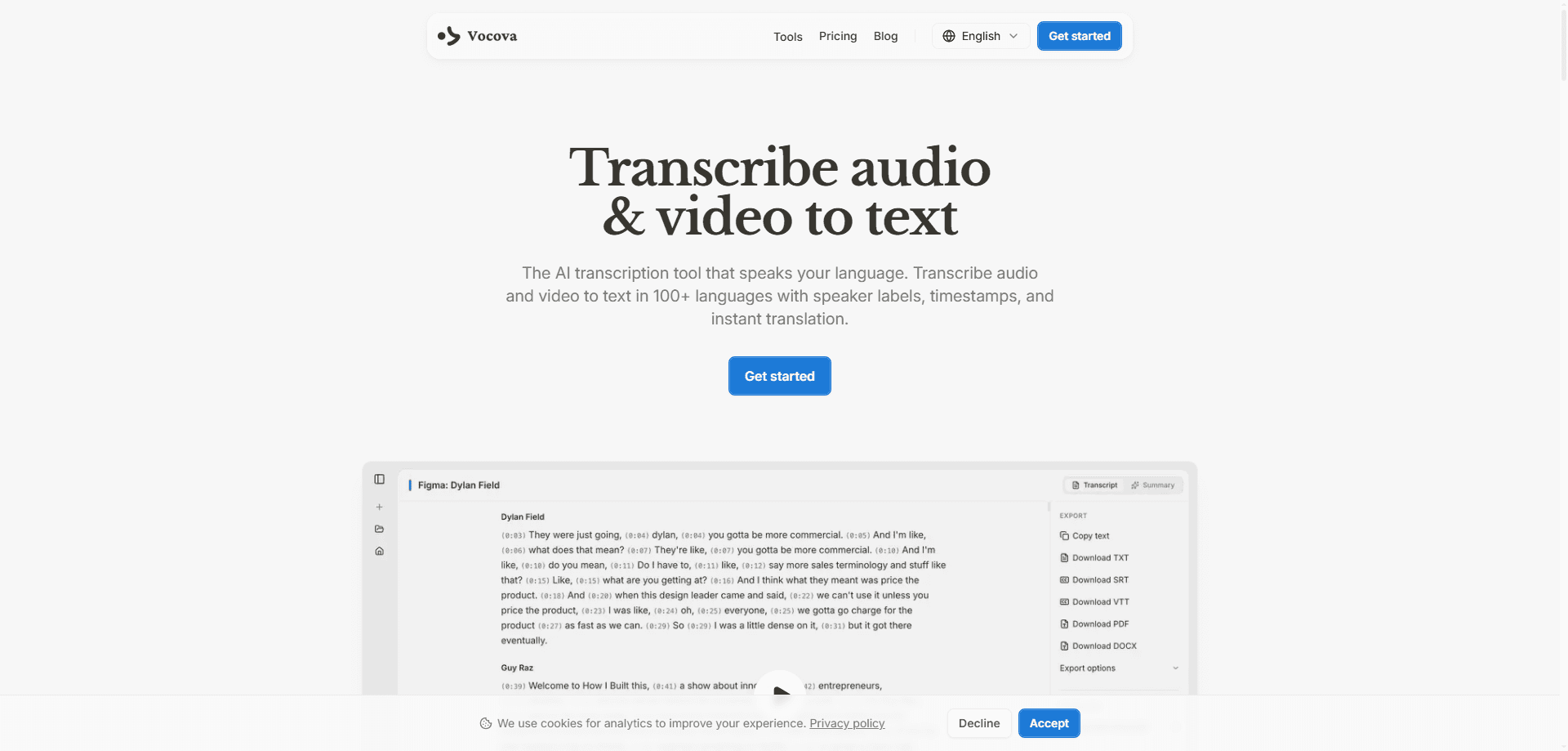
Vocova is a web-based AI transcription tool that turns audio and video into editable text, subtitles, summaries, and translations. It works as a video to text and audio to text converter across 100+ languages, labels different speakers automatically, and accepts both uploaded files and media URLs from 1,000+ platforms like YouTube, Vimeo, and SoundCloud. You sign in, drop in a recording, and get a timestamped transcript in minutes. Nothing to install.
About Vocova
What Is Vocova
Vocova is an online speech-to-text service built for people who deal with recordings but don't want to type them out by hand. Meetings, interviews, lectures, podcasts, and phone calls all land in the same place: a cloud workspace where the AI does the listening. The company behind the tool is NOWGIC LTD, and the whole thing runs in a browser.
The main draw is breadth. Vocova transcribes in 100+ languages, auto-detects the language spoken, and can translate a finished transcript into 140+ languages on paid plans, which means a single recording can move from a raw source file into a polished, multilingual document without leaving one browser tab. Speaker identification is included too, so a two-person interview reads like a two-person interview instead of a wall of unlabeled text. Every transcript ships with an editor, so you can fix names, clean up labels, and share the result with a link. Sound useful? It usually is.
The catch is that this is a web app, not a developer platform. There's no public transcription API, SDK, or MCP server to wire into your own software, and anything you do here needs a Vocova account. Free users also hit real ceilings: 30 minutes of transcription, files under 30 MB, and three stored transcripts. So who gets the most out of it? Mostly people who process recordings by hand today and want that work to shrink, not teams building automated media pipelines.
Getting Started
- Create a free account at vocova.app using Google or email. No credit card needed.
- Upload an audio or video file, or paste a supported media URL from platforms such as YouTube or Apple Podcasts.
- Pick a quality tier: Standard for speed, High for maximum accuracy.
- Wait a few minutes for the AI to transcribe and label speakers.
- Open the built-in editor to tidy up the text, then export it as TXT, SRT, VTT, DOCX, PDF, or CSV.
Product Information
A quick look at Vocova's pricing, supported platforms, and performance.
Best for
The users, tasks, and scenarios where this tool fits best.
Users
- Journalists and researchers
- Students
- Podcasters and video creators
- Meeting-heavy teams
Tasks
- Converting audio to text
- Generating subtitles
- Translating recordings
- Pulling text from online video
Scenarios
- Post-meeting write-ups
- Interview research
- Content repurposing
- Studying from recordings
Key features
Transcription in 100+ Languages
Vocova transcribes audio and video across more than 100 languages, including English, Spanish, French, German, Japanese, Arabic, Hindi, and Korean. It works as a speech to text and transcript generator in one pass, auto-detecting what's being spoken, or you can set the language yourself when you know it. Both media files and pasted URLs go through the same flow, so a YouTube clip and a local recording behave alike.
Automatic Speaker Identification
Speaker diarization labels each voice in a recording, which matters for interviews, panels, and meetings where multiple people talk. You don't set anything up; the tool sorts speakers as it works, and you can rename the labels afterward. This feature is limited to paid plans, so free users get an unlabeled transcript.
Translation to 140+ Languages
Once a transcript exists, Vocova can translate it into 140+ languages while keeping the structure intact. That's useful if you publish in more than one market or need a quick read of a foreign-language recording, because you get the meaning in your own language without hunting for a translator or paying per document. Translation sits behind the Plus tier and up.
Multiple Export Formats
Finished transcripts export as TXT, SRT, VTT, DOCX, PDF, or CSV. The SRT and VTT options double as a subtitle generator for video uploads, while DOCX and PDF suit written reports. Free accounts get TXT only. The other formats come with paid plans.
Built-in Editor With Auto-Save
Every transcript opens in an editor where you can correct wording, fix timestamps, and adjust speaker names. Changes save as you go, and you can share the final version through a unique link, so a colleague or client can read the cleaned-up text without you exporting a separate file or pasting it into an email thread. The editor is the difference between a raw machine dump and something you'd actually send to a client.
URL Import From 1,000+ Platforms
Beyond direct uploads, Vocova accepts media URLs from 1,000+ platforms such as YouTube, Instagram, Facebook, Vimeo, Bilibili, SoundCloud, X, and Apple Podcasts, which means you can transcribe a video you only have a link to without ever downloading it to your machine first. Access depends on each platform's permissions, so some links won't work, but it saves the download-then-upload step when they do.
Summaries and Two Quality Tiers
Each transcript comes with an AI-generated summary, handy for skimming a long recording. You also choose between Standard and High quality: Standard finishes faster, while High leans toward accuracy on tricky audio, so a noisy phone call and a clean studio podcast get different levels of care depending on which you pick. A 60-minute file typically clears in 3 to 5 minutes.
Pros and cons
Pros
- Wide language coverage: 100+ transcription languages and translation into 140+ more.
- Speaker identification comes standard on paid plans, no manual tagging.
- URL import skips the download step for recordings already online.
- Six export formats, including SRT and VTT for subtitles.
- Works in any modern browser with nothing to install.
Cons
- No public API, so you can't plug Vocova into your own software or automate a pipeline.
- The free plan is tight: 30 minutes, 30 MB file limit, and only three stored transcripts.
- Speaker labels and most export formats require a paid plan, which limits casual use.
- Transcription accuracy on messy or heavily accented audio will vary, and you'll still want to proofread.
Frequently asked questions
Vocova turns audio and video into text. People use it for meeting notes, interview transcripts, podcast subtitles, lecture summaries, and translating recordings into other languages. It works entirely in a web browser.
Related content
Explore related tools, skills, and articles for Vocova.
Vocova Alternatives

Google EmbeddingGemma 2
Google DeepMind · Writing · Image · CodingGoogle EmbeddingGemma 2 is a 740M-parameter open model that turns text, code, images, audio, and video frames into vectors in one 768-dimension space, running on phones and laptops.

MePersona
MePersona, Inc. · Writing · Productivity · MarketingMePersona is an AI unified inbox for creators. It learns your voice, drafts replies to fan messages from 12 platforms, and sends only what you approve.

Fluence
Yay Software (Yannick Huchard) · Writing · Voice & Language · ProductivityFluence is an Android app that reads PDFs, EPUBs, Word files and web articles aloud, follows each sentence as it speaks, and answers questions about the text on the phone itself.