

Voibe
Voibe · Voice & Language · Coding
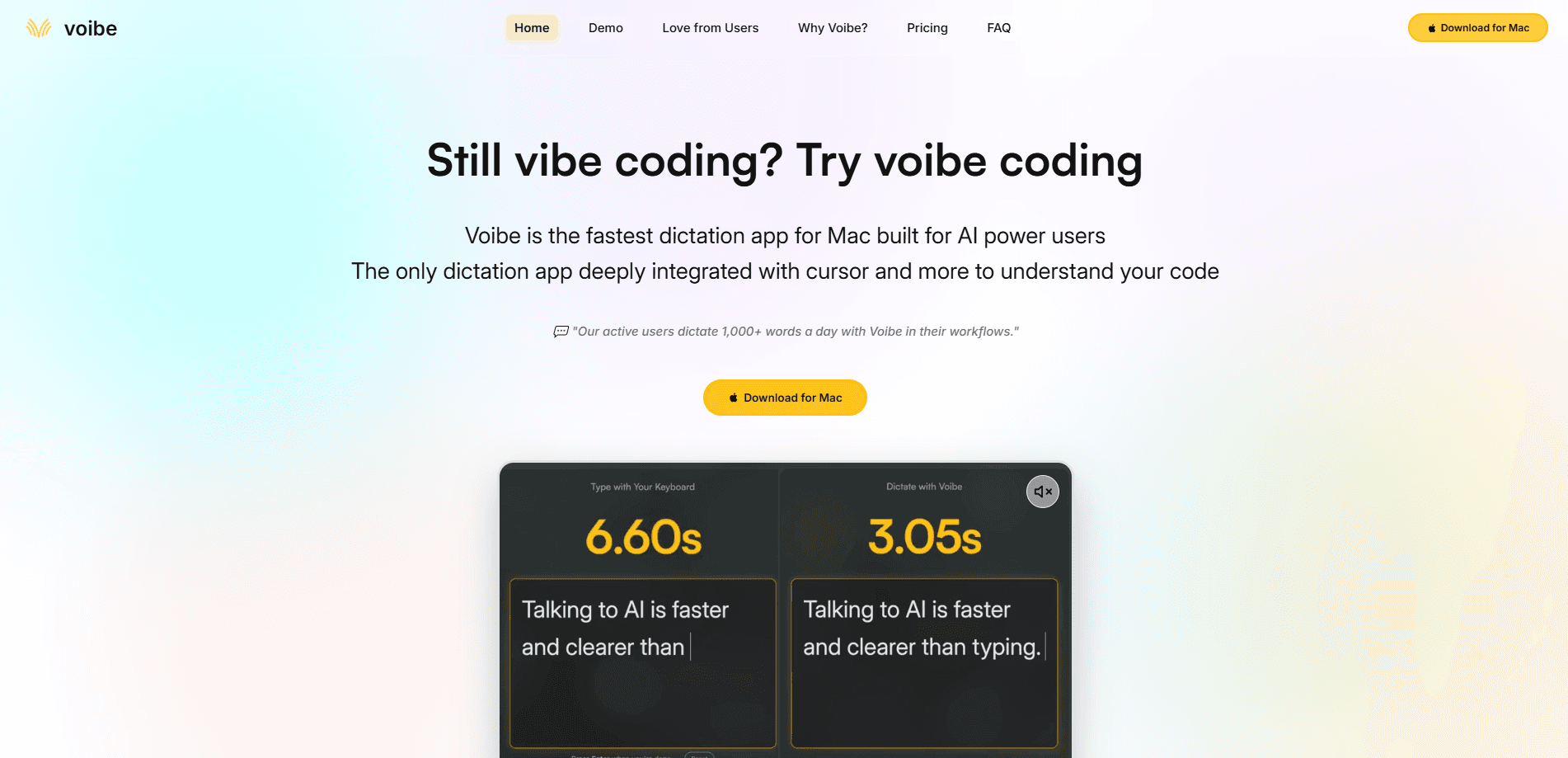
Voibe is a voice dictation app for Mac and Windows that types whatever you say into the app you're already using. Hold a key, talk, and release. Your words land at the cursor in Slack, Notion, Cursor, or anything else on screen. It runs on open-source speech models with zero retention, and on Apple Silicon it can work fully offline. The company says 4,000-plus professionals use it, mostly developers and people who write for a living and got tired of typing.
About Voibe
What Is Voibe
Voibe is a dictation app built around one gesture. You press and hold a hotkey, speak at your normal pace, and release when you're done. The text shows up wherever your cursor sits, so there's no copying between windows and no switching apps. It works the same way on a Mac and a PC, which matters if you bounce between both during the day.
The bigger selling point is privacy. Most dictation tools pipe your audio through a cloud provider, and several keep logs or train on what you say. That's the standard private dictation complaint, and it's why some people avoid voice tools entirely. Voibe says it uses open-source models only, keeps zero retention, and never treats your voice as training data. On a Mac with Apple Silicon you can run dictation fully offline, so nothing leaves the machine at all. There's also a Developer Mode aimed at coders, since spoken punctuation and code-friendly formatting matter more when you're writing functions than when you're drafting an email.
The limits are worth naming up front. There's no free tier, only a 7-day trial. It's desktop only, so no iPhone or Android version. And the offline mode depends on Apple Silicon hardware, which leaves older Intel Macs and Windows machines on the zero-retention cloud path instead. So who is it actually for? If you type for a living on a Mac or PC and care where your audio goes, it's aimed squarely at you.
Getting Started
- Download Voibe from the official site and install it on your Mac or Windows PC. There's a 7-day free trial, and no credit card is required to start.
- Open the app and pick your hotkey. The default is the Fn key, but you can choose another if that clashes with something you already use.
- Set your mode. Push to Talk holds the key while you speak; Hands-Free Mode latches after a double-tap so you can dictate longer passages without holding anything.
- Add your own words in Custom Vocabulary and build shortcuts in Memory for names, URLs, and repeat phrases the model tends to get wrong.
- Click into any text field, hold the key, speak, and release. Your words appear at the cursor, ready to edit like normal typed text.
Product Information
A quick look at Voibe's pricing, supported platforms, and performance.
Best for
The users, tasks, and scenarios where this tool fits best.
Users
- Developers
- Writers and knowledge workers
- Privacy-minded professionals
Tasks
- Drafting long text
- Firing off messages
- Writing code and prompts
Scenarios
- Working in a low-signal spot where cloud dictation tools stall but an offline Mac keeps running.
- Handling client notes or case files you'd rather not send to a third-party server.
- Repetitive daily writing like status updates and follow-ups, where voice just gets it done faster.
Key features
Push to Talk That Works Anywhere
Push to Talk is the whole idea in one gesture: hold your hotkey, speak, release, and the words appear at your cursor. It works in any app on Mac or Windows, so Claude, Notion, Slack, and a code editor all behave the same way. No switching windows, no copying text back and forth. The company says this covers the fastest case, firing off a short message or prompt. It holds up fine for longer stretches too, and because the text lands exactly where you were already typing, you never lose your place in a document or a chat thread the way you might if you had to hop to a separate transcription window.
Hands-Free and Live Dictation
Double-tap the hotkey and Voibe latches, letting you dictate as long as you want without holding a key down. On Mac, Live Dictation also streams your words in as you speak, so you can catch a mistake and edit before the text even lands. That combination is why some users treat it as a replacement for the keyboard rather than a supplement. It's the mode to reach for when you're dictating a full document instead of a one-line reply.
Memory Shortcuts
Memory stores snippets that expand into longer text. You can fix a name the model keeps misspelling, save a signature or a URL you paste all day, or keep a reusable AI prompt ready to drop in. Say the trigger, and the full text appears. It sounds small until you notice how much of your typing is the same handful of phrases over and over. For developers and support staff, that repetition is most of the job. Small win, big relief.
Developer Mode
Developer Mode adjusts dictation for people writing code and prompts. Spoken punctuation renders the way a developer expects, so you don't fight with ordinary prose formatting when what you actually want is a bracket or a symbol. Cursor and similar coding tools are the natural home for it. The company lists Developer Mode on every plan, so it isn't an upsell. If your day runs through an editor and an AI assistant, this is the feature that decides whether Voibe fits.
Privacy by Design
Voibe is pitched as private by design. It uses open-source models only, keeps zero retention, and states your voice is never used as training data. On Apple Silicon Macs, dictation can run entirely on device, so audio never crosses the network. Windows and Intel Macs use a zero-retention cloud path instead. For anyone who has avoided dictation because of where the audio goes, this is the main reason to look twice.
One Tool Across Mac and Windows
The same app runs on Mac and Windows with the same three-step flow and the same privacy stance, so switching machines doesn't mean relearning your setup. Mac support covers both Intel and Apple Silicon chips, while Windows runs on any modern PC. Macs pick up the extra on-device mode and Live Dictation; Windows gets the faster zero-retention cloud dictation. If your team is split across both platforms, everyone's on the same tool. That consistency is worth more than it sounds.
Pros and cons
Pros
- Dictation lands in any app, so there's no window switching or copy-paste.
- Zero retention and open-source models suit sensitive and confidential work.
- Fully offline dictation on Apple Silicon Macs, no network needed.
- Hands-Free Mode and Live Dictation handle long passages comfortably.
- Developer Mode and Memory cut the friction of writing code and repetitive text.
Cons
- No free plan; you get a 7-day trial before the paid tiers start.
- Desktop only, with no iPhone or Android app for dictating on the move.
- Offline dictation needs Apple Silicon, so Windows and Intel Macs rely on the cloud.
- Speech accuracy depends on your microphone and accent, and louder rooms can trip it up.
Frequently asked questions
Voibe turns your speech into text in whatever app you're using, so you can write emails, messages, documents, and code by talking instead of typing. It's aimed at people who spend hours a day at the keyboard and want to move faster without switching tools.
Related content
Explore related tools, skills, and articles for Voibe.
Voibe Alternatives

Prosp
Prosp · Writing · Voice & Language · MarketingProsp is an AI LinkedIn outreach tool built for agencies and sales teams, and it writes the message and the voice note in your own voice for each prospect so they actually reply. You connect your accounts, find leads, and let the AI draft and send personalized messages at scale, all from one inbox. It's built for people running outbound at volume. That's the whole pitch. Every touchpoint still has to feel human.

Wordly AI Translation
Wordly · Voice & Language · ProductivityWordly AI Translation is a real-time AI translation and captioning platform built for meetings, conferences, and events. It delivers live translation, captions, transcripts, and summaries in more than 60 languages, and attendees join by scanning a QR code or opening a link instead of using dedicated headsets. The platform works with Zoom, Microsoft Teams, Google Meet, and Webex, and it's designed for organizations that want multilingual access without hiring human interpreters for every session. Simple as that.
Musicful
Musicful AI · Voice & Language · VideoMusicful is an AI music generator and AI music video maker that turns text to music in minutes. Give it a text prompt, a set of lyrics, or a hummed melody and it returns a finished track with vocals and instruments. It also doubles as an AI song generator, produces music videos from the songs you create, and offers an AI cover tool plus a developer API. The platform runs in a web browser and through an Android app, so you can start a song on desktop and pick it up on your phone.