

Voice Mate - AI Voicemail
Voice Mate · Voice & Language
Voice Mate - AI Voicemail is an AI voicemail assistant that picks up missed calls, asks each caller why they called, and sends you a short summary instead of a raw recording. It runs as a phone number plus mobile apps and a web portal, so freelancers, solo founders, and small teams can stay reachable without answering every call. The service adds transcripts, call recordings, custom AI prompts, and third-party integrations on top of a pay-as-you-go call plan. Setup takes minutes.
About Voice Mate - AI Voicemail
What Is Voice Mate - AI Voicemail
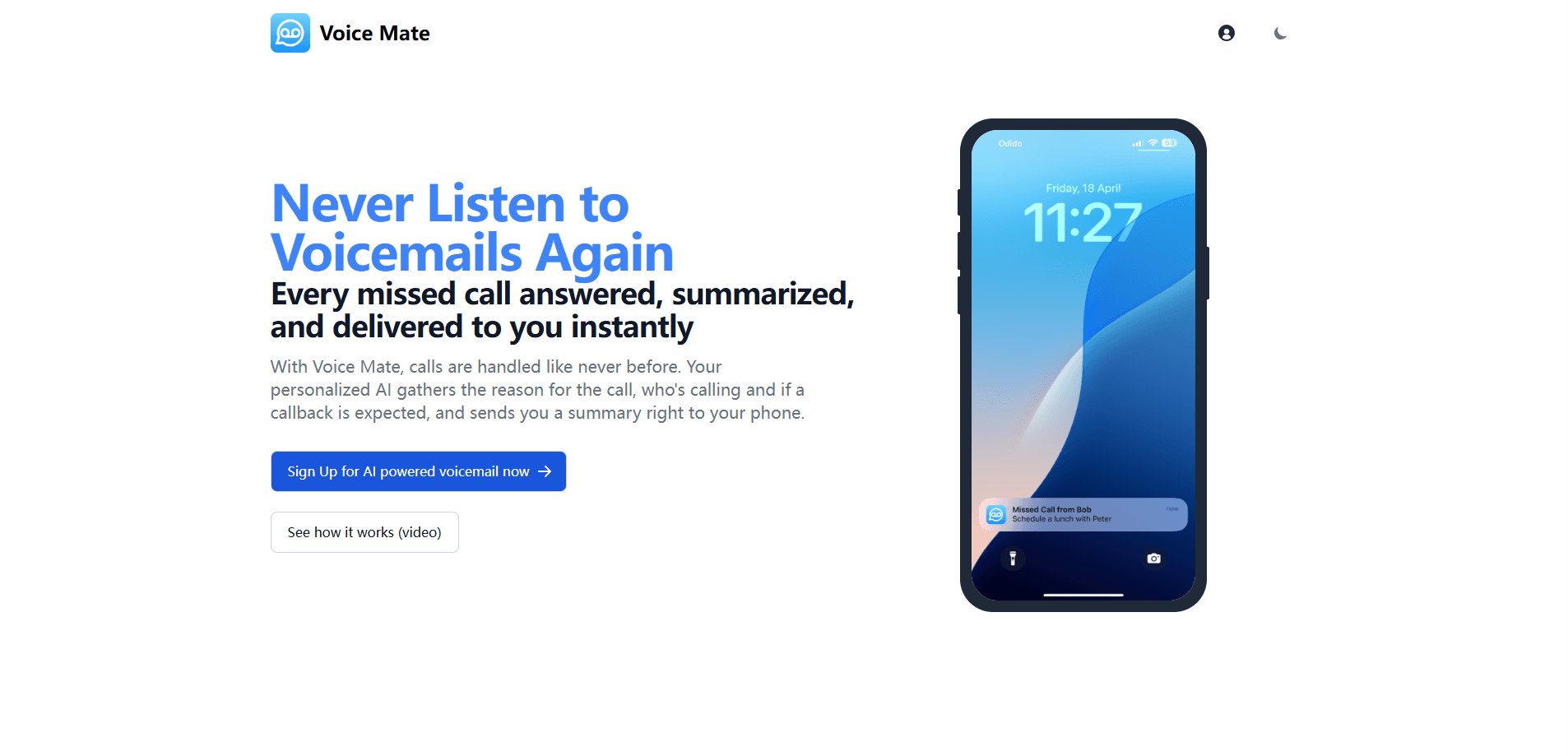
Voice Mate - AI Voicemail is an AI voicemail assistant for people who miss calls and hate digging through recordings. Instead of a beep and a long message, your caller gets a friendly AI receptionist. It asks who's calling, why they called, and whether they expect a callback. You then get a written summary pushed to your phone.
Who's it for? Mostly people who work alone or in small teams.
The product targets freelancers, entrepreneurs, and small teams who don't have a receptionist. It gives you a personal voicemail number, answers the calls you can't take, and keeps a searchable record of who wanted what. That record matters more than you'd think. The AI also speaks multiple languages, so a caller in another country hears a greeting in their own language rather than a generic prompt.
The main limitation is the cost model. You get 30 minutes of incoming calls each month. Everything past that gets billed by the second at $0.004. If your phone rings constantly, those seconds add up. There's also a one-time $2.50 setup fee for provisioning your real number if you don't continue after the trial.
Getting Started
- Sign up at voicemate.us and start the 14-day trial, which has no charge on day one.
- Claim your personal voicemail phone number and forward missed calls to it, or enable Voice Mate with one tap in the mobile app.
- Customize your AI prompt and voice so the assistant asks for the details that matter to your business.
- Take a call and review the summary, transcript, and recording in the app or web portal.
- Connect your tools, such as Slack or your CRM, to route summaries where your team already works.
Product Information
A quick look at Voice Mate - AI Voicemail's pricing, supported platforms, and performance.
Best for
The users, tasks, and scenarios where this tool fits best.
Users
- Freelancers and solo founders
- Small teams without a receptionist
- People who get calls in several languages
Tasks
- Screening missed calls
- Turning voicemail into text
- Routing messages to a team
Scenarios
- Working in meetings or deep focus
- Running a one-person business
- Handling after-hours calls
Key features
AI Call Answering and Summaries
When a call reaches Voice Mate, the assistant greets the caller and asks who's calling and why. It also checks whether they want a callback. It then condenses the conversation into a short summary and sends it to your phone. No audio required. You get the intent of the call without listening to a minute of recording first.
Voicemail Transcription and Recordings
Every handled call comes with a transcript and a recording. You can scan the text and jump to the part you need. That matters when a caller rattles off a phone number or an order detail. The transcript also makes your voicemail searchable later.
Custom Prompts and Voices
You can write the AI prompt yourself, which changes what the assistant asks and how it sounds. A consultant might collect project scope, while a shop might ask about order numbers. There's a choice of voices too, so the greeting fits your brand instead of sounding like a default robot. Small touch, big difference.
Multilingual Caller Experience
Voice Mate speaks multiple languages and accents, so callers hear a greeting in a language they understand. Anyone running a business across borders avoids the awkward moment where a customer hangs up because they couldn't follow the prompt. In practice, that's the difference between a logged lead and a lost one.
Mobile Apps and Web Portal
There's an app for iOS and Android plus a web portal for managing numbers, prompts, and history on a bigger screen. Missed calls and summaries land on your phone. They also live in the portal, where you can review everything in one place. No laptop needed to check a call.
Third-Party Integrations
The service connects to outside tools so summaries don't sit in one inbox. You can push inbound voicemail to a team channel or a CRM. Your follow-up work stays in the systems your team already uses, and nobody has to forward a recording by hand.
Pay-As-You-Go Calling
Incoming calls get 30 minutes each month. After that you pay $0.004 per second for what you use. Billing is prorated, so canceling mid-month only charges for calls you actually took. That suits people with unpredictable call volumes.
Pros and cons
Pros
- Callers get a real conversation, not a beep and a long recording.
- Summaries and transcripts cut the time you spend reviewing voicemail.
- The AI greeting adapts to the caller's language and accent.
- Integrations push summaries to tools your team already uses.
- Prorated billing means you only pay for calls you took.
Cons
- Only 30 incoming minutes are included before per-second charges start.
- A $2.50 setup fee applies if you don't continue after the trial.
- The API is limited to the Enterprise plan, so smaller users can't build on it.
Frequently asked questions
Voice Mate - AI Voicemail answers the calls you miss, asks each caller for their details, and sends a written summary to your phone. It also stores a transcript and recording for every handled call. Every conversation becomes something you can review in text rather than replay as audio.
Related content
Explore related tools, skills, and articles for Voice Mate - AI Voicemail.
Voice Mate - AI Voicemail Alternatives

Foley
Hanamori Labs, LLC · Voice & Language · Productivity · AI AssistantFoley is a voice to-do list that turns a spoken sentence into a filed task, complete with project, date and time, then helps you plan the day around what is already there.

HireKey
HireKey · Voice & Language · Productivity · LeaningHireKey is an AI job search copilot built by a former tech recruiter. It checks role fit, tailors resumes, runs interview practice and tracks every application.

Fluence
Yay Software (Yannick Huchard) · Writing · Voice & Language · ProductivityFluence is an Android app that reads PDFs, EPUBs, Word files and web articles aloud, follows each sentence as it speaks, and answers questions about the text on the phone itself.