

VoiceCap
VoiceCap · Voice & Language · Productivity · Business
VoiceCap is an AI meeting notetaker that records, transcribes and summarizes meetings in more than 100 languages, whether people are in the same room or scattered across a Zoom, Google Meet, Microsoft Teams or Webex call. It joins online meetings automatically through your calendar, separates speakers, pulls out decisions and action items, and keeps every recording in an EU data center. Teams get one searchable archive, free viewers, and an MCP connection so Claude or ChatGPT can answer questions from past meetings.
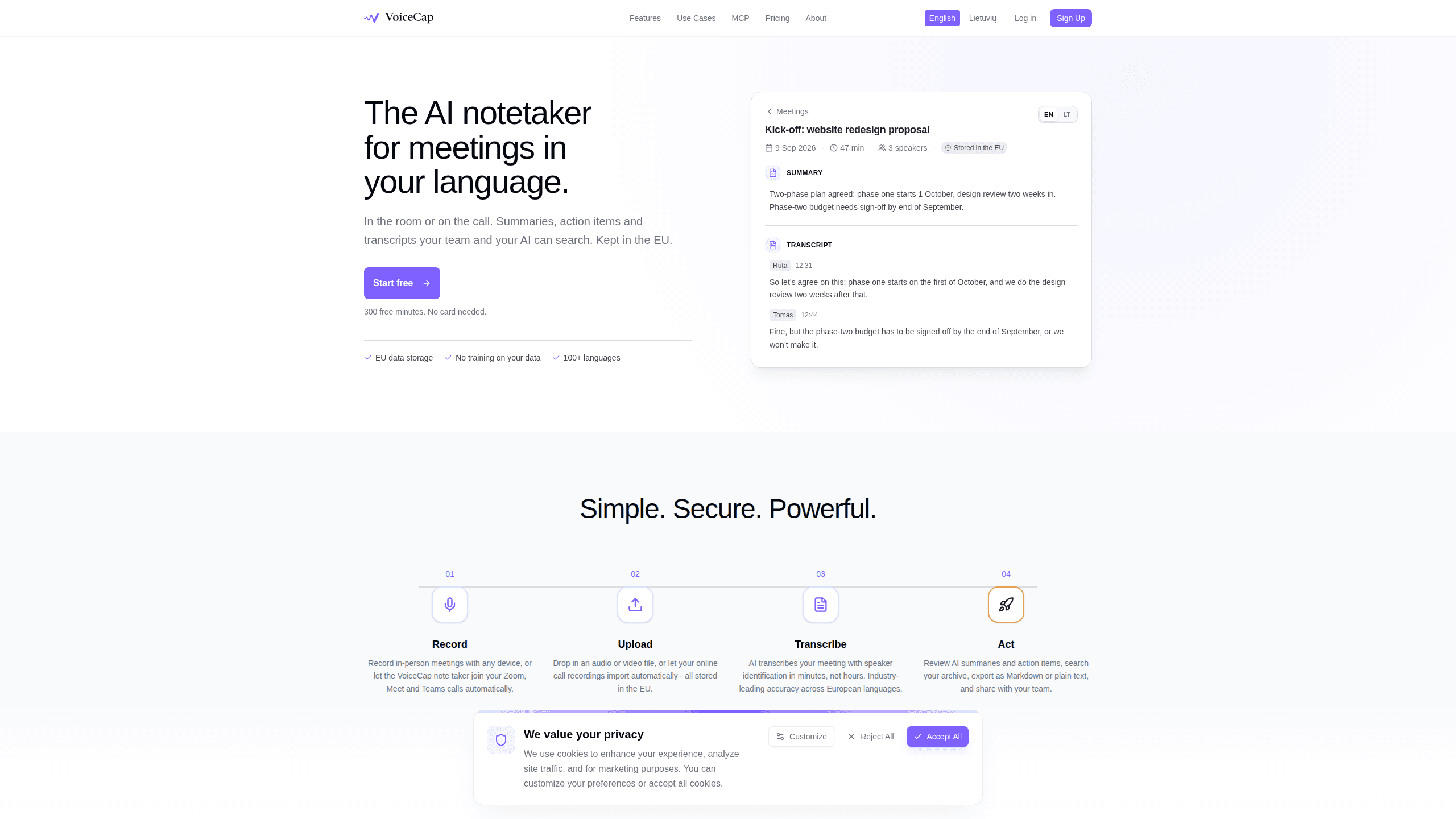
About VoiceCap
What Is VoiceCap
VoiceCap is a meeting assistant built by an EU company for teams that hold a lot of meetings and forget what was decided in them. It handles the boring part: turning a conversation into a clean transcript, a short summary, and a list of who promised what. Simple as that. You can record in person from a phone, upload an audio or video file, or let the notetaker join your online call and record it for you.
The main problem it solves is that decisions vanish. Someone agrees on a budget, a date, or a next step, and two weeks later nobody can remember the exact wording. It happens constantly. VoiceCap pulls each decision out of the meeting, links it to the second it was said, and makes it searchable across every meeting in the workspace.
The biggest limitation is scope. This isn't a general productivity suite. It does meetings, transcripts and summaries, and that's it. Business-tier features many large companies ask for, such as SSO, SCIM provisioning and audit logs, are on the roadmap rather than shipped today. Pricing is also seat-based, so a big team pays per person.
Getting Started
- Sign up at voicecap.ai with your email or Google account. The free plan gives you 300 minutes, and you don't need a card to start.
- Connect your Google or Outlook calendar so the notetaker can join scheduled calls automatically, or add the meeting bot to a specific Zoom, Meet, Teams or Webex link.
- Record your first meeting from the browser or the iOS and Android apps, or upload an existing audio or video file.
- Wait a few minutes for the transcript, summary, decisions and action items to appear, then review and edit them.
- Share the meeting with a person, a group, or the whole workspace, and export it as Markdown or plain text if you need it elsewhere.
Product Information
A quick look at VoiceCap's pricing, supported platforms, and performance.
Best for
The users, tasks, and scenarios where this tool fits best.
Users
- Remote and hybrid teams
- Students and researchers
- Managers who hate taking notes
Tasks
- Capturing action items
- Transcribing multilingual calls
- Searching old decisions
Scenarios
- A weekly product stand-up where the same five people repeat decisions that nobody writes down.
- A client call in the evening where you'd rather listen than type, then review the notes the next morning.
- An in-person workshop with no laptop open, recorded from a phone and transcribed later.
Key features
Meeting capture three ways
VoiceCap takes meetings in from three directions: an in-room recorder in the browser or mobile app, an upload of any audio or video file, and an automatic bot that joins your online call. The bot works with Zoom, Google Meet, Microsoft Teams and Webex, and can pull meetings straight from your Google or Outlook calendar. Speaker separation is on by default. A file with several voices still comes back labeled.
Transcription in 100+ languages
This is the heart of the meeting transcription engine. It identifies speakers in minutes, not hours. European language accuracy is where it shines. Language detection is automatic, so you don't pick a setting before each call. If two people switch languages mid-sentence, the transcript usually keeps up. Heavy accents or poor audio still cause mistakes.
Summaries, decisions and action items
After the transcript lands, the meeting summarizer writes a short recap and pulls out the decisions and action items separately. Each item links to the second it was said. That matters when you need the exact wording before acting. You can edit a summary by hand and request it in another language if your team works across borders.
One searchable team archive
Meetings sort themselves into projects based on what was said. Search covers transcripts, summaries and decisions together, and every hit links back to the moment it came from. No more scrolling through an hour of video. The AI meeting notes just work. Roles control who sees what: owners and admins run the workspace, members record and share, and viewers only read.
Ask your meetings from Claude or ChatGPT
VoiceCap works as an MCP server. Add it to Claude, ChatGPT or any MCP client, then ask questions about your meetings. It answers using your archive and links to the moment. The connection is read-only. It sees only what you can already see, and nothing else. This is the feature that separates it from a plain recorder.
EU data storage and privacy rules
The company is EU-based and stores recordings in the EU, under GDPR. It states plainly that it doesn't train on your data. That's the pitch. For teams that can't send recordings to just any vendor, that's often the deciding factor, and it's a limit too: the archive lives in one region, with no option to pick a local store elsewhere.
Pros and cons
Pros
- Generous free tier: 300 minutes with no card, plus unlimited free viewers who only read.
- Strong language range: 100+ languages detected automatically, with a clear focus on European accuracy.
- EU hosting with GDPR compliance and an explicit no-training-on-your-data promise.
- MCP support lets Claude or ChatGPT answer questions from your meeting archive.
- Decisions and action items link back to the exact second they were said.
Cons
- Business-tier controls that large companies expect, including SSO, SCIM, retention rules and audit logs, are still on the roadmap instead of available now.
- Seat-based pricing means costs climb as the team grows. Viewers stay free, but anyone who records needs a paid seat.
- Recordings are locked to EU storage, so teams that need another region have no choice here.
- No general meeting-adjacent tools beyond capture and notes, so you still need separate software for tasks and docs.
Frequently asked questions
It records meetings, transcribes them with speaker labels, and produces a summary, decisions and action items. Everything lands in one searchable archive your team can share. Think of it as a notetaker, not a full project manager.
Related content
Explore related tools, skills, and articles for VoiceCap.
VoiceCap Alternatives

Foley
Hanamori Labs, LLC · Voice & Language · Productivity · AI AssistantFoley is a voice to-do list that turns a spoken sentence into a filed task, complete with project, date and time, then helps you plan the day around what is already there.

HireKey
HireKey · Voice & Language · Productivity · LeaningHireKey is an AI job search copilot built by a former tech recruiter. It checks role fit, tailors resumes, runs interview practice and tracks every application.

Fluence
Yay Software (Yannick Huchard) · Writing · Voice & Language · ProductivityFluence is an Android app that reads PDFs, EPUBs, Word files and web articles aloud, follows each sentence as it speaks, and answers questions about the text on the phone itself.