

VoiceChanger.im: AI Voice Cloner & Text to Speech Free Online
VoiceChanger.im · Voice & Language
VoiceChanger.im is a free browser based AI voice changer and voice cloner that turns typed text or an uploaded clip into a different voice, with preset effects and a daily free quota.
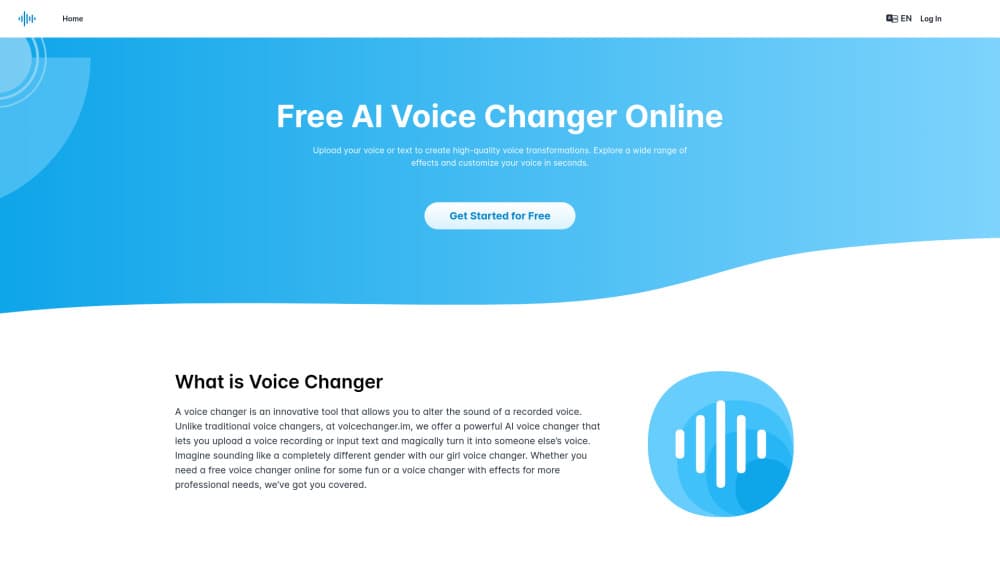
About VoiceChanger.im: AI Voice Cloner & Text to Speech Free Online
What Is VoiceChanger.im
VoiceChanger.im is a web app that rewrites how a voice sounds, and it's the free voice changer online most people land on when they want a quick test without installing anything. You type a script or upload a recording, pick a target voice, and the service speaks the material back in that voice. Everything runs in the browser, so there's no installer and no virtual audio driver to configure.
Two modes cover most of the work. Text to speech turns a written script into spoken audio. Speech to speech keeps your timing and delivery, then swaps the timbre underneath. Both sit behind a login, and both draw from the same pool of voices.
Voice Cloning and the Voice Library
The AI voice cloner is the part people come for. You add a sample of a voice under Voices Creation, wait for processing, and the service builds a reusable model you can apply to any later script. A recording of roughly a minute is enough, and a clean take without background noise gives a much closer match than a phone call captured in a busy room.
Ready made voices fill the rest of the list. Gender presets handle the girl voice changer requests, character and effect voices cover robot, deep, and cartoon reads, and the text to speech engine speaks multiple languages. It's a useful set for short projects and a thin one if you need a specific accent.
Where It Stops
This is not a live voice changer. The site says so itself, and the workflow confirms it: you upload, wait, then download. Nothing here will disguise your voice inside Discord, Zoom, or a game lobby, because the tool never touches your microphone stream. For that you need desktop software with a virtual microphone.
The other limits are practical. A daily quota caps how much you can generate, generated audio stays in your history for 7 days, and free accounts share the queue with everyone else. Clone only voices you have permission to use, since a cloned voice is a copy of a real person.
Getting Started
- Open voicechanger.im in a browser, then log in with an email address or a Google account.
- Pick Text to Speech for a script or Speech to Speech for an existing recording, then upload a file up to 50 MB or record straight into the page.
- Choose a voice from the library, or add your own under Voices Creation with a short, quiet sample.
- Generate the audio, listen to the preview, then download it before the 7 day window closes.
Product Information
A quick look at VoiceChanger.im: AI Voice Cloner & Text to Speech Free Online's pricing, supported platforms, and performance.
Best for
The users, tasks, and scenarios where this tool fits best.
Users
- Budget conscious content creators
- Tabletop and roleplay players
- Video editors working on a laptop
Tasks
- Turning a written script into narration
- Swapping the voice on an existing clip
- Building a reusable character voice
- Making a short prank or greeting clip
Scenarios
- Testing how a character sounds before a recording session
- Producing a voiceover on a work laptop with no admin rights
- Adding an anonymous read to a social clip
Key features
Text to Speech With a Voice Library
The core mode takes pasted text and returns finished speech. You can type directly into the editor or drop in a paragraph, then browse a library of preset voices before committing. It handles long scripts in one pass, which makes it usable for a full video narration rather than a single sentence test.
Speech to Speech Conversion
Speech to speech keeps the performance and changes the identity. The tool reads your uploaded or recorded clip, preserves the rhythm and emphasis, and re-renders it in the target voice. For dubbing a line you already acted out, that's faster than feeding the script back through text to speech and hoping the timing survives.
Voice Cloning From a Short Sample
Under Voices Creation you add a voice, upload a sample, and the AI voice cloner builds a model you can reuse. The claim of about one minute of audio holds up for a rough match, and the quality climbs with a cleaner source. Cloned voices stay in your account, so you aren't re-uploading the sample every session.
Gender and Character Presets
The girl voice changer presets are the most visible draw, and they work in both directions, so a female voice for a male speaker and the reverse. Character voices add robot, deep, and cartoon reads on top. These are stylized rather than forensic, which suits gaming, skits, and social clips more than commercial dubbing.
A Voice Changer for PC That Runs in the Browser
There's no download, no plugin, and no license key. Open the site on a Windows laptop, a Mac, or a Chromebook and the editor loads with your account. The voice changer for PC label fits because the layout assumes a keyboard and a file manager, and the 50 MB upload ceiling covers most podcast segments and short video clips.
Daily Free Quota and Short Lived History
Every account gets a daily allowance, shown as quota remaining in the editor, and it resets on a rolling basis. Generated files sit in Speech Synthesis History for 7 days. That's a backup window, not storage, so download anything you plan to keep.
Pros and cons
Pros
- Runs entirely in the browser, so a locked down work laptop can still use it.
- Voice cloning needs about a minute of audio, which is short enough to record on a phone in a quiet room.
- Text to speech and speech to speech share one voice library, so a cloned voice works for both scripts and existing clips.
- The daily free quota is enough to judge output quality before paying anything.
- The interface is plain: upload, pick a voice, generate, download, with no timeline or mixer to learn.
Cons
- No real time processing, which rules it out for Discord, Zoom, or in game chat where most voice changer demand sits.
- Generated audio disappears after 7 days, so a forgotten download means regenerating from scratch, and the quota gets charged twice.
- The preset library is short on accents and languages compared with paid AI voice generators, which limits dubbing work.
- Long scripts burn the daily quota fast, and the queue slows down when the service is busy.
Frequently asked questions
It converts text into speech and re-voices existing recordings. People use it for narration, character voices, dubbing a clip, and short prank audio, all from a browser tab.
Related content
Explore related tools, skills, and articles for VoiceChanger.im: AI Voice Cloner & Text to Speech Free Online.
VoiceChanger.im: AI Voice Cloner & Text to Speech Free Online Alternatives

Foley
Hanamori Labs, LLC · Voice & Language · Productivity · AI AssistantFoley is a voice to-do list that turns a spoken sentence into a filed task, complete with project, date and time, then helps you plan the day around what is already there.

HireKey
HireKey · Voice & Language · Productivity · LeaningHireKey is an AI job search copilot built by a former tech recruiter. It checks role fit, tailors resumes, runs interview practice and tracks every application.

Fluence
Yay Software (Yannick Huchard) · Writing · Voice & Language · ProductivityFluence is an Android app that reads PDFs, EPUBs, Word files and web articles aloud, follows each sentence as it speaks, and answers questions about the text on the phone itself.