

Voiceflow
Voiceflow · Voice & Language · Chatbot
Voiceflow is an enterprise conversational AI platform for building chat and voice agents. Teams design, test, and deploy customer support agents without a black box.
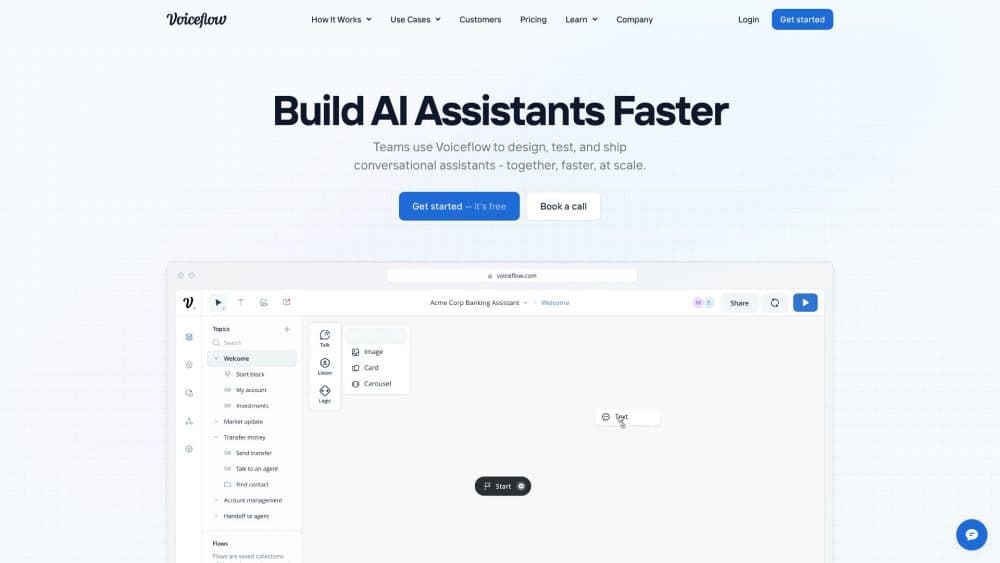
About Voiceflow
What Is Voiceflow
Voiceflow is an AI agent platform for building, launching, and scaling agents that handle customer conversations. Support and product teams use it for customer support automation, designing voice AI agents and chat agents that answer questions, run refund and billing tasks, and hand off to humans when needed. The work happens in one visual builder, then ships to chat and voice channels your customers already use.
The pitch is control without the engineering overhead. You pick the models, wire up your own systems, and keep every agent decision visible rather than handing the whole thing to a vendor. Refunds and account changes run as scripted workflows, so nothing critical gets improvised by a model mid-conversation.
Two limits shape when this fits. It's built for customer experience teams, not for personal chatbot tinkering, so solo hobbyists will find it heavy. And while the free trial needs no credit card, running agents in production is billed by usage, which means costs follow your traffic rather than a flat seat price.
Getting Started
- Sign up at voiceflow.com. The free trial needs no credit card, so you can open a project and explore the builder right away.
- Design the agent. Drag steps onto the canvas to map the conversation, or write playbooks that give the agent your policies and let a model handle the reasoning.
- Connect your tools. Link the systems your team already runs, such as Zendesk, Salesforce, or HubSpot, so the agent can read tickets and update records.
- Test before you ship. Run conversations in the builder, review what the agent did, and adjust the logic until the answers hold up.
- Deploy to a channel. Publish the agent to web, app, WhatsApp, SMS, or voice, and watch live traffic in the observability suite.
Product Information
A quick look at Voiceflow's pricing, supported platforms, and performance.
Best for
The users, tasks, and scenarios where this tool fits best.
Users
- Customer support teams
- CX and product leaders
- Engineers supporting a CX team
Tasks
- Deflecting high-volume support tickets with customer support automation
- Running a voice support line
- Triaging and routing requests
- Prototyping a support agent before a rebuild
Scenarios
- Cutting a backlog without adding headcount
- Launching support in a new language
- Replacing a rigid decision tree
Key features
Agent Builder with Playbooks
The builder lets you mix two styles of logic in one agent. Deterministic workflows handle steps that must run the same way every time, like processing a refund or updating an account. Playbooks give the agent your policies and let a model reason through the rest. A global instruction layer and guardrails sit on top, so you keep control over what the agent will and won't do.
Model Choice and Bring Your Own Model
Voiceflow won't lock you to one provider. You can pick from the major LLM vendors, including GPT, Claude, Gemini, Llama, and Grok models, or connect a model you run yourself. Swapping models doesn't mean rebuilding the agent, which matters when a cheaper or better option arrives.
Observability and Evaluations
The observability suite records what the agent did on every conversation, down to the individual step. LLM-powered evaluations let you grade responses at scale and spot where the agent drifts. For teams running high volumes, that's the difference between guessing why a metric moved and tracing the exact exchange that caused it.
Production Environments
Agents move through development, staging, and production environments, all hosted on Voiceflow. You can test changes in staging before they touch live traffic, which keeps a half-finished workflow out of customers' hands.
Integrations for Your Stack
Native integrations connect agents to tools teams already run, including Zendesk, Salesforce, HubSpot, Shopify, Google Sheets, Airtable, Make, and Gmail. For anything outside that list, headless APIs and MCP let engineers route requests into custom backends without a migration.
Multichannel Deployment
One agent can serve web, app, WhatsApp, SMS, and voice channels. Support runs across every channel a customer might use, in their language, rather than forcing everyone into a single widget.
Atlas Assistant
Atlas works alongside the team as they build. It helps turn support expertise into agent process and refine playbooks, so writing a working agent doesn't depend on one person holding all the context.
Pros and cons
Pros
- The builder pairs scripted workflows with model reasoning, so money-handling steps stay predictable while open questions still get flexible answers.
- Model choice stays open, which means you can switch to a cheaper or stronger model without rebuilding the agent.
- Conversation-level observability and LLM evaluations make it possible to trace why an agent behaved a certain way instead of guessing.
- Native integrations cover the major help desk and CRM tools, cutting down the wiring work before launch.
- Usage-based billing ties cost to actual traffic, so low-volume teams aren't paying for capacity they don't use.
Cons
- It's aimed at business support teams, so individual users and hobbyists will find the setup heavier than they need.
- Getting real value depends on connecting your own systems and mapping your policies, which takes setup time before the agent earns its keep.
- Production costs follow usage, so a sudden spike in traffic can raise the bill faster than a flat-rate plan would.
- Voice agents and advanced evaluations are most useful at higher volumes, so small teams may not use the full platform.
Frequently asked questions
Voiceflow builds AI agents that handle customer conversations. Support and product teams use it to design agents that answer questions, process refunds, and route tickets, then deploy them across chat and voice channels.
Related content
Explore related tools, skills, and articles for Voiceflow.
Voiceflow Alternatives

Foley
Hanamori Labs, LLC · Voice & Language · Productivity · AI AssistantFoley is a voice to-do list that turns a spoken sentence into a filed task, complete with project, date and time, then helps you plan the day around what is already there.

HireKey
HireKey · Voice & Language · Productivity · LeaningHireKey is an AI job search copilot built by a former tech recruiter. It checks role fit, tailors resumes, runs interview practice and tracks every application.

Fluence
Yay Software (Yannick Huchard) · Writing · Voice & Language · ProductivityFluence is an Android app that reads PDFs, EPUBs, Word files and web articles aloud, follows each sentence as it speaks, and answers questions about the text on the phone itself.