

Voiceglow
Convocore (formerly Voiceglow / TIXAE Agents) · Voice & Language · Chatbot
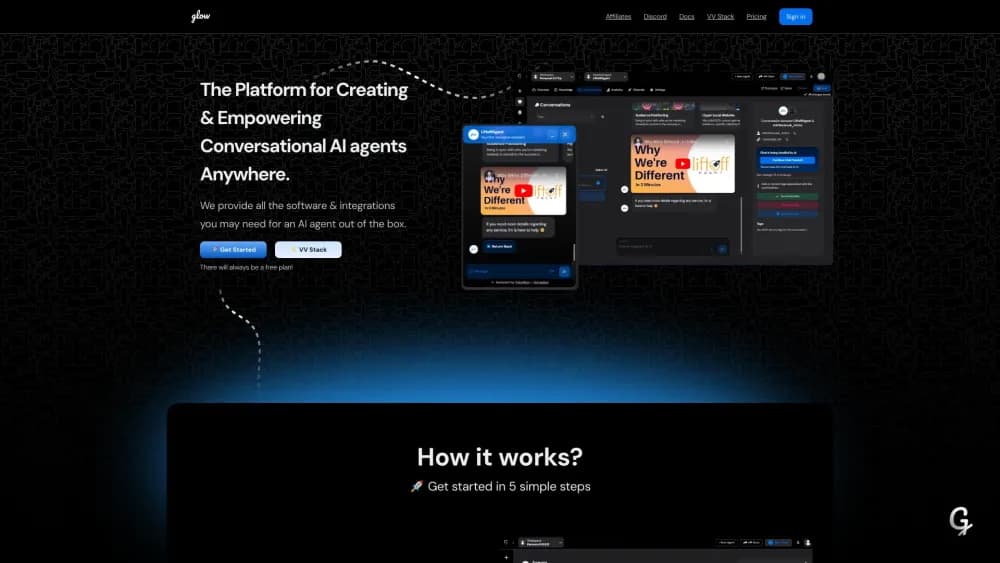
Voiceglow, now branded Convocore, is a no-code AI agent platform for building chat and voice agents that run on your website, WhatsApp, Instagram, and real phone numbers.
About Voiceglow
What Is Voiceglow
Voiceglow is a browser-based platform for building AI agents that talk to customers in text and in voice. You write the agent's role, feed it your documents, wire the tricky parts in a visual canvas, then publish the same agent to a website widget, a messaging app, or a phone number. The company now sells the product as Convocore, and voiceglow.org redirects to the new site. Older reviews call it TIXAE Agents, so three names describe one platform.
The problem it solves is fragmentation. A small team usually ends up with a website chat widget, a separate WhatsApp bot, and a third tool for phone calls, and each one has to learn the business from scratch. Voiceglow keeps one agent behind all of those channels. It started as a no-code chatbot builder before voice arrived, and the plan structure still shows that order: chat is cheap, phone calls are not. Agencies get a second layer on top: per-client workspaces, their own domain, and their own markup.
The limits are worth knowing before you sign up. Voice runs on the Business plan and above, so the Starter plan can't answer a call. Every message and every voice minute spends agent credits, and a busy agent burns them faster than the plan size suggests. If you have never built a conversation flow, the canvas takes an afternoon to get comfortable with.
Getting Started
- Sign up at voiceglow.org, which now opens the Convocore site. The free plan comes with 500 credits and a web widget.
- Create an agent and describe its job in plain language, then choose a model from the tier your plan unlocks.
- Add knowledge. Paste URLs, upload documents, or write answers by hand so the agent stops guessing at details.
- Open the canvas to build branches, conditions, and tool calls, then run the conversation in the test panel.
- Publish to the channels you need: drop the script tag on a site, connect WhatsApp or Instagram, or attach a Twilio number or SIP trunk for calls.
- Check sessions and analytics, tag the leads, and set a handoff rule for questions the agent shouldn't answer alone.
Product Information
A quick look at Voiceglow's pricing, supported platforms, and performance.
Best for
The users, tasks, and scenarios where this tool fits best.
Users
- Agency owners
- Small service businesses
- In-house support teams
Tasks
- Answering website questions from your own documents
- Booking appointments over the phone
- Qualifying leads on WhatsApp and Instagram
- Reselling a branded agent to clients
Scenarios
- A dental practice that misses calls during procedures
- A salon running reminders
- A real estate office fielding listing questions at night
Key features
Prompt-First Agent Setup
You start with a description of the job rather than a blank flow chart. The platform turns that description into a working agent, then lets you pick which model tier handles the replies. Free accounts run on value models, and each paid step unlocks stronger ones, which matters when an agent has to follow multi-step instructions instead of answering one question at a time.
Visual Canvas for Conversation Logic
The canvas is where the agent stops being a chatbot and starts being a process. You drag nodes for conditions, branches, loops, variables, and tool calls, so a refund request can follow a different path from a pricing question. Developers can drop into the same flow to call an API, and non-technical staff can edit the wording without touching the structure.
Omnichannel Deployment
One agent publishes to web chat, WhatsApp, Instagram, Facebook Messenger, Telegram, SMS, and email. Building omnichannel AI agents this way means the channel is a connection setting, not a rewrite, so the same answers show up wherever the customer starts. The value is consistency: a customer who asks on Instagram and then emails gets answers from the same knowledge base. Setup for each channel is a connection step rather than a rebuild, and the web widget works on WordPress, Shopify, Wix, Squarespace, and custom sites through a script tag or iframe.
Real-Time Voice Agents
Voice is the part that separates this from a plain chatbot builder. You can buy a Twilio number inside the platform, import an existing one, or connect your own carrier through SIP trunking. Transcription runs on Deepgram or Google, speech on ElevenLabs, Cartesia, and others, and the platform reports sub-second response latency on its own stack. Calls can be handed to a person mid-sentence with the transcript attached.
Knowledge Base and Tool Integrations
The knowledge base accepts URLs, documents, FAQs, and plain text, and it updates when you add a source rather than requiring a retrain. A WhatsApp chatbot built here draws on the same documents as the web widget, so you fix an answer once. On the action side, the agent can reach Google Calendar, Shopify, CRMs, Make, n8n, and about 40 other tools, or anything with a REST endpoint. That split matters: knowledge answers questions, tools finish the task.
White-Label Agency Workspace
Agencies get their own login page, logo, colors, custom domain with SSL, and branded report emails. Each client sits in a separate workspace, so data and billing stay apart. The platform takes no cut of what you charge, which is the main reason agencies pick it over a per-seat reseller program. Client self-signup is reserved for the top Elite plan.
REST API, Webhooks, and MCP Access
The REST API covers workspaces, agents, tools, knowledge documents, and conversations, with Bearer token authentication. Webhooks fire on conversation events, so you can push a finished call into your own system. MCP access lands on the Business plan, which lets an outside assistant query the same agent setup.
Pros and cons
Pros
- One agent serves chat, messaging apps, and phone calls, so you maintain a single knowledge base instead of three.
- The white-label layer includes a custom domain, branded emails, and zero revenue share, which suits agencies selling AI services.
- Voice setup is flexible: buy a number in the platform, import a Twilio line, or bring a carrier through SIP trunking.
- The free plan includes 500 credits and a working web widget, enough to judge reply quality before paying.
Cons
- Voice is locked to the Business plan at $99/mo, so the $29 Starter price is misleading for anyone who wants phone calls.
- Credits are consumed per message and per voice minute, and heavy use can outrun a plan well before the month ends.
- Chat quality depends on the model tier your plan unlocks, so the cheapest plan gives the weakest answers on complex requests.
- The rebrand from Voiceglow to Convocore leaves old tutorials, reviews, and pricing screenshots pointing at plans that no longer exist.
Frequently asked questions
Voiceglow builds AI agents that handle customer conversations across a website, messaging apps, and phone lines. You give the agent a role, a knowledge base, and a flow, then publish it to the channels your customers already use. Agencies also use it to resell branded agents to their own clients.
Related content
Explore related tools, skills, and articles for Voiceglow.
Voiceglow Alternatives

Foley
Hanamori Labs, LLC · Voice & Language · Productivity · AI AssistantFoley is a voice to-do list that turns a spoken sentence into a filed task, complete with project, date and time, then helps you plan the day around what is already there.

HireKey
HireKey · Voice & Language · Productivity · LeaningHireKey is an AI job search copilot built by a former tech recruiter. It checks role fit, tailors resumes, runs interview practice and tracks every application.

Fluence
Yay Software (Yannick Huchard) · Writing · Voice & Language · ProductivityFluence is an Android app that reads PDFs, EPUBs, Word files and web articles aloud, follows each sentence as it speaks, and answers questions about the text on the phone itself.