

Voice Pen: Speech to Text AI
Timur Khairullin · Voice & Language
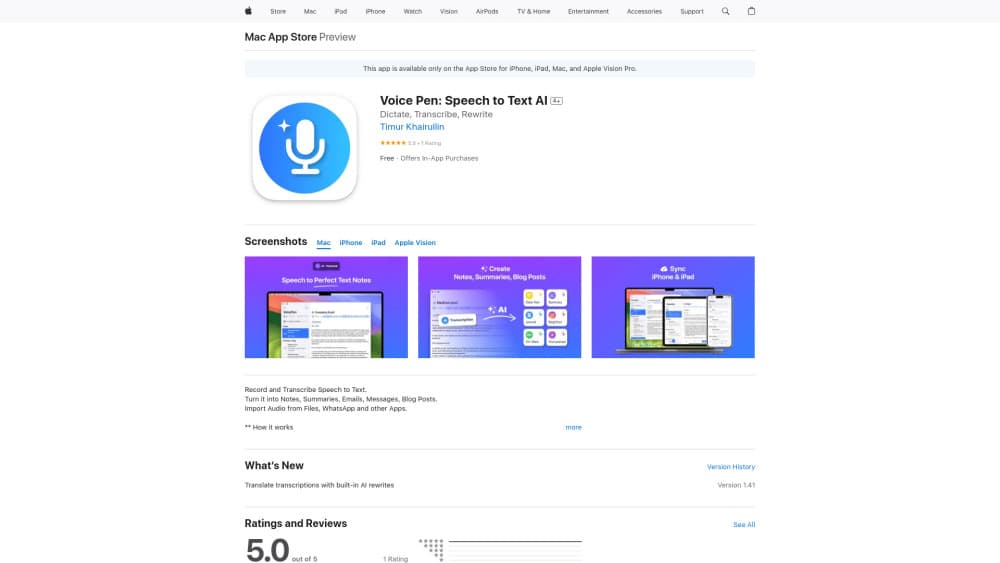
VoicePen is an AI note taker for Apple devices that records up to two hours, transcribes speech in 80+ languages, and turns each recording into a summary, action points, or polished text.
About Voice Pen: Speech to Text AI
What Is VoicePen
VoicePen is a voice to text app built for people who talk faster than they type. You record a thought, a lecture, an interview, or a Zoom call, and the app returns a labeled transcript plus a set of AI-written notes you can act on. It runs on iPhone, iPad, Mac, Apple Watch, and Apple Vision Pro, and it syncs through your own iCloud account.
The appeal sits in the middle of the workflow. Basic transcription tools hand you a wall of text and stop there. VoicePen gives you over 25 rewrite styles, custom prompts, and note formats such as Summary, Takeaway, Action Points, Study Note, and Quiz, so the messy spoken version turns into something you'd actually send to a colleague.
The limits are real too. There's no Android build, no Windows app, and no public transcription API for developers. Free use is short-form only, and each recording caps at two hours even on premium. If your archive is a decade of audio, this is not the tool for bulk backfill.
Getting Started
- Install VoicePen from the App Store and sign in with your Apple ID. The app stores recordings in your private iCloud, so keep iCloud Drive enabled.
- Hit the record button, or say "Siri, Dictate in VoicePen" to start from the lock screen. Widgets do the same job in one tap.
- Stop the recording and pick a note format or rewrite style. The transcript usually lands in seconds, and speaker labels appear when more than one person talks.
- Move the result into a folder, then export it as PDF or DOC, or push it to Notion, Zapier, Make, or n8n.
Product Information
A quick look at Voice Pen: Speech to Text AI's pricing, supported platforms, and performance.
Best for
The users, tasks, and scenarios where this tool fits best.
Users
- Students
- Managers and consultants
- Writers and creators
Tasks
- Lecture and workshop capture
- Meeting notes
- Dictating messages and email replies
- Voice memo transcription for imported audio
Scenarios
- Walking or commuting when an idea hits
- Client interviews and research calls you need to quote
- Multilingual teamwork
Key features
Two-Hour Recordings, Online or Offline
Each recording can run for up to two hours, which covers a full lecture, a long interview, or an entire client call. Offline mode and Live Activities keep the capture going in the background with no signal, so you can record on a plane or in a basement conference room.
Whisper Transcription With Speaker Labels
The speech to text AI engine is OpenAI Whisper, and the output includes speaker separation and timecodes rather than an unbroken block of text. On a four-person call, that's the difference between a usable record and a puzzle. You can also listen back and correct a line without redoing the whole file.
AI Note Formats Instead of One Big Transcript
The app writes the notes for you in several shapes: Summary, Takeaway, Action Points, Study Note, Definitions, and Quiz. Pick the one that matches what you'll do next. Study Note fits revision, Action Points fits project follow-up, and a Summary works when you only need the gist for a message.
Over 25 Rewrite Styles Plus Custom Prompts
Rewrite styles cover tone and purpose, from Proofread and Clear Text to Professional, Casual, Short, and Journaling. When the presets miss, build a custom prompt once and reuse it on every recording. Regular users tend to build two or three of these for emails, reports, and personal notes.
Import From Files, Links, Podcasts, and Video
You can upload local audio and video files or paste a link to a YouTube video or podcast episode. The app transcribes the audio and returns notes, which makes it a decent research tool for turning long-form content into something skimmable. Chat with your notes works alongside this, so you can ask a question about a two-hour recording instead of scrubbing through it.
Private iCloud Storage and Webhook Integrations
Recordings and transcripts stay in your private iCloud, and the developer states that no audio or transcripts sit on their servers. Analytics are limited to anonymous usage data. Export goes to PDF or DOC, and Notion, Zapier, Make, and n8n connections through webhooks cover the rest of an automated setup.
Pros and cons
Pros
- Records offline and in the background, so a bad signal or a locked screen doesn't stop the capture.
- Speaker labels and timecodes make long meeting recordings actually searchable.
- Multiple note formats and 25+ rewrite styles cut the cleanup step most transcription apps leave to you.
- Syncs across iPhone, iPad, Mac, Apple Watch, and Vision Pro under one subscription, with storage in your own iCloud.
- Free tier covers short voice memo transcription, which is enough to judge accuracy before paying.
Cons
- Apple only. There's no Android app, no Windows client, and no web version, so mixed-device teams can't standardize on it.
- Two hours is the ceiling per recording, which rules out full-day conference capture or very long audiobooks.
- No public API for developers. Automation runs through Zapier, Make, or webhooks, which adds a paid middle layer.
- Note quality tracks audio quality. A noisy room with overlapping speakers produces a transcript you'll spend time fixing.
Frequently asked questions
Apple dictation types what you say. VoicePen records up to two hours, adds speaker labels and timecodes, and generates a summary, action points, or a study note from the recording. It also handles imported audio and video, which dictation ignores entirely.
Related content
Explore related tools, skills, and articles for Voice Pen: Speech to Text AI.
Voice Pen: Speech to Text AI Alternatives

Foley
Hanamori Labs, LLC · Voice & Language · Productivity · AI AssistantFoley is a voice to-do list that turns a spoken sentence into a filed task, complete with project, date and time, then helps you plan the day around what is already there.

HireKey
HireKey · Voice & Language · Productivity · LeaningHireKey is an AI job search copilot built by a former tech recruiter. It checks role fit, tailors resumes, runs interview practice and tracks every application.

Fluence
Yay Software (Yannick Huchard) · Writing · Voice & Language · ProductivityFluence is an Android app that reads PDFs, EPUBs, Word files and web articles aloud, follows each sentence as it speaks, and answers questions about the text on the phone itself.