

Voices AI: Voice Changer
Fiedler Tech LLC · Voice & Language
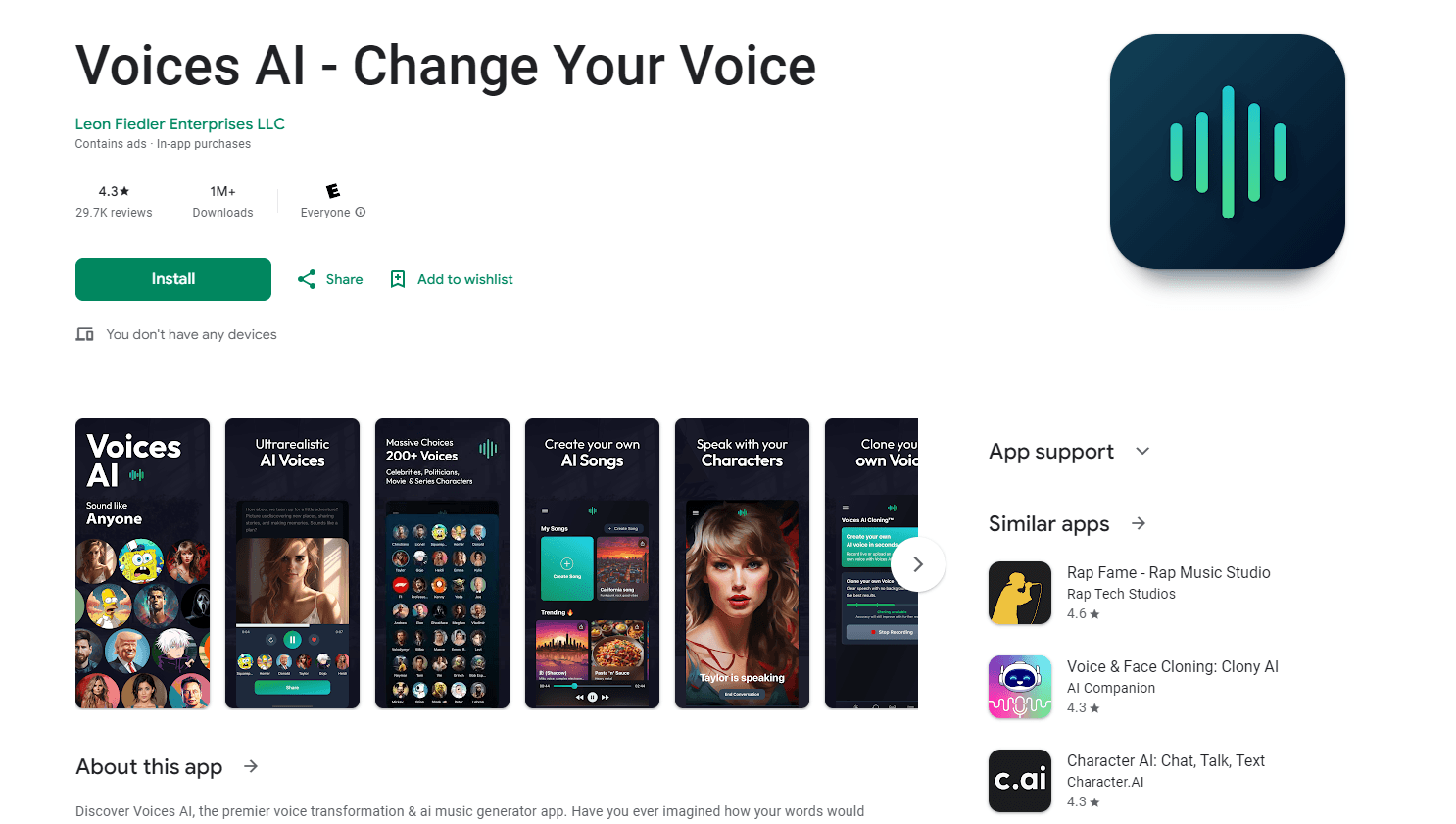
Voices AI is an iOS voice changer app that turns typed text or a short recording into celebrity, character, or cloned voices, then exports the audio for videos, podcasts, and pranks.
About Voices AI: Voice Changer
What Is Voices AI
Voices AI is an iPhone and iPad app from Fiedler Tech LLC. You type a script, pick a voice from the library, and the app renders it as speech. It works as a celebrity voice generator first and a cloning tool second. The library leans on famous names: actors, musicians, politicians, and cartoon-style characters. A second mode works the other way. You upload a short sample and the app builds a voice model that reads anything you type in that timbre.
The appeal is speed. A one-line joke becomes an audio clip in under a minute, and you don't need a microphone, a quiet room, or any editing skill. Content creators use it to add narration without booking a voice actor. Everyone else uses it to send a friend a birthday message in a voice that isn't theirs.
The tradeoffs show up fast. Voices AI runs only on Apple devices, so Android users are out. Every generation spends credits, and the free allowance runs out quickly once you start testing voices. The celebrity impressions are AI approximations, not licensed performances, and the app's own disclaimer says they may not match the real person exactly. Treat the output as parody material and check the terms before you put it in an ad.
Getting Started
- Install Voices AI from the App Store and open it. There's no web version and no sign-up form beyond the Apple ID purchase flow.
- Pick a mode: type text for text to speech, or record a sample to start voice cloning.
- Choose a voice from the library, paste your script, and let the app render the clip.
- Preview the result, then save or share it to Messages, social apps, or your camera roll.
Product Information
A quick look at Voices AI: Voice Changer's pricing, supported platforms, and performance.
Best for
The users, tasks, and scenarios where this tool fits best.
Users
- Short-form video creators
- Podcasters and YouTubers on a budget
- People making prank calls and birthday messages
- Hobbyist storytellers
Tasks
- Turning a script into narration
- Cloning a voice you have rights to
- Cleaning up a rough recording
- Making alternate language versions
Scenarios
- A last-minute video upload
- A group chat prank
- Testing an idea before production
Key features
Celebrity and Character Voice Library
The catalog is organized around recognizable voices rather than generic male and female presets. You browse by name, preview a sample, then render your script in that voice. New voices land with app updates, and the store listing describes the collection as continuously growing. It's the main reason people install this voice changer app instead of a plain text to speech tool.
Text to Speech With Script Control
You type or paste up to a full paragraph, and the app reads it back in the selected voice. Pauses follow your punctuation, so line breaks and commas do most of the direction work. For longer scripts, render in chunks and stitch the files together, which also lets you change voices between speakers.
Voice Cloning From a Short Sample
The cloning mode asks for a brief recording, then builds a model that speaks your text in that voice. You can clone your own voice for consistent narration or a character voice for fiction. The app frames this as a creative tool, and the usual consent rules apply: clone a voice you own or have permission to use.
Credit Packs and Premium Subscription
Generation runs on credits. Small packs start at $2.99 for 1,000 credits, and larger packs run to $29.99 for 50,000. Premium subscriptions sit at $7.99 or $8.99 per week and $14.99 per month, and they change what you can access rather than removing the credit system entirely. Voice duplication is sold as a separate $14.99 purchase.
Audio Cleanup
The app includes a cleanup pass that takes a noisy recording and reduces hiss, room echo, and uneven volume. It's aimed at phone recordings and quick interviews rather than studio repair. Results are good enough for social video and rough podcasts, and it saves you from opening a separate editor for a two-minute fix.
Built-In Sharing
Finished clips export to the camera roll or go straight into the iOS share sheet, which covers Messages, WhatsApp, Instagram, and the rest. There's no project file and no library sync across devices, so each clip stands alone. For creators who publish daily, that's a fast workflow and a real limit at the same time.
Pros and cons
Pros
- The voice library covers famous names and characters in one place, which saves hunting through several apps.
- Rendering a line takes seconds, so testing five voices for one joke costs a few minutes rather than an afternoon.
- Voice cloning works from a short sample, and a saved model keeps a series consistent across episodes.
- Audio cleanup handles phone-grade recordings well enough for social platforms.
- The app is free to download, so you can judge the output quality before spending anything.
Cons
- iOS only. There's no Android build and no browser version, so a mixed-device team can't share the workflow.
- Credits disappear quickly when you iterate. A five-minute finished voiceover can take several attempts, and each attempt spends the same credits as a keeper.
- Celebrity voices are approximations. Intonation drifts on long scripts, and emotional range is narrower than a human read.
- Cloned voices and famous likenesses carry legal risk. The app warns about it, but the responsibility for consent and commercial use sits with you.
- No public API is documented, so the audio can't be wired into an automated pipeline.
Frequently asked questions
It converts text or a short recording into spoken audio using AI voices. People use it for video narration, character skits, prank clips, and quick voiceovers where hiring an actor doesn't make sense.
Related content
Explore related tools, skills, and articles for Voices AI: Voice Changer.
Voices AI: Voice Changer Alternatives

Foley
Hanamori Labs, LLC · Voice & Language · Productivity · AI AssistantFoley is a voice to-do list that turns a spoken sentence into a filed task, complete with project, date and time, then helps you plan the day around what is already there.

HireKey
HireKey · Voice & Language · Productivity · LeaningHireKey is an AI job search copilot built by a former tech recruiter. It checks role fit, tailors resumes, runs interview practice and tracks every application.

Fluence
Yay Software (Yannick Huchard) · Writing · Voice & Language · ProductivityFluence is an Android app that reads PDFs, EPUBs, Word files and web articles aloud, follows each sentence as it speaks, and answers questions about the text on the phone itself.