

VoiceVector
VoiceVector · Voice & Language
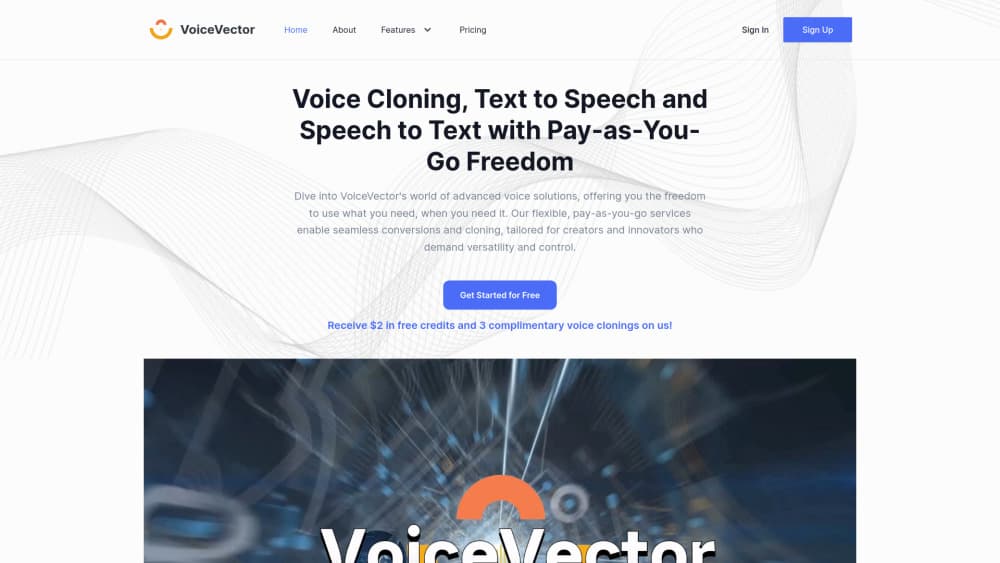
VoiceVector is a browser-based voice platform for cloning a voice, turning text into speech and transcribing audio. You buy credits and pay only for the minutes or characters you use.
About VoiceVector
What Is VoiceVector
VoiceVector packs three voice jobs into one web app: clone a voice, read text out loud, and turn recordings into text. You sign up, load credits, and open whichever tool fits the task. There's no desktop install and no seat licence.
The product targets people who need a voice occasionally rather than every day. Independent podcasters, course authors and small teams get studio-style output without hiring a voice actor or committing to an annual plan. Metering is simple: transcription runs at $0.005 per minute, speech synthesis at $0.26 per 1,000 characters, and each cloned voice costs $3.99.
Limits matter here. A clone is only as good as the sample you feed it, so a noisy one or two minute recording produces a wobbly result. There's no public API, no mobile app, and support runs through email. You also carry the legal side of cloning: consent from the speaker is your responsibility, not the platform's.
Getting Started
- Create an account at voice-vector.com and claim the starter credits: $2, three voice clones and 400 transcription minutes.
- Pick a tool from the top menu: Voice Cloning, Text to Speech or Speech to Text.
- For a clone, upload one to two minutes of clean speech, then wait about ten minutes while the model trains.
- Paste your script or upload your audio, run the job, and download the WAV, MP3, SRT or TXT file.
Product Information
A quick look at VoiceVector's pricing, supported platforms, and performance.
Best for
The users, tasks, and scenarios where this tool fits best.
Users
- Podcasters and YouTube creators who narrate their own scripts
- Teachers and course authors building narrated lessons
- Small teams that transcribe meetings now and then
Tasks
- Narrating a blog post or product video
- Transcribing interviews and lectures
- Keeping one brand voice across a video series
Scenarios
- Reaching viewers in another language
- Turning a recorded class into study material
- Testing a voice idea before hiring a voice actor
Key features
Voice Cloning from a Short Sample
You upload one to two minutes of speech and the service trains a personal model, usually within ten minutes according to VoiceVector. The clone then reads any script you paste, and you can keep as many voices as your credits allow. Sample quality drives the outcome, so record with a decent microphone and no background noise.
Text to Speech with Stock and Cloned Voices
The AI voice generator ships with more than 100 voices across 20 languages. You can also point it at your own cloned model when the script needs your voice rather than a generic one. Long text is supported, which makes it usable for articles and full video narrations, not just short greetings.
Speech to Text with Subtitle Export
The transcription tool converts meetings, lectures and interviews into text and supports more than 100 languages and variants. Output downloads as SRT for video subtitles or TXT for notes. That covers the two most common follow-up tasks without a second tool.
Pay as You Go Credits
Credits replace monthly seats. Transcription costs $0.005 per minute, speech synthesis $0.26 per 1,000 characters, and voice cloning $3.99 per model. Charges round to the nearest $0.001, so short jobs stay cheap and you can stop spending in a quiet month.
Subscription Options for Heavy Use
Two plans sit above the pay as you go TTS rate. Transcription runs $21.99 a month for 200 hours of audio, and a combined voice plan costs $24.99 a month for 20 clones and 120,000 characters of speech. Both beat the credit rate once your volume passes a few hours a month.
Browser Workflow with File Exports
Everything runs in the browser, including previews of stock voices and the cloned samples on the demo page. Finished jobs download as WAV or MP3 for audio and SRT or TXT for transcripts, which drops straight into most video editors and note apps.
Pros and cons
Pros
- The entry cost is tiny. Two dollars of credit plus three free clones let you judge the output before spending more.
- Metered billing fits bursty work. A quiet month costs nothing, unlike a $20 monthly seat.
- Cloning is fast and repeatable. Ten minutes of training buys a voice you can reuse across a whole series.
- One account covers all three jobs, so narration and subtitles for the same video stay in one place.
- Subtitle export in SRT saves a separate transcription step for YouTube uploads.
Cons
- There's no public API, so developers can't wire the voices into their own apps or pipelines.
- Long narration adds up. At $0.26 per 1,000 characters, a 100,000 character audiobook costs about $26 in synthesis alone.
- Clone quality is fragile. A noisy sample or a strong accent in a short clip can produce flat or inconsistent speech.
- Support is email only, which is slow when a paid job fails halfway through.
Frequently asked questions
VoiceVector is a web platform with three tools: AI voice cloning, text to speech and speech to text. You buy credits, run a job in the browser, and download the audio or transcript.
Related content
Explore related tools, skills, and articles for VoiceVector.
VoiceVector Alternatives

Prosp
Prosp · Writing · Voice & Language · MarketingProsp is an AI LinkedIn outreach tool built for agencies and sales teams, and it writes the message and the voice note in your own voice for each prospect so they actually reply. You connect your accounts, find leads, and let the AI draft and send personalized messages at scale, all from one inbox. It's built for people running outbound at volume. That's the whole pitch. Every touchpoint still has to feel human.

Wordly AI Translation
Wordly · Voice & Language · ProductivityWordly AI Translation is a real-time AI translation and captioning platform built for meetings, conferences, and events. It delivers live translation, captions, transcripts, and summaries in more than 60 languages, and attendees join by scanning a QR code or opening a link instead of using dedicated headsets. The platform works with Zoom, Microsoft Teams, Google Meet, and Webex, and it's designed for organizations that want multilingual access without hiring human interpreters for every session. Simple as that.
Musicful
Musicful AI · Voice & Language · VideoMusicful is an AI music generator and AI music video maker that turns text to music in minutes. Give it a text prompt, a set of lyrics, or a hummed melody and it returns a finished track with vocals and instruments. It also doubles as an AI song generator, produces music videos from the songs you create, and offers an AI cover tool plus a developer API. The platform runs in a web browser and through an Android app, so you can start a song on desktop and pick it up on your phone.