

Voicezap AI
Bloxz Development · Voice & Language
Voicezap AI turns spoken commands into Zapier triggers, transcribing your voice and firing a webhook so automations run hands-free.
About Voicezap AI
What Is Voicezap AI
Voicezap AI is a web tool that connects your voice to Zapier. You speak a command, the app transcribes it, and it calls a Zapier webhook to start whatever workflow you set up. It's built for people who want automations to start without reaching for a keyboard, like a driver, a warehouse worker, or anyone with their hands busy.
The problem it targets is the gap between Zaps and real life. A Zap only runs when a trigger fires, and most triggers live inside an app or a form. Voicezap AI adds a voice trigger on top, so a spoken phrase acts like a button. Setup stays simple: you point it at a webhook and record the command that should set it off.
The limits matter as much as the features. It depends on Zapier, so it only runs zaps you already have, and it's a web app rather than a mobile or desktop app. Pricing isn't published, and the company asks you to book a demo before signing up. It's built by Bloxz Development in the Netherlands and uses OpenAI and AssemblyAI for transcription.
Getting Started
- Create a Zap in Zapier and add a Webhooks by Zapier trigger, then copy the catch hook URL.
- Paste that webhook URL into Voicezap AI so the tool knows where to send commands.
- Record the voice phrase you want, such as a short instruction tied to that zap.
- Speak the phrase through the app and confirm the zap runs, then repeat for each automation you want to control.
Product Information
A quick look at Voicezap AI's pricing, supported platforms, and performance.
Best for
The users, tasks, and scenarios where this tool fits best.
Users
- People who work hands-free
- Zapier power users
- Solo operators and small teams
Tasks
- Logging a note or a time stamp
- Sending a quick update
- Starting a repeating routine
- Capturing an idea on the move
Scenarios
- Working away from a desk
- Running the same automation many times a day
- Testing a voice-triggered idea
Key features
Voice Commands for Zapier Zaps
The core of the tool is turning speech into a zap trigger. You record a command, and when it's spoken, Voicezap AI sends a request to the webhook URL you supplied, which starts the matching Zap. The zap itself does the work, so anything Zapier can do becomes something you can set off by voice.
Webhook Setup Without Code
Connecting Voicezap AI to your automations doesn't involve writing anything. You make a Zap with a Webhooks by Zapier trigger, copy the catch URL, and paste it into the tool. From there the app records your phrase and links it to that endpoint, which keeps the whole process to three steps.
Speech-to-Text Transcription
The service turns your recording into text using speech-to-text providers. According to the company's privacy policy, it works with OpenAI and AssemblyAI to produce transcriptions. That text is what drives the webhook call, so the accuracy of the transcription decides how reliably the command fires.
Privacy-First Handling
Voicezap AI states that recordings won't be used to train AI models, aren't analyzed for marketing, and aren't shared beyond the providers needed to run the service. The company is based in the Netherlands and frames its data handling around GDPR, which matters if you're sending anything sensitive through a spoken command.
Simple Three-Step Flow
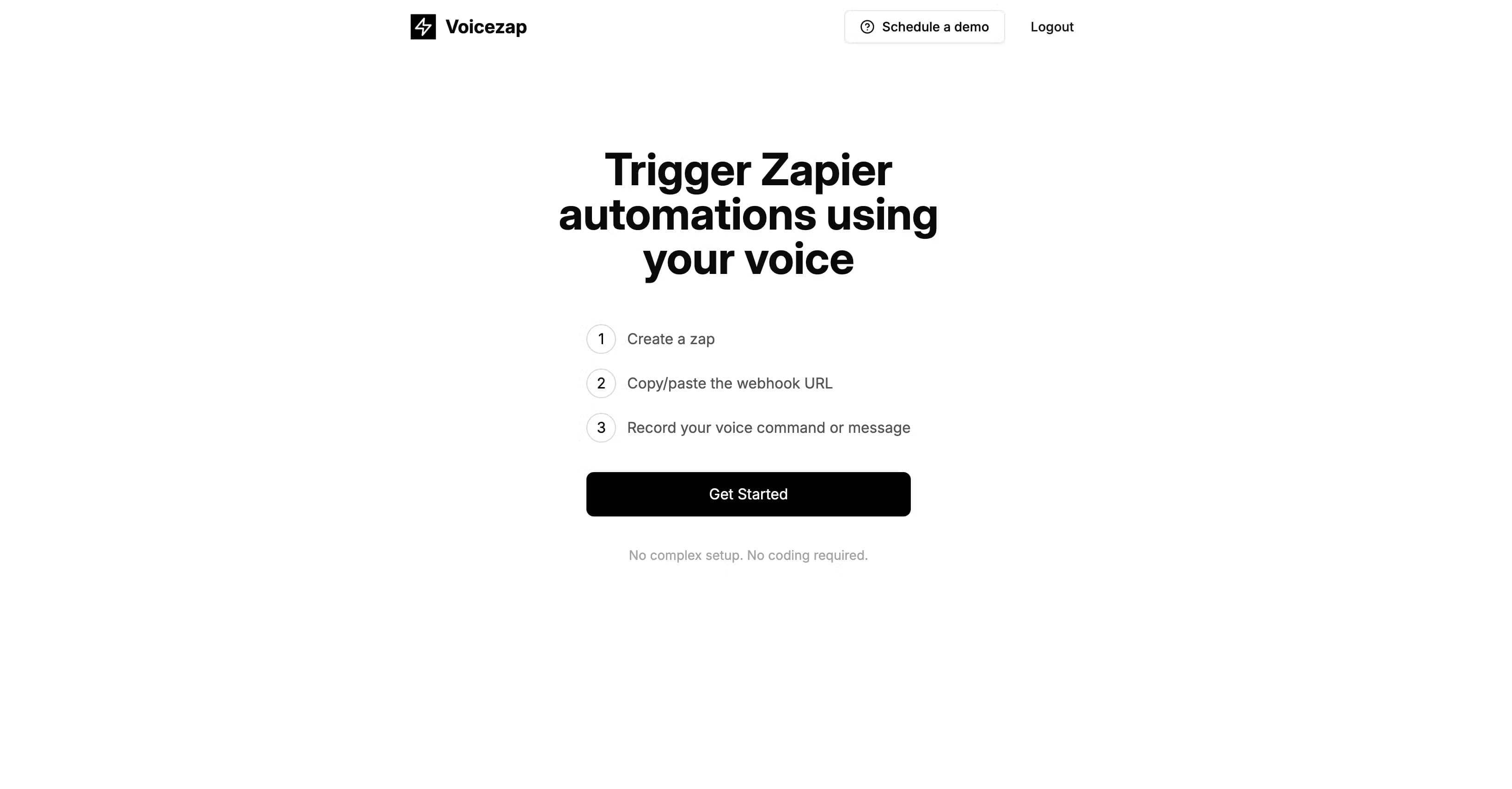
The product keeps onboarding short. You create a zap, paste the webhook URL, then record your voice command or message. There's no complex setup and no coding, and the same pattern repeats for every automation you want to control by voice.
Zapier-Powered Reach
Because it plugs into Zapier rather than replacing it, Voicezap AI inherits Zapier's reach across thousands of apps. Each command you add can drive a different zap, so one voice layer can sit on top of an entire automation library you already own.
Pros and cons
Pros
- Turns spoken phrases into Zapier triggers, so automations start without a keyboard.
- Setup is three steps and needs no code, just a webhook URL and a recorded phrase.
- Works with the zaps you already have, so you don't rebuild workflows to add voice.
- The app states that voice recordings aren't used for AI training.
- Being web-based means there's nothing to install on a phone or desktop.
Cons
- It only triggers zaps you've already built, so it adds nothing to Zapier's own logic.
- Pricing isn't published and you have to book a demo to find out what it costs.
- There's no free plan, so you can't try it without contacting the company first.
- As a web app, it leans on a browser and a network connection, which is awkward in low-signal places.
Frequently asked questions
Voicezap AI triggers Zapier automations using voice commands. You speak a phrase, the tool transcribes it, and it calls a Zapier webhook to start the workflow you linked.
Related content
Explore related tools, skills, and articles for Voicezap AI.
Voicezap AI Alternatives

Foley
Hanamori Labs, LLC · Voice & Language · Productivity · AI AssistantFoley is a voice to-do list that turns a spoken sentence into a filed task, complete with project, date and time, then helps you plan the day around what is already there.

HireKey
HireKey · Voice & Language · Productivity · LeaningHireKey is an AI job search copilot built by a former tech recruiter. It checks role fit, tailors resumes, runs interview practice and tracks every application.

Fluence
Yay Software (Yannick Huchard) · Writing · Voice & Language · ProductivityFluence is an Android app that reads PDFs, EPUBs, Word files and web articles aloud, follows each sentence as it speaks, and answers questions about the text on the phone itself.