

AI Voice: Text to Speech TTS
Voiser · Writing · Productivity
AI Voice: Text to Speech TTS (Voiser) is an AI transcription app that converts audio and video into text in 75+ languages for creators and teams.
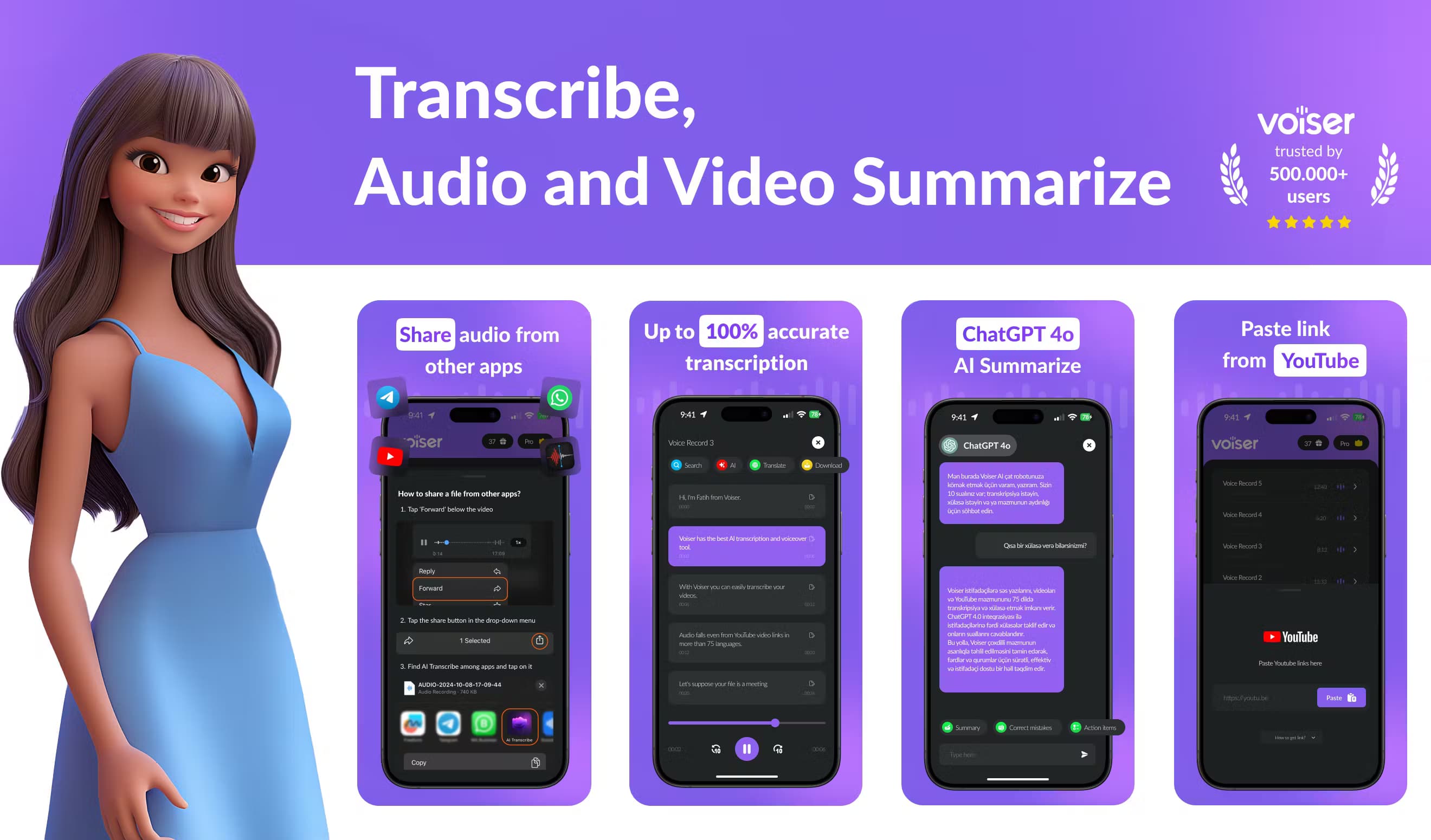
About AI Voice: Text to Speech TTS
What Is AI Voice: Text to Speech TTS
AI Voice: Text to Speech TTS is the mobile face of Voiser, a Turkish AI company that built its name on speech tools. The app handles both directions of the same job: it reads your text aloud with natural voices, and it turns recordings back into text. Most people install it for the second half, because transcription is where the real time savings live, and because typing out an hour of speech by hand is nobody's idea of a good afternoon. Drop in a meeting recording, a YouTube link, or an interview and you get a text file back in minutes. No typing required. That's the pitch, and for clean audio it mostly holds up.
The transcription side is stronger than the average dictation app. It works as a general AI transcription tool. Voiser says its engines reach up to 100% accuracy, and the app covers 75+ languages with 135+ dialects, a range that matters a lot if your work regularly crosses borders and you need one tool that handles every language you run into. Speaker detection splits a conversation by who's talking, so a team meeting reads like a script instead of one long block. Subtitle customization lets you control how many words land on screen at once. You can export everything as Word, Excel, TXT, or SRT, and a ChatGPT integration can summarize long transcripts or answer questions about them.
The catch is that transcription quality tracks audio quality. Clean, single-speaker recordings come out best. Messy audio loses accuracy every time. Heavy background noise, overlapping voices, and thick regional accents still trip up speech recognition, Voiser included, and no amount of marketing copy changes that basic limit. The free tier is limited too. Anyone transcribing daily will hit its ceiling fast.
Getting Started
- Install AI Voice: Text to Speech TTS from Google Play, or open Voiser's speech-to-text tool in a browser.
- Create an account and sign in, since transcription minutes and history tie to your Voiser profile.
- Upload an audio or video file, or paste a YouTube link for the fast transcription option.
- Pick the source language, then let the engine process the file and generate your transcript.
- Edit the text in the online editor, then export it as Word, Excel, TXT, or SRT with optional timestamps.
Product Information
A quick look at AI Voice: Text to Speech TTS's pricing, supported platforms, and performance.
Best for
The users, tasks, and scenarios where this tool fits best.
Users
- Journalists and interviewers
- Content creators and podcasters
- Students and researchers
- Non-English speakers
Tasks
- Audio-to-text conversion
- YouTube transcription
- Subtitle generation
- Meeting transcription
- Summarizing long transcripts
Scenarios
- A podcast team that needs accurate subtitles for every episode without a paid human transcriber.
- A journalist who records interviews in several languages and needs drafts to edit rather than type.
- A student who records a two-hour lecture and wants a summary before an exam.
- A small business translating product videos into subtitles for overseas audiences.
Key features
Speech to text in 75+ languages
The core job is turning audio and video into text. Voiser covers 75+ languages and 135+ dialects. That means one app handles an English interview and a Turkish meeting. Nice. It adds punctuation on its own, which saves the tedious pass of adding commas and periods by hand. Accuracy lands near the top of the range on clean recordings. It slips as audio gets messier.
Text to speech with natural voices
The other half of the app reads your text aloud in lifelike voice options, including newer multi-language and high-definition voices. It's useful for narration, accessibility, and turning a written script into audio without booking a voice actor, which keeps a small team's costs down when they need a quick voiceover instead of a studio session. Voices stay consistent across languages. One account handles an English ad and a French version of it.
Speaker detection
Upload a multi-person recording and the app works out who said what, splitting the transcript by speaker. For meeting notes and interview write-ups, that's the difference between a usable document and a wall of untagged dialogue. It saves you the manual job of tagging every line. Big difference.
Subtitle customization
Once a file is transcribed, you can shape the subtitles instead of accepting whatever comes out. Adjust the word length per caption, then export to SRT or another subtitle format. Think of it as a subtitle generator with a dial. Anyone posting to YouTube, TikTok, or a course platform wants captions that stay readable on a phone screen instead of crowding four lines of text into the bottom of the frame.
Fast YouTube transcription
Paste a YouTube link and Voiser pulls the spoken audio into text. It skips the step of downloading a video and running a converter first, which is handy for research and content repurposing. The output is editable. Clean up names and jargon that the engine guesses at.
ChatGPT summaries
Voiser connects its transcripts to ChatGPT, so you can ask questions about a long recording or generate a summary without leaving the workflow. A two-hour meeting becomes a short brief you can scan. Useful. It also helps when you only need the decisions and deadlines, not every word spoken. Who has time to reread a full transcript?
Flexible exports
Transcripts leave the app as Word, Excel, TXT, or subtitle files, with optional timestamps and punctuation. Different teams need different formats, and this covers the common ones without a separate conversion tool, so you don't have to round-trip through another app just to change a file type. You can also strip profanity from a transcript before sharing it. Handy.
Pros and cons
Pros
- Transcribes audio and video in 75+ languages and 135+ dialects, far wider coverage than most single-language apps.
- Speaker detection and subtitle customization handle real team and creator workflows, not just plain dictation.
- ChatGPT integration turns long transcripts into summaries or answers without extra tools.
- Exports cover Word, Excel, TXT, and SRT, so output fits most editing and publishing setups.
- A free tier and a mobile app lower the barrier to testing it before you pay.
Cons
- Accuracy drops with noisy recordings, overlapping speakers, or heavy accents, so clean audio still matters.
- The free plan is limited, which pushes regular users toward a paid subscription quickly.
- Full quality depends on a stable internet connection, since processing runs in the cloud.
- The app leans on Voiser's broader speech suite, so a few advertised features overlap across products and can be confusing to sort out.
Frequently asked questions
It's Voiser's mobile app for two jobs: converting text into natural speech and turning audio or video into text. Most users install it as an audio to text converter and transcription software, using it to write out interviews, meetings, lectures, and YouTube videos before exporting the result as Word, Excel, TXT, or subtitle files, which is the workflow that saves the most time for anyone who records regularly.
Related content
Explore related tools, skills, and articles for AI Voice: Text to Speech TTS.
AI Voice: Text to Speech TTS Alternatives

Google EmbeddingGemma 2
Google DeepMind · Writing · Image · CodingGoogle EmbeddingGemma 2 is a 740M-parameter open model that turns text, code, images, audio, and video frames into vectors in one 768-dimension space, running on phones and laptops.

MePersona
MePersona, Inc. · Writing · Productivity · MarketingMePersona is an AI unified inbox for creators. It learns your voice, drafts replies to fan messages from 12 platforms, and sends only what you approve.

Fluence
Yay Software (Yannick Huchard) · Writing · Voice & Language · ProductivityFluence is an Android app that reads PDFs, EPUBs, Word files and web articles aloud, follows each sentence as it speaks, and answers questions about the text on the phone itself.