

Voisi
Teknikforce · Voice & Language
Voisi is an AI voice generator for creators who need voice overs, translations, and multi-speaker conversations in one place.
About Voisi
What Is Voisi
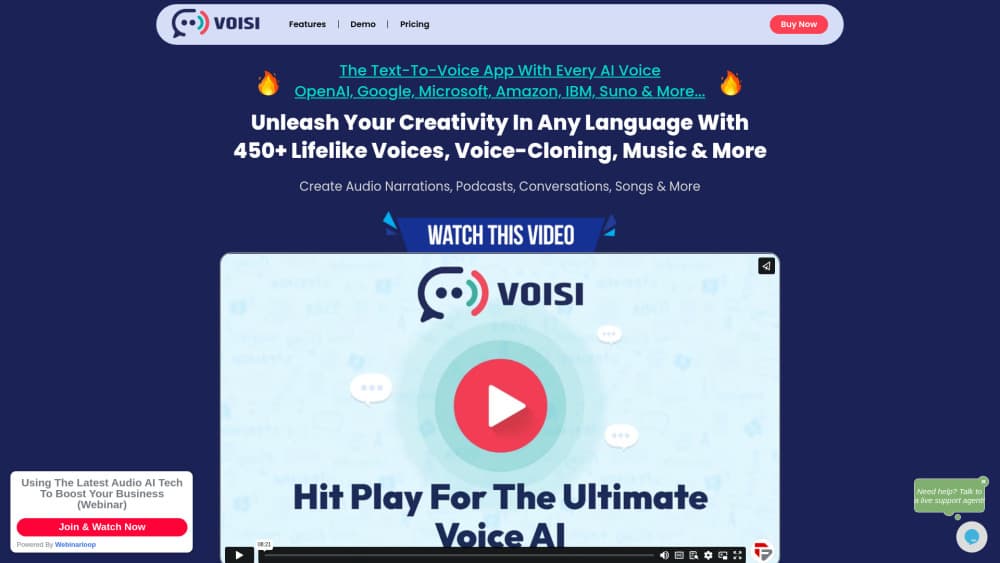
Voisi is a multi-AI voice platform that pulls the best speech engines from OpenAI, Microsoft, Google, Amazon, and IBM into a single workspace. Instead of juggling separate subscriptions, you get one account for text to speech, audio to text, translation, voice cloning, and AI-generated music. One bill. One dashboard.
The pitch is simple: other tools handle single-speaker voice overs, but they struggle with dialogues. Voisi was built around multi-voice projects. You feed it a conversation script with no special formatting, and it produces a back-and-forth between two or more speakers. That opens up audio dramas, conversational podcasts, and dialogue-heavy training material.
Voice cloning is the other headline. A 15-second sample is enough to create a replica of your voice, and it works across 17 languages including English, Spanish, French, German, Italian, and Hindi. You can mix your cloned voice with the stock library however you like. That flexibility is rare.
The main limit is scope. Voisi is web-based and focused on audio and language tasks, so it won't edit video or design graphics. Pricing isn't published as fixed tiers on the site, so treat any cost estimate as something to confirm with the team before you commit. That matters.
Getting Started
- Create a Voisi account on the official website and sign in to your dashboard.
- Pick a task type, such as text to voice, audio to text, translation, or conversation.
- Choose a voice from the library, or upload a 15-second sample to clone your own.
- Paste your script or upload your audio file, then set the language for the output.
- Generate the result, preview it, and download the finished audio.
Product Information
A quick look at Voisi's pricing, supported platforms, and performance.
Best for
The users, tasks, and scenarios where this tool fits best.
Users
- Podcasters
- Video creators
- Audiobook and blog narrators
Tasks
- Voice over production
- AI dubbing
- Text to speech translation
- Audio to text
Scenarios
- Launching content in several markets at once without hiring separate voice actors per language.
- Producing dialogue-heavy audio for e-learning modules or audio dramas.
- Testing many voice options quickly to find the one that fits a brand.
Key features
Multi-Speaker Conversations
Most voice tools stop at single-voice narration. Voisi handles two or more speakers in one file, so you can generate interviews, panel discussions, and audio dramas from a plain script. There's no need to tag speakers with special formatting, which saves a lot of setup time and lets you move from idea to finished audio faster than a manual editing pass would allow.
Voice Cloning From a Short Sample
You can clone your voice with just 15 seconds of audio. The clone works across 17 languages, so the same voice reads English, Spanish, or Hindi scripts. It pairs with the stock library, and you can combine both in a single project. No studio required.
One Library of 450+ Voices
Voisi brings together engines from OpenAI, Microsoft, Google, Amazon, and IBM. That means one login covers a wide spread of accents, tones, and styles. Every voice has a live preview, so you can hear it before you commit to a full generation.
Translation and Dubbing
The platform translates both text and audio between major languages. You can keep the meaning and swap the language for an existing recording, which is useful for reaching new audiences without re-recording. Big win for dubbing.
Audio to Text
Beyond generating speech, Voisi converts recordings back into text. That covers transcription for subtitles, meeting notes, or blog drafts across the supported languages.
Workflows for Repeated Tasks
If you run the same kind of job often, Voisi lets you build workflows to automate it, so you can save the setup once and reuse it every time instead of reconfiguring all the voice, language, and output settings from scratch before each new project.
AI Music and Background Tracks
Voisi also generates background music and songs in multiple styles and languages. It's a nice extra when a project needs a backing track alongside the narration.
Pros and cons
Pros
- Handles multi-speaker conversations, which many competing voice tools can't do.
- Access to voices from several major providers through one account.
- Voice cloning works from a short 15-second sample and covers 17 languages.
- Combines text to speech, transcription, translation, and dubbing in a single workspace.
Cons
- No published free plan, so you can't test the full workflow before paying.
- Pricing isn't listed as clear tiers on the site, making budgeting harder up front.
- It's web-only, with no desktop or mobile app for offline work.
Frequently asked questions
Voisi covers text to speech, audio to text, translation, voice cloning, multi-speaker conversations, and AI music. It's built as an all-in-one audio and language toolkit rather than a single-purpose voice generator.
Related content
Explore related tools, skills, and articles for Voisi.
Voisi Alternatives

Foley
Hanamori Labs, LLC · Voice & Language · Productivity · AI AssistantFoley is a voice to-do list that turns a spoken sentence into a filed task, complete with project, date and time, then helps you plan the day around what is already there.

HireKey
HireKey · Voice & Language · Productivity · LeaningHireKey is an AI job search copilot built by a former tech recruiter. It checks role fit, tailors resumes, runs interview practice and tracks every application.

Fluence
Yay Software (Yannick Huchard) · Writing · Voice & Language · ProductivityFluence is an Android app that reads PDFs, EPUBs, Word files and web articles aloud, follows each sentence as it speaks, and answers questions about the text on the phone itself.